Originaldokument
GPT Image 2 · en
{
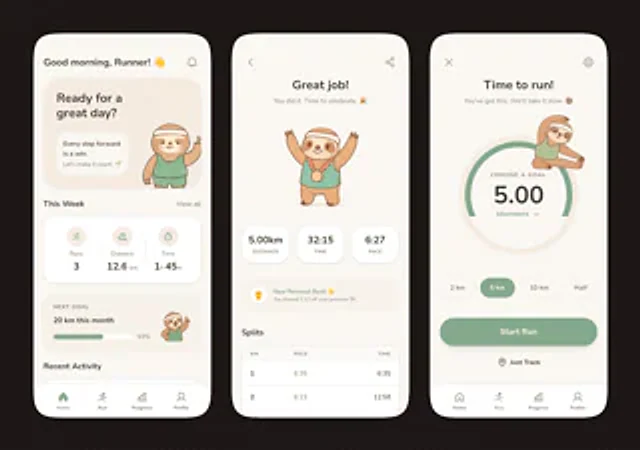
  "type": "Mobile fitness app UI model",
  "style": "A clean and modern pastel app design, featuring soft beige and warm white surfaces accented with delicate sage green, rounded cards and buttons, subtle shadows, slender minimalist icons, a friendly and playful brand identity with a sloth mascot, and a Dribbble-style dark brown dotted background.",
  "theme": "Running tracking app",
  "layout": {
    "device_count": 3,
    "arrangement": "Three elongated smartphone screens side by side, evenly spaced, frontal view.",
    "background": "Very dark brown with a faint, uniform dot grid pattern.",
    "screens": [
      {
        "position": "Left side",
        "screen_type": "Home Dashboard",
        "header": {
          "greeting": "Good morning, runners! 👋",
          "left_icon": "none",
          "right_icon": "Notification bell"
        },
        "hero_card": {
          "headline": "Ready for a wonderful day?",
          "subcard_text_line_1": "Every step forward is a victory.",
          "subcard_text_line_2": "Let's make every moment meaningful. 🌱",
          "illustration": "An adorable sloth, wearing a cream-colored headband and a mint green tracksuit, stands on the right side of the card and waves."
        },
        "sections": [
          {
            "title": "This week",
            "position": "Upper-middle",
            "count": 3,
            "labels": [
              "Number of runs",
              "distance",
              "time"
            ],
            "values": [
              "3",
              "12.6 km",
              "1 hour 45 minutes"
            ],
            "presentation": "A single rounded-corner statistics card containing three columns of equal-width content and a light green circular icon."
          },
          {
            "title": "Next goal",
            "position": "Middle to lower",
            "count": 1,
            "labels": [
              "20 kilometers this month"
            ],
            "values": [
              "63%"
            ],
            "presentation": "Rounded corner progress card with a green progress bar and a small illustration of a sloth waving on the right."
          },
          {
            "title": "Recent Activities",
            "position": "bottom",
            "count": 1,
            "labels": [
              "Recent Activities"
            ],
            "presentation": "The top edge of the other rounded card is visible, but it is obscured by the bottom navigation bar."
          }
        ],
        "bottom_nav": {
          "count": 4,
          "labels": [
            "front page",
            "running",
            "schedule",
            "Personal information"
          ],
          "active": "front page"
        }
      },
      {
        "position": "middle",
        "screen_type": "Running Summary",
        "header": {
          "left_icon": "Return arrow",
          "center_text": "Well done!",
          "subtext": "You did it! Time to celebrate! 🎉",
          "right_icon": "share"
        },
        "hero_illustration": "An adorable sloth, wearing a headband, a mint green tracksuit, and a gold medal, raises its arms in celebration.",
        "stats_row": {
          "count": 3,
          "labels": [
            "distance",
            "time",
            "pace"
          ],
          "values": [
            "5.00 km",
            "32:15",
            "6:27"
          ],
          "presentation": "Three rounded-corner statistical capsules"
        },
        "achievement_card": {
          "count": 1,
          "title": "A new personal best! 🌟",
          "subtitle": "You were 1 minute and 12 seconds faster than last time you covered 5 kilometers.",
          "icon": "Small gold medal badge"
        },
        "table_section": {
          "title": "Segmentation",
          "count": 2,
          "columns": [
            "kilometer",
            "pace",
            "time"
          ],
          "rows": [
            [
              "1",
              "6:35",
              "6:35"
            ],
            [
              "2",
              "6:23",
              "12:58"
            ]
          ],
          "presentation": "Rounded white form cards with light-colored dividing lines"
        }
      },
      {
        "position": "right side",
        "screen_type": "Setting running goals",
        "header": {
          "left_icon": "Close X",
          "center_text": "Let's start running!",
          "subtext": "You can do it. We'll take it slow. 🦥",
          "right_icon": "Set gears"
        },
        "goal_visual": {
          "type": "Circular progress selector",
          "top_label": "Select target",
          "main_value": "5.00",
          "unit": "kilometer",
          "ring": "Bold sage green arc on a light beige ring",
          "illustration": "A little sloth stretching out in the upper right corner of the circle"
        },
        "goal_options": {
          "count": 4,
          "labels": [
            "2 kilometers",
            "5 kilometers",
            "10 kilometers",
            "Half Marathon"
          ],
          "active": "5 kilometers"
        },
        "primary_cta": {
          "label": "Start running",
          "style": "Large rounded sage green button"
        },
        "secondary_action": {
          "label": "Track only",
          "icon": "Location marker"
        },
        "bottom_nav": {
          "count": 4,
          "labels": [
            "front page",
            "running",
            "schedule",
            "Personal information"
          ],
          "active": "running"
        }
      }
    ]
  }
}
Verwendung
- Den vollständigen Original-Prompt einschließlich Parametern kopieren.
- Motiv, Text und Komposition an die eigenen Anforderungen anpassen.
- Ein kompatibles externes Werkzeug nutzen; Zugangsbedingungen und Ergebnis prüfen.
Vor dem Start
- Prüfen, ob ein Referenzbild nötig ist. Kompatibilität belegt nicht das tatsächlich verwendete Modell.
- Namen, Zahlen und Bildtexte prüfen; Modellversionen können andere Ergebnisse liefern.