
Originaldokument
GPT Image 2 · en
Scene:
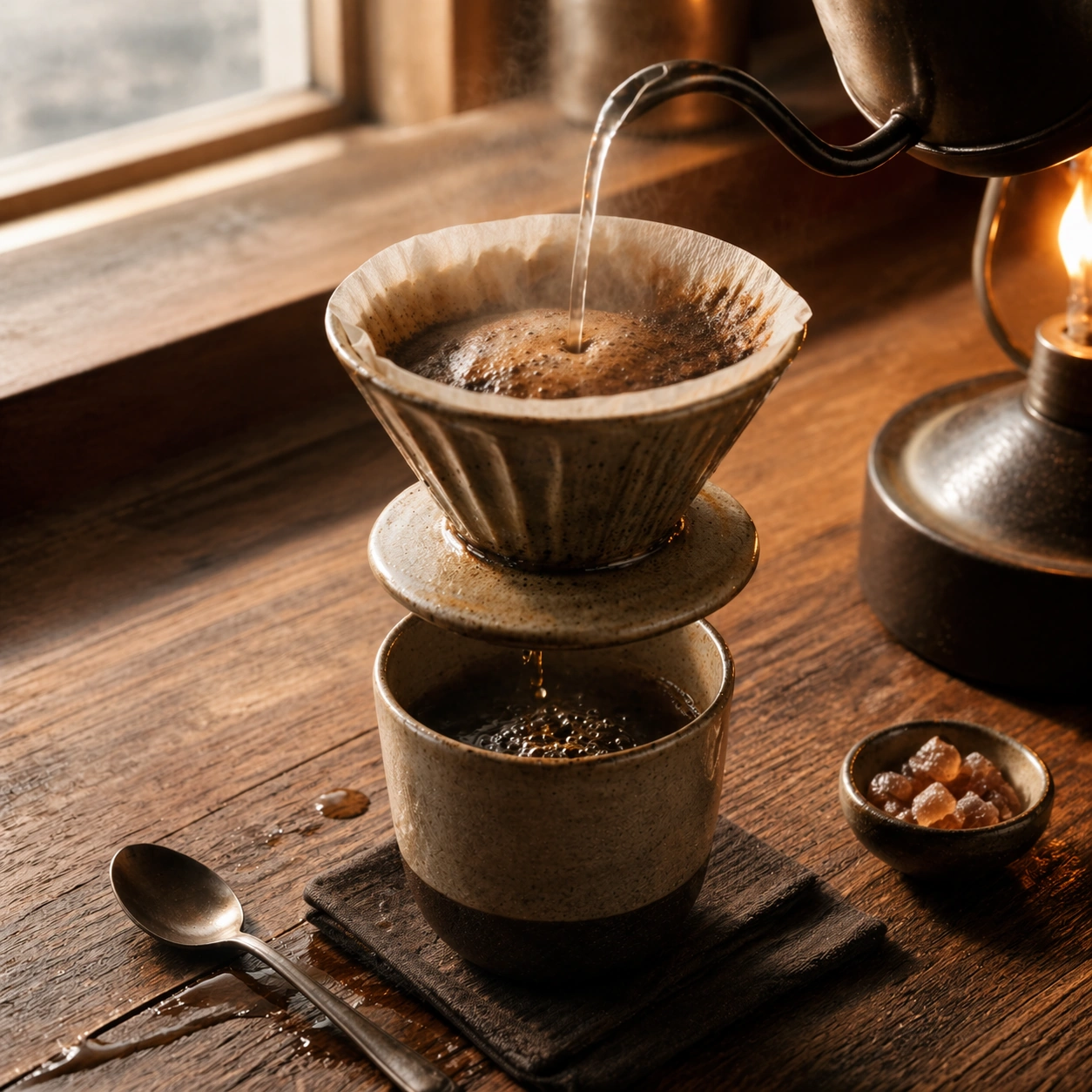
Compose a square beverage campaign image built around ritual, vessel, light, and atmosphere. The frame should feel like it belongs to a premium drink brand that understands daily habits: ceramic warmth, glass condensation, steam behavior, and tactile surfaces all need to read as observed and real rather than generic lifestyle filler. Retain the same bar counter, vessel family, and morning tonal warmth, but add a precise pouring gesture and gentle bloom rising from the grounds.

Subject:
The hero beverage must feel consumable and culturally grounded, with believable proportions, realistic liquid behavior, and supporting tools or props that reinforce the ritual without overwhelming the drink itself. Show a pour-over setup with kettle stream, dripper, and cup in alignment, making the brew moment feel accurate and sensory-rich without becoming tutorial-like.

Important details:
Credibility comes from timing and materials: crema density, ice clarity, tea translucency, condensation trails, and the way a hand or vessel sits in space. Keep the mood intentional and campaign-ready, with enough atmosphere to suggest a lived routine while preserving product focus. Preserve the exact camera height, lens feel, prop family, tabletop scale, palette discipline, and brand logic established by 01-morning-bar-anchor. Preserve the reference lens feel, table scale, and premium quietness while making water flow, filter geometry, and steam behavior physically convincing.

Use case:
Coffee Rituals series study 2/9, built for Prompt Atlas coverage of a food and beverage commercial visual system.

Constraints:
No readable text, no watermark, no logos, preserve exact 1:1 aspect ratio, no plastic café props, no latte-art gimmick overload, no fake steam clouds, no unreadable cup slogans, no random breakfast clutter, no artificial neon excess, no dramatic splash chaos, no gadget overload, no café menu boards.
Verwendung
- Den vollständigen Original-Prompt einschließlich Parametern kopieren.
- Motiv, Text und Komposition an die eigenen Anforderungen anpassen.
- Ein kompatibles externes Werkzeug nutzen; Zugangsbedingungen und Ergebnis prüfen.
Vor dem Start
- Prüfen, ob ein Referenzbild nötig ist. Kompatibilität belegt nicht das tatsächlich verwendete Modell.
- Namen, Zahlen und Bildtexte prüfen; Modellversionen können andere Ergebnisse liefern.