Originaldokument
GPT Image 2 · zh
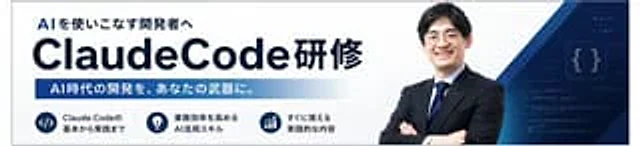
Create a simple Japanese corporate training banner, using a wide banner webpage header format, a white background, and a dark navy blue brand color. The layout should resemble a consistent AI programming course promotion banner. On the left, place a prominent bold Japanese subheading “AI を使いこなす开発者へ”, below which is a very prominent large headline…{argument name="main title" default="ClaudeCode Training"} The title is in bold, sans-serif, dark navy blue font, with "ClaudeCode" in a particularly large size, followed by the Japanese word in the same style. Below the title, a horizontal gradient bar from dark blue to light blue contains the Japanese text in bold white:{argument name="subheadline text" default="AI-era development will become your powerful tool."} In the bottom left corner, three circular navy blue icon badges are arranged horizontally, each with a brief two-line Japanese explanation to the right. Badge 1 displays a code symbol.</> The first badge displays the text "The basics of Claude Code." The second badge shows a lightbulb icon with the text "AI skills to improve business efficiency." The third badge shows an upward trend chart with the text "Content for practical application." On the right half, a confident Japanese businessman's bust is placed, arms crossed, wearing a dark navy blue suit, white shirt, and blue striped tie, facing forward; his face is either soft-focused or anonymized. Behind him, layered geometric navy blue and blue diagonal shapes sweep from the upper and lower right corners, along with a dark blue tech-themed panel with light code lines and glowing curly braces {}. The overall design employs a sophisticated B2B seminar advertising style, with clear typography, ample white space, subtle gradients, and high contrast to create a professional AI/engineering training atmosphere.Verwendung
- Den vollständigen Original-Prompt einschließlich Parametern kopieren.
- Motiv, Text und Komposition an die eigenen Anforderungen anpassen.
- Ein kompatibles externes Werkzeug nutzen; Zugangsbedingungen und Ergebnis prüfen.
Vor dem Start
- Prüfen, ob ein Referenzbild nötig ist. Kompatibilität belegt nicht das tatsächlich verwendete Modell.
- Namen, Zahlen und Bildtexte prüfen; Modellversionen können andere Ergebnisse liefern.