
Originaldokument
GPT Image 2 · en
Scene:
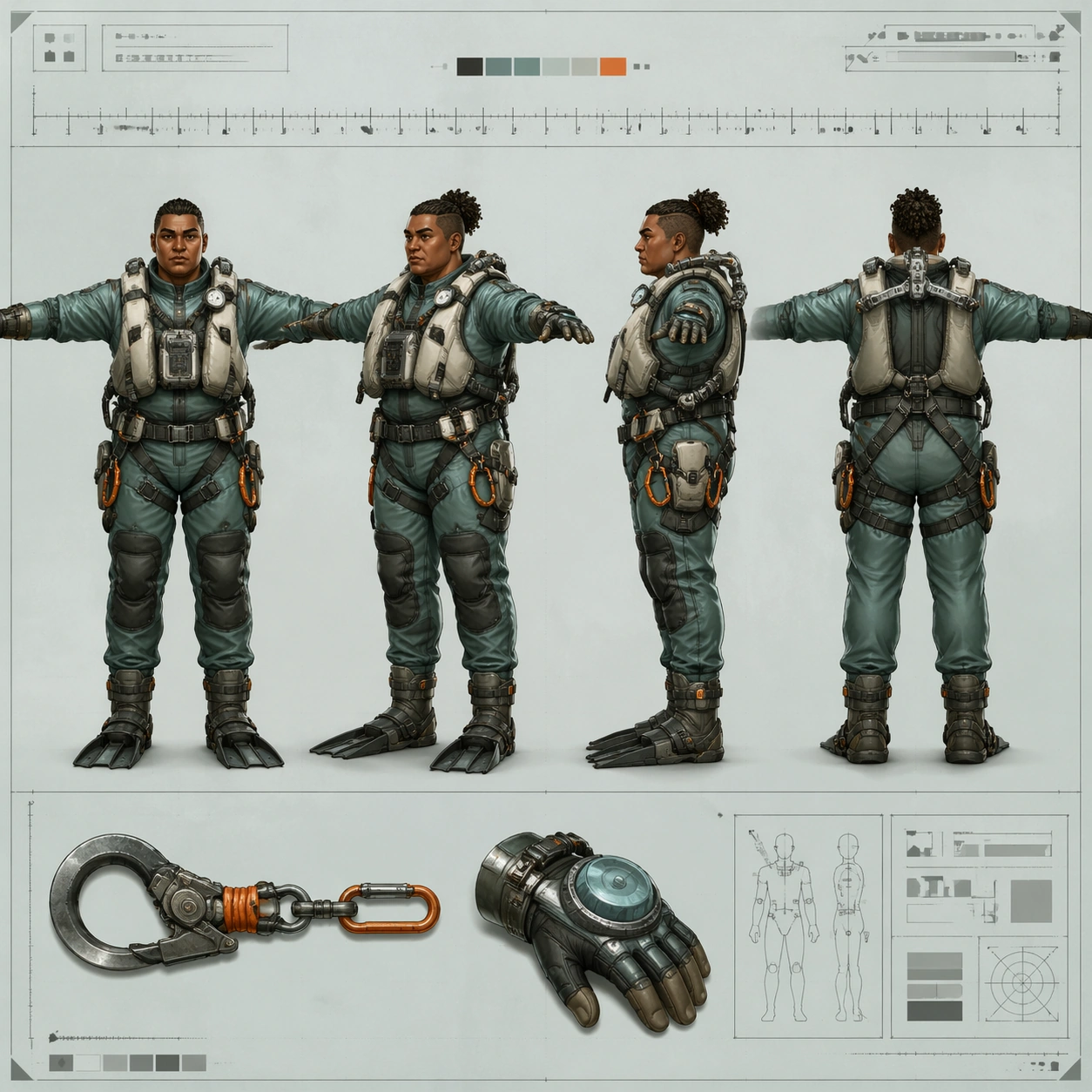
A square concept-art turnaround sheet laid out like a marine-equipment production document on a pale sea-glass background board. The presentation is flat, centered, and highly inspectable, with crisp paper texture, thin technical guides, and soft diffuse light that keeps every contour legible. The mood is practical and oceanic, leaning toward workwear design rather than fantasy adventure.

Subject:
Create one original reef salvager character shown in four aligned full-body views on the same sheet: front, forty-five-degree, side, and back, all in a neutral T-pose. The salvager is a sturdy diver-technician with sun-browned skin, tightly coiled hair bound into a short knot, a broad nose, layered pearl-gray flotation vest, sea-green drysuit panels, orange tether clips, reinforced gloves, fin-compatible boots, and a compact exoskeletal shoulder brace used for lifting found machinery. Add one or two small insets for a salvage hook and pressure gauntlet, keeping the main four views dominant and evenly spaced.

Important details:
Treat this as a professional turnaround page. Preserve exact facial structure, body mass, harness placement, glove thickness, and boot shape across every view. Material logic matters: salt-scuffed polymer, woven strap webbing, neoprene folds, anodized metal buckles, and translucent gasket edges. Include a non-readable measurement ruler and abstract notation boxes only. Avoid turning the page into an underwater scene; the strength is in industrial costume coherence and clean view-to-view repeatability.

Use case:
Character Turnaround single study 6/8, testing a marine-industrial four-view sheet with believable equipment engineering and stable identity.

Constraints:
No readable text, no watermark, no logos, preserve exact 1:1 aspect ratio, no underwater background, no extra dynamic pose, no weaponized harpoon, no fantasy mermaid elements, no inconsistent harness hardware, no anatomy drift between views.
Verwendung
- Den vollständigen Original-Prompt einschließlich Parametern kopieren.
- Motiv, Text und Komposition an die eigenen Anforderungen anpassen.
- Ein kompatibles externes Werkzeug nutzen; Zugangsbedingungen und Ergebnis prüfen.
Vor dem Start
- Prüfen, ob ein Referenzbild nötig ist. Kompatibilität belegt nicht das tatsächlich verwendete Modell.
- Namen, Zahlen und Bildtexte prüfen; Modellversionen können andere Ergebnisse liefern.