Originaldokument
GPT Image 2 · en
{
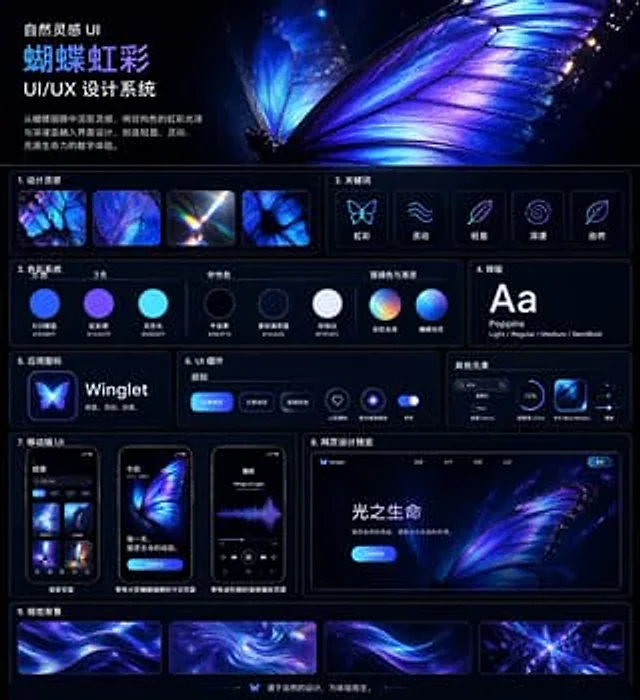
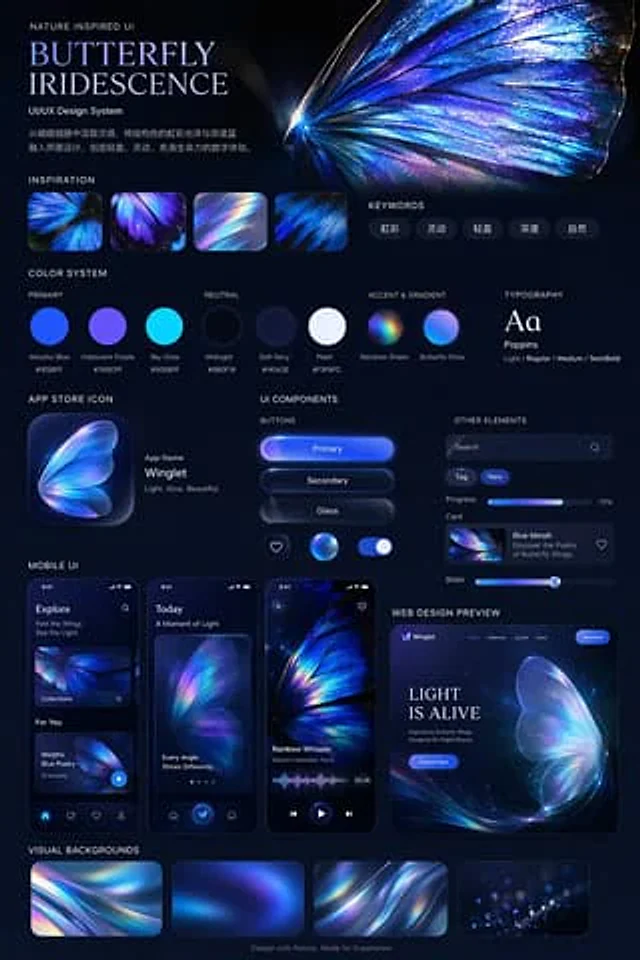
  "type": "UI/UX Design System Demonstration Project",
  "theme": "Dark mode, nature-inspired, luminous iridescent aesthetics",
  "header": {
    "title": "Nature-inspired UI{argument name=\"system title\" default=\"Butterfly Rainbow\"} UI/UX Design System",
    "description": "{argument name=\"chinese description\" default=\"Drawing inspiration from butterfly wings, the design incorporates the iridescent sheen of structural colors and deep blue to create a light, dynamic, and vibrant digital experience.\"}",
    "hero_image": "Large, highly detailed, luminous blue-purple iridescent butterfly wings"
  },
  "layout": {
    "sections": [
      {
        "title": "Design Inspiration",
        "count": 4,
        "description": "A square thumbnail showing close-up of an iridescent butterfly's wings and light refraction."
      },
      {
        "title": "Keywords",
        "count": 5,
        "labels": [
          "iris",
          "Agile",
          "Light",
          "Profound",
          "nature"
        ]
      },
      {
        "title": "Color System",
        "subsections": [
          {
            "title": "main color",
            "count": 3,
            "labels": [
              "Morpho Blue #1E5BFF",
              "Rainbow Purple #7A5CFF",
              "Skylight #00E6FF"
            ]
          },
          {
            "title": "Neutral color",
            "count": 3,
            "labels": [
              "Midnight Black #0B0F19",
              "Soft Navy Blue #141A2E",
              "Pearl White #F3F6FC"
            ]
          },
          {
            "title": "Emphasis on color and gradient",
            "count": 2,
            "labels": [
              "Rainbow gloss",
              "Butterfly Light"
            ]
          }
        ]
      },
      {
        "title": "typesetting",
        "content": "Aa Poppins Light / Regular / Medium / SemiBold"
      },
      {
        "title": "App icon",
        "count": 1,
        "text": "Application Name{argument name=\"app name\" default=\"Winglet\"} Light. Agile. Graceful."
      },
      {
        "title": "UI components",
        "subsections": [
          {
            "title": "Button",
            "count": 6,
            "labels": [
              "Main button",
              "Secondary buttons",
              "glass texture",
              "Heart icon",
              "Glowing sphere icon",
              "switch"
            ]
          },
          {
            "title": "Other elements",
            "count": 5,
            "labels": [
              "Search bar",
              "Tag (New)",
              "Progress bar (72%)",
              "Card (Blue Morph)",
              "slider"
            ]
          }
        ]
      },
      {
        "title": "Mobile UI",
        "count": 3,
        "screens": [
          "Explore Page",
          "Today's page with large butterfly wings",
          "Audio playback page with waveform graph"
        ]
      },
      {
        "title": "Web Design Preview",
        "count": 1,
        "details": "Desktop browser model, the first screen area contains '{argument name=\"web hero headline\" default=\"Life of Light\"} ' and 'Explore Now' buttons"
      },
      {
        "title": "Visual background",
        "count": 4,
        "description": "Rectangular thumbnail displaying abstract iridescent ripples"
      }
    ],
    "footer": "Designed with nature in mind, born for experience."
  }
}
Verwendung
- Den vollständigen Original-Prompt einschließlich Parametern kopieren.
- Motiv, Text und Komposition an die eigenen Anforderungen anpassen.
- Ein kompatibles externes Werkzeug nutzen; Zugangsbedingungen und Ergebnis prüfen.
Vor dem Start
- Prüfen, ob ein Referenzbild nötig ist. Kompatibilität belegt nicht das tatsächlich verwendete Modell.
- Namen, Zahlen und Bildtexte prüfen; Modellversionen können andere Ergebnisse liefern.