
Originaldokument
GPT Image 2 · en
Scene:
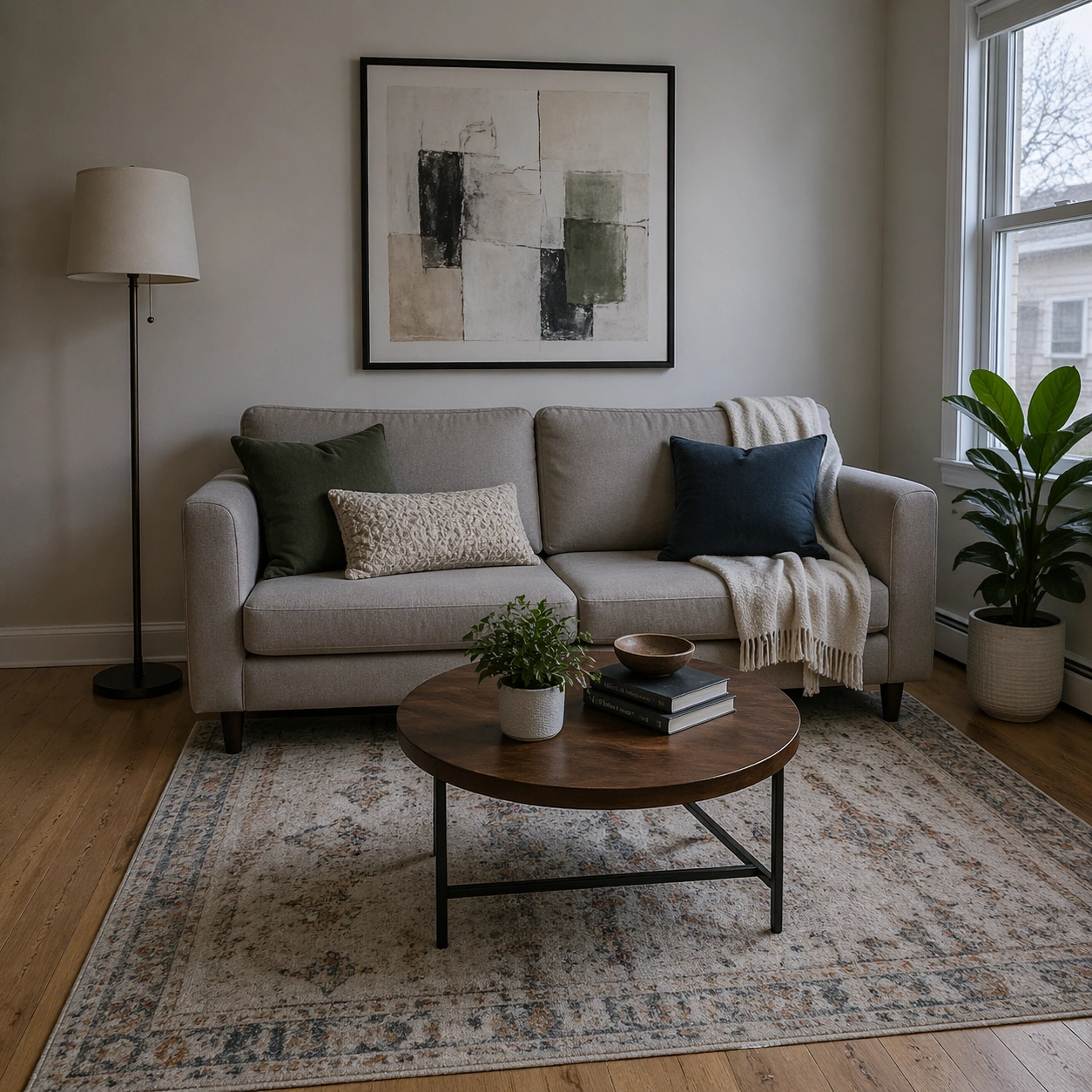
Square crop of a compact living room photographed from eye level, soft overcast daylight through a side window, realistic interior design styling, natural wood floor, cream walls, and a calm balanced exposure. The room should feel lived-in but already edited into a cleaner final state.

Subject:
Show a sofa, coffee table, standing lamp, wall art with abstract unreadable marks, indoor plant, and a rug. The scene should imply a conversational edit sequence: remove the toy pile from the left floor area, make the room slightly cooler in color temperature, straighten the wall art, and keep the sofa, plant, table objects, rug pattern, and window position consistent. The removed area should be naturally repaired with visible floor grain and correct shadows.

Important details:
This is a mask-free interior editing challenge. The edit must maintain room geometry, scale, lighting direction, and object relationships while changing only the requested semantic elements. The cooler mood should be subtle, not a blue filter over everything. The straightened wall art should align with the room perspective. The floor where clutter was removed must not be blurry, smeared, or unnaturally empty; it should contain plausible shadow and texture continuity.

Use case:
Conversational Editing Workflow single study 7/8, testing scene cleanup, color-temperature adjustment, and geometry correction in one coherent interior.

Constraints:
No readable text, no watermark, no logos, preserve exact 1:1 aspect ratio, no before-after split, no editing UI, no distorted furniture, no extra people, no messy replacement clutter, no impossible shadows, no warped wall frame.
Verwendung
- Den vollständigen Original-Prompt einschließlich Parametern kopieren.
- Motiv, Text und Komposition an die eigenen Anforderungen anpassen.
- Ein kompatibles externes Werkzeug nutzen; Zugangsbedingungen und Ergebnis prüfen.
Vor dem Start
- Prüfen, ob ein Referenzbild nötig ist. Kompatibilität belegt nicht das tatsächlich verwendete Modell.
- Namen, Zahlen und Bildtexte prüfen; Modellversionen können andere Ergebnisse liefern.