
Documento original
GPT Image 2 · en
Scene:
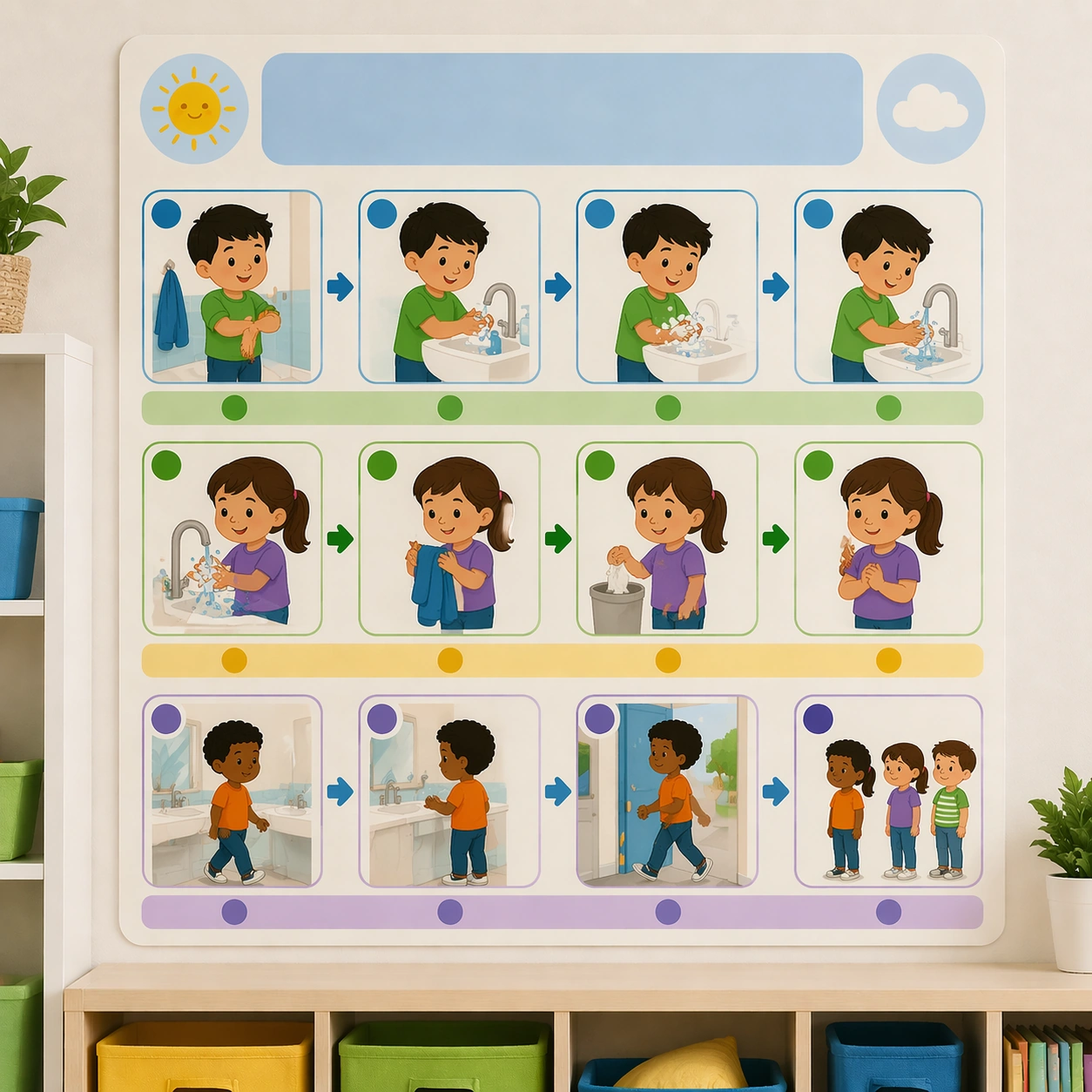
Keep the same square poster presentation, wall context, daylight softness, and print finish from the reference routine board. The image should read as another coordinated classroom-management asset that belongs in the same elementary or preschool room. Keep the square frame balanced, calm, and production-ready so the asset can serve gallery review, research comparison, and real educational delivery at the same time.

Subject:
Show the handwashing routine through pictorial steps such as sleeves up, soap, scrub, rinse, dry, and line return, each captured inside the same rounded panel system. Use simple bathroom icons and child-friendly cues, but no real text or numbers. The subject matter should feel intentionally selected for a coherent curriculum family rather than like a random decorative assortment.

Important details:
Preserve the exact reference layout logic, including icon size, color rhythm, headline bands, and panel spacing. The board should feel actionable and calm rather than corrective or punitive. Preserve the same poster modules, icon scale, blank headline bands, classroom color coding, and pacing rhythm from the reference routine board. Use variation only in the teaching content, supporting props, and scene-specific mood while preserving the core visual system exactly.

Use case:
Classroom Routine and Rule Visual Set series study 2/4, handwashing sequence board.

Constraints:
No readable text, no watermark, no logos, preserve exact 1:1 aspect ratio, no readable text, no teacher handwriting, no logos, no cluttered classroom walls, no harsh warning tone, no chaotic sticker overload.
Cómo usar
- Copia el prompt original completo, incluidos los parámetros.
- Adapta el tema, el texto y la composición a tus necesidades.
- Usa una herramienta externa compatible; comprueba el acceso y el resultado.
Antes de empezar
- Comprueba si necesita una imagen de referencia. La compatibilidad no demuestra qué modelo generó el ejemplo.
- Revisa nombres, cifras y textos; el resultado puede variar entre versiones del modelo.