
Documento original
GPT Image 2 · en
Scene:
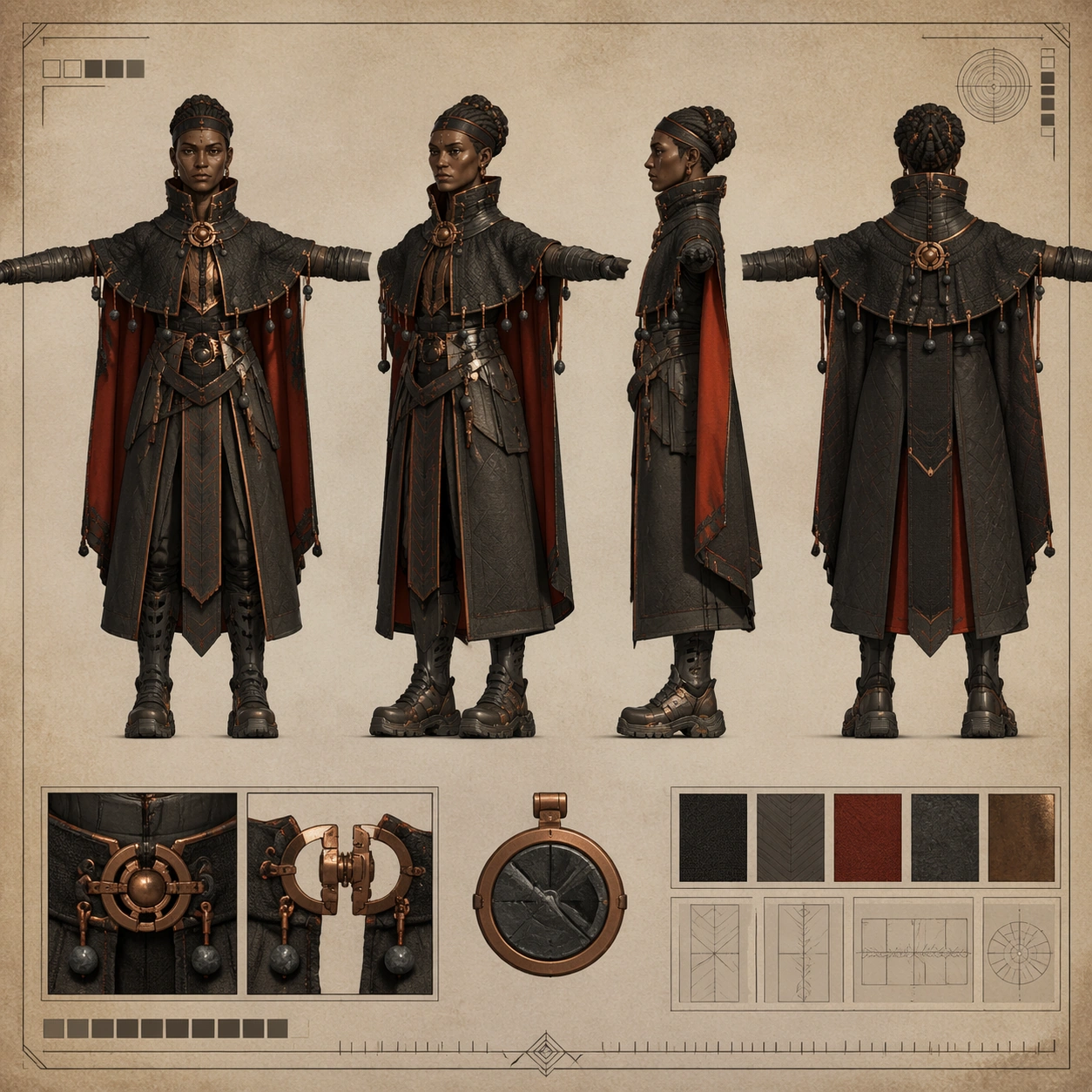
A square concept-art turnaround sheet mounted on a warm mineral-toned studio board, presented perfectly flat like a production document. Lighting is soft and even, with enough contrast to separate dark fabrics from copper hardware. The page should feel like a formal costume-development sheet for a worldbuilding-heavy game or animated feature, while remaining clean, technical, and easy to inspect.

Subject:
Create one original volcanic envoy character shown in four aligned full-body views on the same sheet: front, forty-five-degree, side, and back, all in a neutral T-pose. The envoy is a tall diplomatic traveler from a geothermal region, with deep brown skin, high cheekbones, tightly wrapped hair coils, layered charcoal heat-cloak split into engineered panels, ember-red lining, basalt bead counterweights, protective throat collar, ash-resistant gloves, and heavy magnetic-soled boots with vented greaves. Include one or two small accessory insets for a clasp mechanism and ceremonial heat token, but keep the main four views large and dominant.

Important details:
This sheet should balance ceremony and technical utility. Preserve exact facial identity, shoulder span, cloak panel logic, bead placement, boot geometry, and glove length across all four views. Materials must feel tactile and grounded: charred woven cloth, dark stone beads, forged copper clasps, matte heat shields, and ash-dusted leather. Include a non-readable tick ruler and abstract diagram boxes only. Avoid fantasy excess; the image should still read like a real character sheet prepared for modeling, rigging, or costume approval.

Use case:
Character Turnaround single study 8/8, testing a ceremonial-industrial four-view sheet with strong silhouette control and production-sheet credibility.

Constraints:
No readable text, no watermark, no logos, preserve exact 1:1 aspect ratio, no lava battlefield background, no fire magic effects, no extra dynamic pose, no oversized cloak hiding anatomy, no drifting accessory count, no inconsistent face across views.
Cómo usar
- Copia el prompt original completo, incluidos los parámetros.
- Adapta el tema, el texto y la composición a tus necesidades.
- Usa una herramienta externa compatible; comprueba el acceso y el resultado.
Antes de empezar
- Comprueba si necesita una imagen de referencia. La compatibilidad no demuestra qué modelo generó el ejemplo.
- Revisa nombres, cifras y textos; el resultado puede variar entre versiones del modelo.