Documento original
GPT Image 2 · en
Scene:
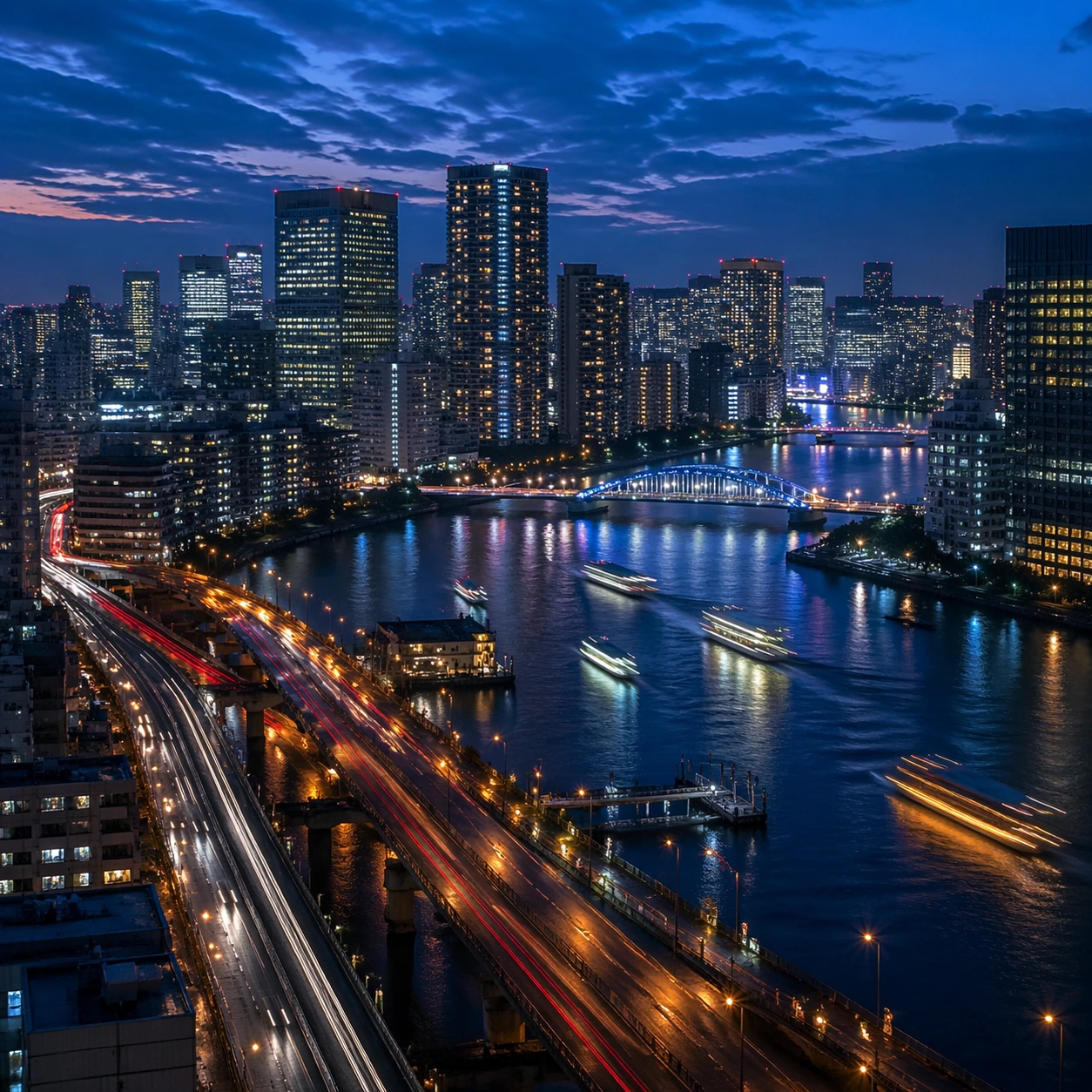
Create a square cinematic still for Blue Hour Metropolis Long Exposure. Use production-grade photoreal lighting, disciplined lens behavior, and a composition that feels like a finished key frame from an original film rather than a casual snapshot. A dense riverside metropolis is captured at the exact transition of blue hour, where the sky holds deep cobalt, windows begin to glow warm gold, traffic turns into elegant light trails, and water reflects both cool atmosphere and neon accents. Build an independent square study around the way atmosphere interacts with surfaces, keeping enough environmental context for the image to feel finished rather than cropped at random.

Subject:
Build a coherent original scene whose emotional center comes from atmosphere, light physics, and spatial clarity. Avoid relying on celebrity likeness, franchise iconography, or stylized illustration shortcuts. Skyscrapers, bridges, riverbanks, layered roads, and a few boats or ferries should form a coherent urban rhythm, with architecture believable and anonymous rather than tied to any one landmark identity. Let textures, reflections, residue, moisture, dust, or particulate response become primary, while the broader setting remains clearly implied.

Important details:
Preserve a believable physical world with strong depth layering, careful color separation, and premium image discipline. Control color temperature precisely, keeping the cool ambient sky separate from warm occupancy lights, with long-exposure motion on roads and water that feels polished, metropolitan, and technically disciplined. The key is material credibility under dramatic light, with micro-contrast and controlled mood supporting the theme.

Use case:
Blue Hour City single study 5/9.

Constraints:
No readable text, no watermark, no logos, preserve exact 1:1 aspect ratio, no readable billboards, no famous landmark mimicry, no fireworks, no science-fiction holograms, no empty skyline.
Cómo usar
- Copia el prompt original completo, incluidos los parámetros.
- Adapta el tema, el texto y la composición a tus necesidades.
- Usa una herramienta externa compatible; comprueba el acceso y el resultado.
Antes de empezar
- Comprueba si necesita una imagen de referencia. La compatibilidad no demuestra qué modelo generó el ejemplo.
- Revisa nombres, cifras y textos; el resultado puede variar entre versiones del modelo.