
Documento original
GPT Image 2 · en
Scene:
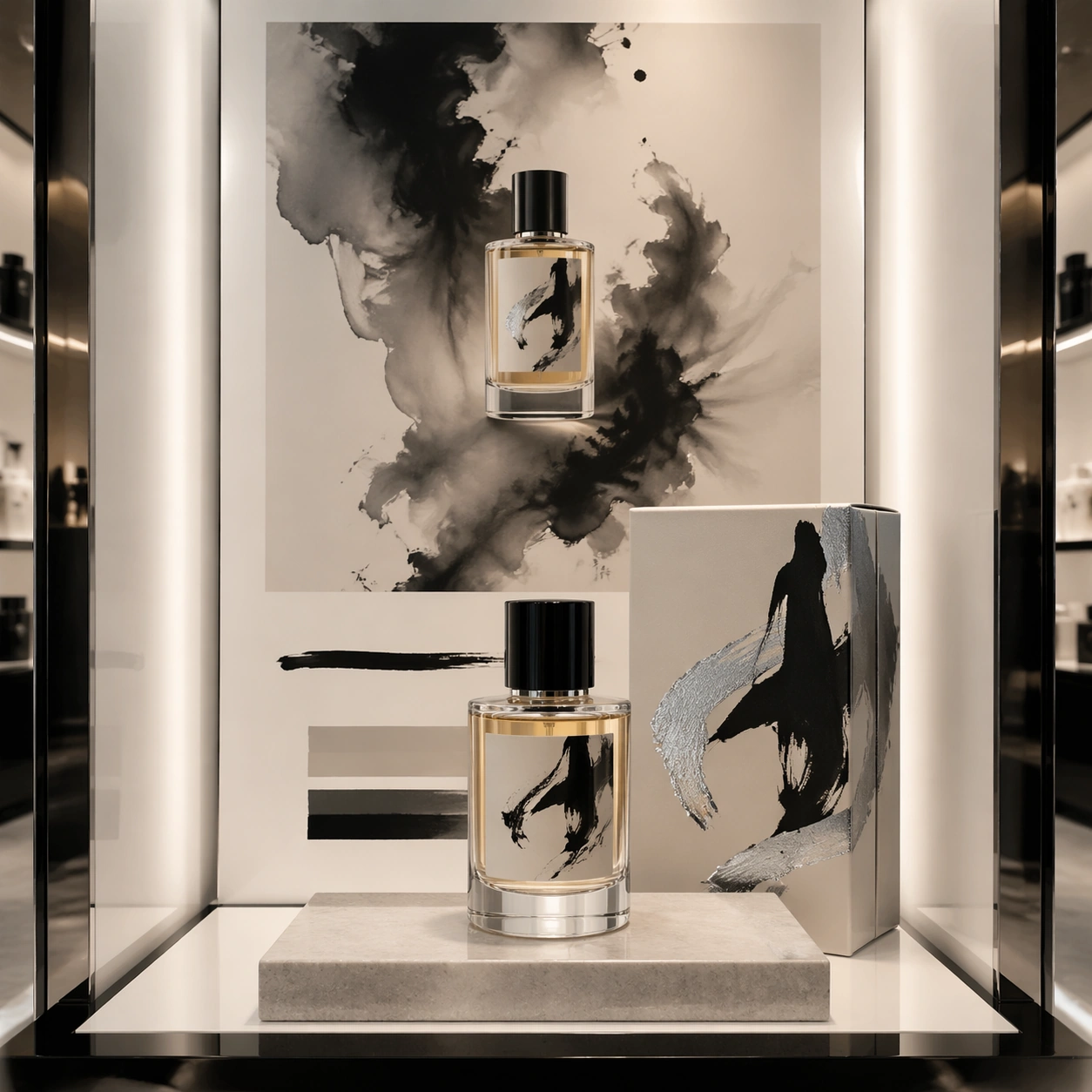
A square luxury fragrance counter mockup photographed in a quiet department-store light box. The setup is symmetrical but not rigid: a perfume bottle sits on a low stone plinth, its folding carton stands behind it, and a campaign poster panel forms the vertical backdrop. The lighting is soft pearl-white with deep ink-black accents, shallow shadows, and glossy reflections that make the glass and foil details feel premium.

Subject:
A fictional fragrance house collaboration with an experimental calligraphy painter language. The bottle is thick clear glass with pale amber liquid, a black lacquer cap, and a label made from sweeping abstract ink strokes rather than readable words. The carton uses embossed paper, brushed silver foil, and one large gestural calligraphy mark wrapping from front to side. The poster shows the bottle centered inside a storm of diluted ink wash, with disciplined blank space and non-readable caption blocks placed below the product.

Important details:
The image should balance luxury restraint with expressive art. Make the bottle geometry correct, glass base heavy, liquid meniscus visible, carton fold lines crisp, and foil catching light only on edges. The calligraphy must feel like original abstract marks, not copied characters or legible script. Maintain a clear hierarchy between object, package, and poster. The palette should stay controlled: ivory, ink black, pale amber, warm gray, and subtle silver.

Use case:
Brand Artist Collab Mockup single study 5/8, focused on a fragrance proposal where expressive mark-making becomes commercial packaging.

Constraints:
No readable text, no watermark, no logos, preserve exact 1:1 aspect ratio, no real fragrance brand, no real calligrapher signature, no readable Chinese or Latin characters, no messy ink splashes covering the bottle, no distorted glass.
Cómo usar
- Copia el prompt original completo, incluidos los parámetros.
- Adapta el tema, el texto y la composición a tus necesidades.
- Usa una herramienta externa compatible; comprueba el acceso y el resultado.
Antes de empezar
- Comprueba si necesita una imagen de referencia. La compatibilidad no demuestra qué modelo generó el ejemplo.
- Revisa nombres, cifras y textos; el resultado puede variar entre versiones del modelo.