Documento original
GPT Image 2 · en
{
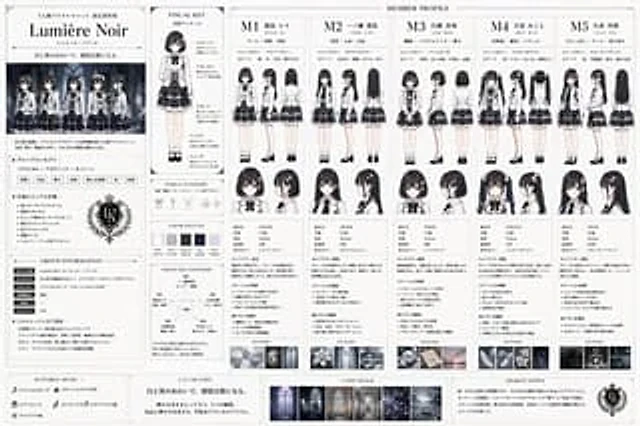
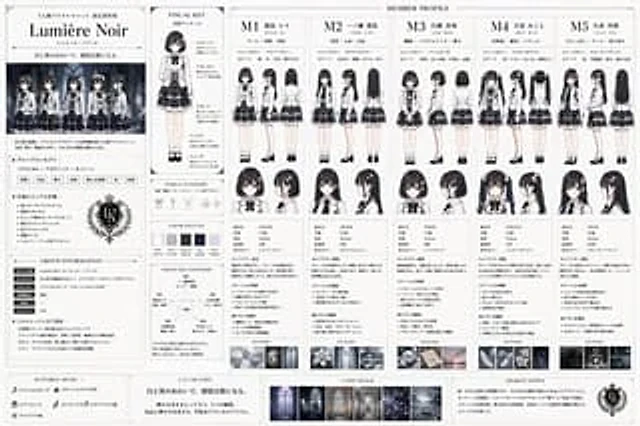
  "type": "Idol Group Setting Collection",
  "unit_details": {
    "name": "{argument name=\"unit name\" default=\"Lumière Noir\"}",
    "concept": "{argument name=\"unit style\" default=\"Classical x Academic x Monochromatic\"}",
    "catchphrase": "{argument name=\"catchphrase\" default=\"In the space between black and white, emotions become song.\"}",
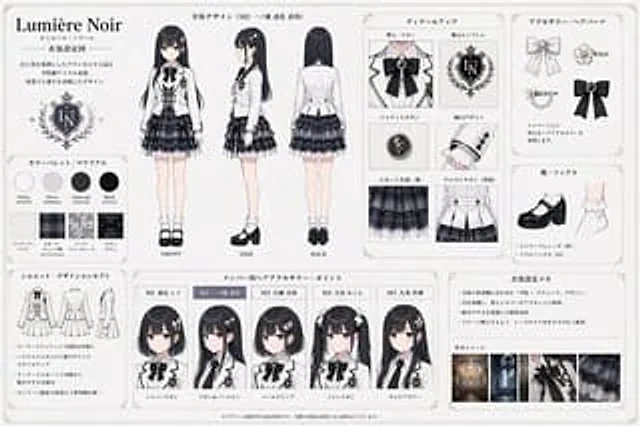
    "uniform": "{argument name=\"uniform description\" default=\"White fitted blazer, black silk bow tie, black and gray plaid layered skirt\"}"
  },
  "layout": {
    "left_sidebar": {
      "sections": [
        "Combined Logo and Title",
        "Illustrations by a group of 5 people",
        "Combined concept copywriting",
        "General visual specifications",
        "Combined Information Table",
        "Combination relationship diagram containing one pentagonal network diagram"
      ]
    },
    "main_content": {
      "title": "Member Profile",
      "columns": 5,
      "shared_elements_per_column": [
        "Member ID (M1 to M5) and Name",
        "3 descriptive keywords",
        "Representative colors and theme elements",
        "Two full-body views (front and back).",
        "Two headshots (front and side view)",
        "Personal Attribute Table",
        "Character Setting Description",
        "Stage positioning copywriting",
        "Instructions",
        "1 Keyword Atmosphere Image"
      ],
      "members": [
        {
          "id": "M1",
          "hair": "Black short hair",
          "color": "silver-gray"
        },
        {
          "id": "M2",
          "hair": "Long, straight black hair",
          "color": "White Navy Blue"
        },
        {
          "id": "M3",
          "hair": "Black short bob haircut",
          "color": "Pearl purple-red"
        },
        {
          "id": "M4",
          "hair": "Black twin tails",
          "color": "milky"
        },
        {
          "id": "M5",
          "hair": "Long black curly hair",
          "color": "Smoke Black"
        }
      ]
    },
    "middle_inserts": {
      "visual_key": "A full-body model with labels for 5 uniform parts.",
      "hair_and_accessory": "3 accessory illustrations",
      "color_palette": "5 color swatches"
    },
    "bottom_footer": {
      "sections": [
        "Suitable music",
        "promotional slogans",
        "A combination image containing 3 small mood board photos",
        "Design Description"
      ]
    }
  }
}
Cómo usar
- Copia el prompt original completo, incluidos los parámetros.
- Adapta el tema, el texto y la composición a tus necesidades.
- Usa una herramienta externa compatible; comprueba el acceso y el resultado.
Antes de empezar
- Comprueba si necesita una imagen de referencia. La compatibilidad no demuestra qué modelo generó el ejemplo.
- Revisa nombres, cifras y textos; el resultado puede variar entre versiones del modelo.