Documento original
GPT Image 2 · en
Scene:
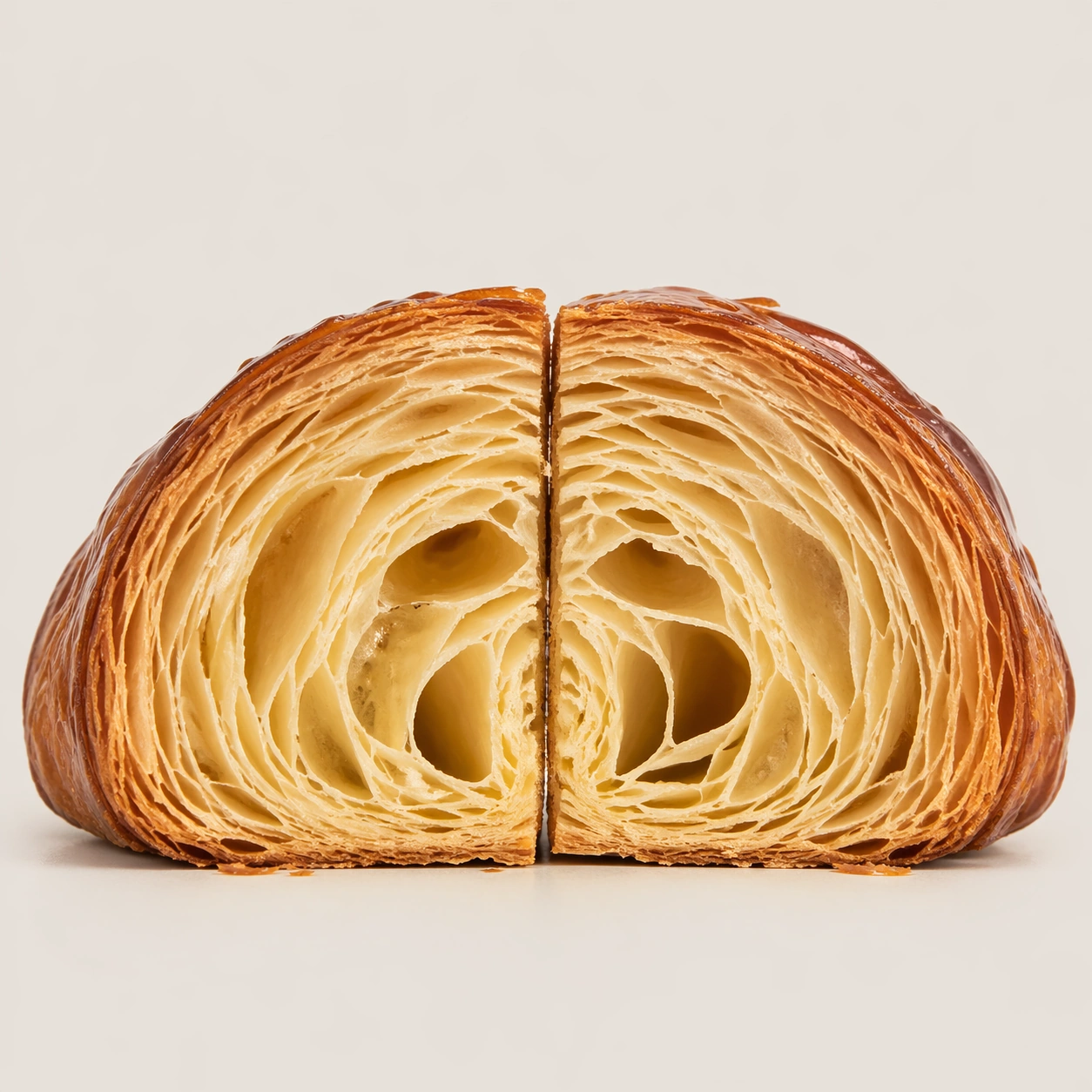
Create a square pastry documentation image on a seamless pale gray or warm ivory studio background with soft catalog lighting and almost no cast-shadow drama. The camera should feel orthographic or gently frontal so cross-sections remain easy to compare. Everything must read like a pastry atlas: clean, measured, and highly legible, with crumbs controlled and edges crisp. Create a square specimen-style photograph on a seamless warm gray background with a frontal view and restrained shadow. The frame should be tight enough that the croissant dominates, but generous enough to leave a quiet field around it.

Subject:
Show one large croissant cut cleanly down its center line, with the interior facing forward and the exterior shell still visibly crisp and flaky. The lamination should step outward in dense, countable leaves, with a hollow core tapering toward the tips. The specimen should look freshly cut, not dried out or crushed.

Important details:
Treat every cut face as the hero: laminated layers, cream density, air pockets, fruit cavities, glaze thickness, and crumb structure all need to be countable and believable. The studio language should stay consistent and understated so structural detail does the work. No element should feel collapsed, smeared, or over-stylized. Focus on the relationship between crisp exterior, honeycombed inner void, and laminated leaf structure. A few tiny flakes near the base are acceptable if controlled, but the image must remain as clean as a museum plate.

Use case:
Pastry cross-section atlas single study 5/9, isolating croissant lamination as a specimen.

Constraints:
No readable text, no watermark, no logos, preserve exact 1:1 aspect ratio, no bakery counter background, no casual napkins, no readable labels, no powdered sugar mess, no rustic knife marks, no coffee cups, no butter pats, no torn ragged cut.
Cómo usar
- Copia el prompt original completo, incluidos los parámetros.
- Adapta el tema, el texto y la composición a tus necesidades.
- Usa una herramienta externa compatible; comprueba el acceso y el resultado.
Antes de empezar
- Comprueba si necesita una imagen de referencia. La compatibilidad no demuestra qué modelo generó el ejemplo.
- Revisa nombres, cifras y textos; el resultado puede variar entre versiones del modelo.