Documento original
GPT Image 2 · en
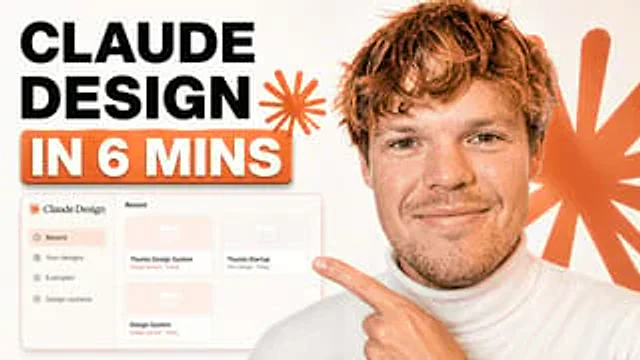
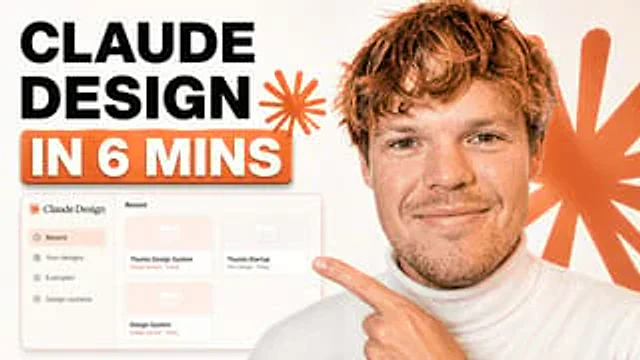
A clean, modern YouTube thumbnail with a bright white background, visually divided into bold text on the left and a half-body presenter on the right. On the left, a large, stacked title is placed in bold black sans-serif capital letters, containing the following text:{argument name="headline text" default="CLAUDE DESIGN"} The text is left-aligned and displayed in two lines. Below it, a large, rounded orange banner with a subtle shadow is added, containing bold white capital text with an orange outline, the content of which is:{argument name="subheadline text" default="IN 6 MINS"} Near the title, add two orange starburst shapes, one smaller next to the text and the other larger against the background on the right. In the lower left quadrant, display a floating application mockup of a design tools dashboard, with a soft gray-white panel featuring thin borders, rounded corners, and subtle shadows. The left sidebar should contain four menu items labeled "Recent," "Your designs," "Examples," and "Design systems." The main panel title should read "Recent" and include three grid-arranged "Project" cards labeled "Thumio Design System," "Thumio Startup," and "Design System." In the right half, display a realistic young man from the chest up, wearing a white turtleneck sweater, with messy light brown hair and a light stubble, positioned close to the camera. His face is deliberately obscured by a solid brown rectangular placeholder covering most of the area. One of his fingers points towards the left-hand panel, the finger extended. Featuring a warm orange and white brand color scheme, high contrast, minimalist layout, and sophisticated creator economy thumbnail style with subtle shadows, the composition is designed specifically for technology tutorial content.Cómo usar
- Copia el prompt original completo, incluidos los parámetros.
- Adapta el tema, el texto y la composición a tus necesidades.
- Usa una herramienta externa compatible; comprueba el acceso y el resultado.
Antes de empezar
- Comprueba si necesita una imagen de referencia. La compatibilidad no demuestra qué modelo generó el ejemplo.
- Revisa nombres, cifras y textos; el resultado puede variar entre versiones del modelo.