
Documento original
Nano Banana · en
{
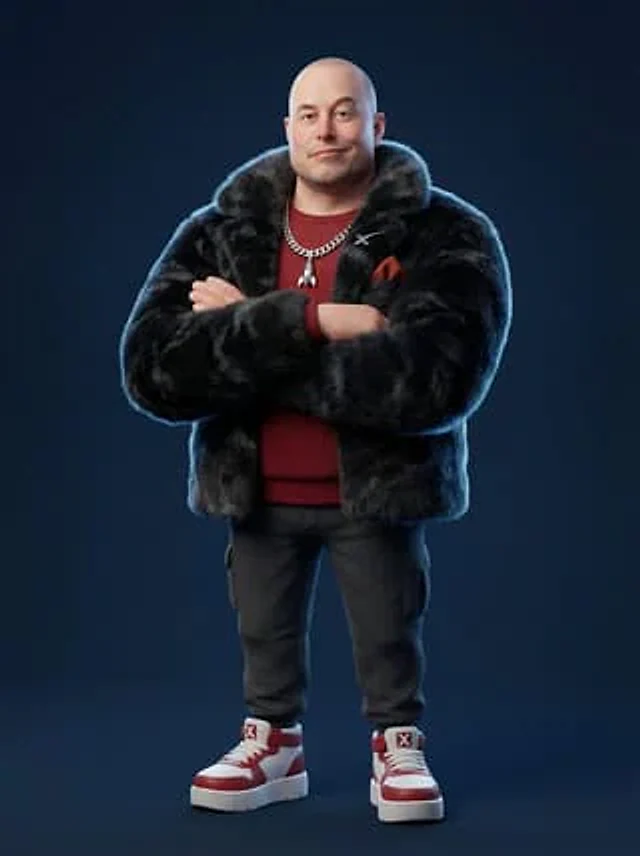
  "renderEngine": "Blender Cycles / Unreal Engine 5 Lumen",
  "baseStyle": "Stylized 3D CGI character — Pixar meets high-fashion editorial",
  "proportions": "Slightly enlarged head (1.3x natural), compact torso, simplified facial features, exaggerated chunky feet/shoes",
  "skinShader": "Subsurface scattering with physically-based roughness, no pores, smooth cartoon-like finish",
  "clothingPhysics": "Marvelous Designer simulation baked in, wrinkle maps, fabric-specific material shaders",
  "furTech": "XGen or Ornatrix volumetric fur for faux-fur pieces, physics-simulated",
  "resolution": "8192x8192px minimum, 300DPI",
  "backgroundStyle": "Solid flat color, no gradient, no texture — studio seamless backdrop",
  "lightingRig": "Three-point studio: key (45° front-top), fill (opposite side soft), rim (back edge definition)",
  "cameraLens": "35-50mm equivalent, slight vignette, no fisheye",
  "postProcessing": "Subtle chromatic aberration on edges, mild film grain 2%, slight color grade"
}
Cómo usar
- Copia el prompt original completo, incluidos los parámetros.
- Adapta el tema, el texto y la composición a tus necesidades.
- Usa una herramienta externa compatible; comprueba el acceso y el resultado.
Antes de empezar
- Comprueba si necesita una imagen de referencia. La compatibilidad no demuestra qué modelo generó el ejemplo.
- Revisa nombres, cifras y textos; el resultado puede variar entre versiones del modelo.