
Documento original
GPT Image 2 · en
Scene:
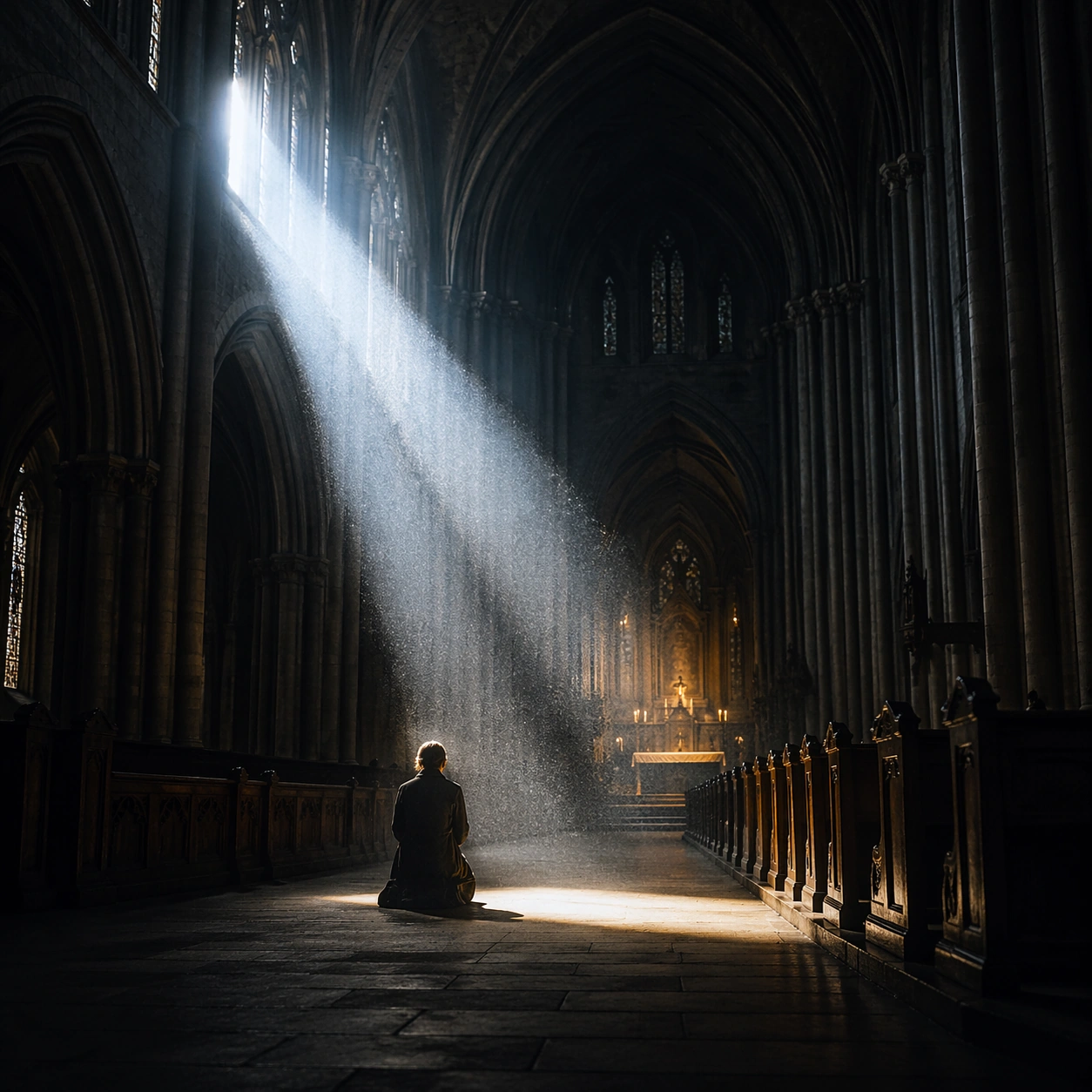
Create a square cinematic still for Cathedral Light Beam of Worship. Use production-grade photoreal lighting, disciplined lens behavior, and a composition that feels like a finished key frame from an original film rather than a casual snapshot. A vast Gothic nave is carved by one sharply defined shaft of early sun entering from high clerestory windows on the left, with cold blue shadows in the aisles, faint amber heat around the altar, and visibly suspended dust or incense in the air. Compose an independent frame where one human, animal, or object silhouette negotiates with the atmospheric light event in a clean, readable way.

Subject:
Build a coherent original scene whose emotional center comes from atmosphere, light physics, and spatial clarity. Avoid relying on celebrity likeness, franchise iconography, or stylized illustration shortcuts. Stone columns, ribbed vaults, carved pews, a restrained altar glow, and a few worshippers or attendants in silhouette should define the human scale without turning the image into a crowd scene or ceremony spectacle. The silhouette should supply scale and emotional orientation, but the environment still needs to carry most of the storytelling weight.

Important details:
Preserve a believable physical world with strong depth layering, careful color separation, and premium image discipline. Treat the volumetric beam as the true protagonist, with physically coherent light falloff, believable bounce on worn stone, clean separation between shadow layers, and a solemn emotional register that feels sacred rather than theatrical. Keep the silhouette simple and believable, avoiding poster-like graphic flattening while preserving strong contrast.

Use case:
Cathedral Beam single study 6/9.

Constraints:
No readable text, no watermark, no logos, preserve exact 1:1 aspect ratio, no fantasy creatures, no electric stage lights, no readable scripture, no tourist clutter, no exaggerated stained-glass rainbows.
Cómo usar
- Copia el prompt original completo, incluidos los parámetros.
- Adapta el tema, el texto y la composición a tus necesidades.
- Usa una herramienta externa compatible; comprueba el acceso y el resultado.
Antes de empezar
- Comprueba si necesita una imagen de referencia. La compatibilidad no demuestra qué modelo generó el ejemplo.
- Revisa nombres, cifras y textos; el resultado puede variar entre versiones del modelo.