
Documento original
GPT Image 2 · en
Scene:
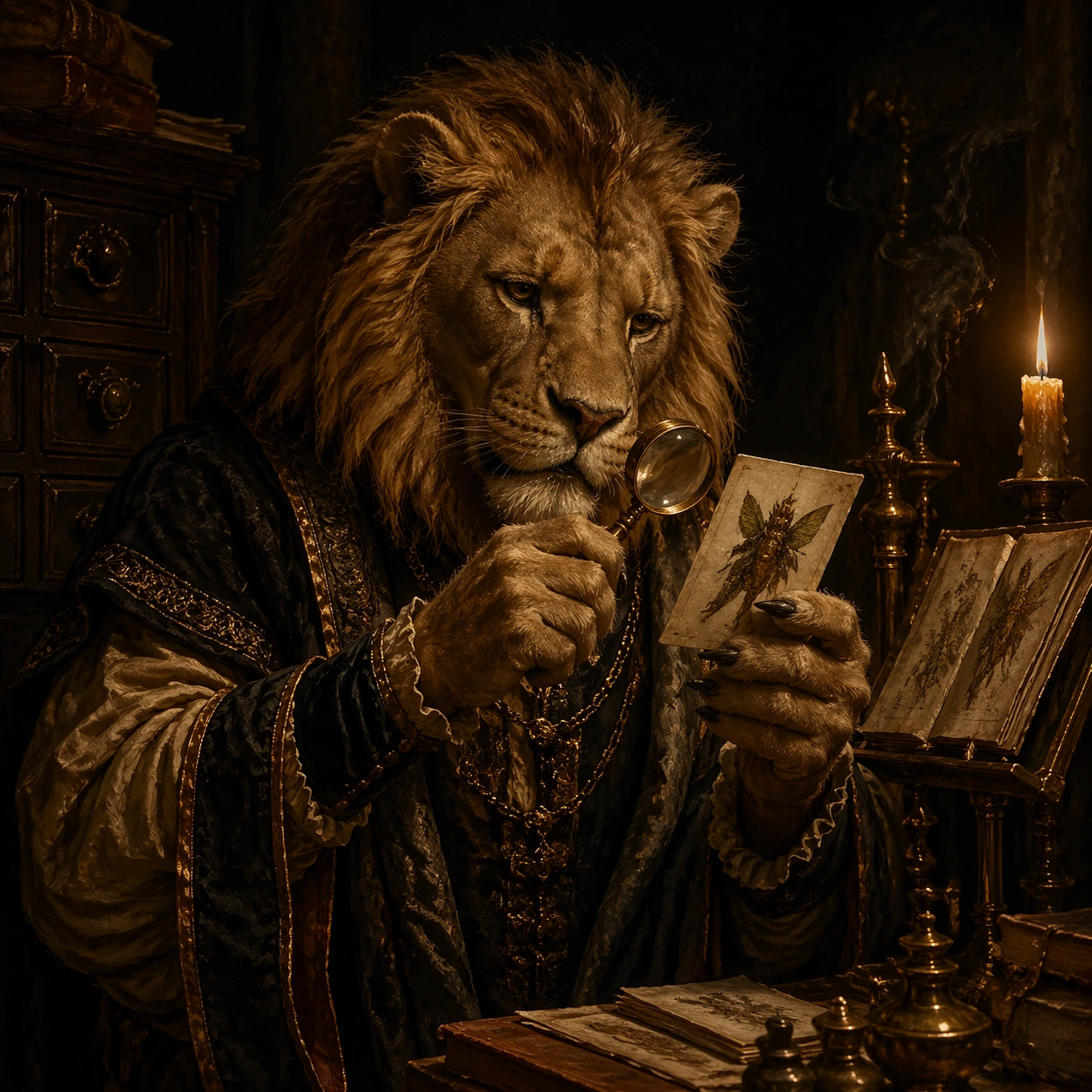
A square portrait staged in a dark chamber lit by candles, embers, or a single hidden lantern, with heavy shadows, warm ochre skin tones, black velvet darkness, and a painterly yet physically believable material presence. The frame should feel ceremonial, intimate, and heavy with air, fabric, and oil-rich color. Place the figure beside a shadowed cabinet of drawers and a brass reading stand under amber candle glow.

Subject:
The subject is a fantastical humanoid beast presented with aristocratic gravity: horned, feathered, scaled, furred, or antlered, dressed in ornate garments and posed as if for an old court portrait. The creature should feel specific, dignified, and psychologically readable rather than monstrous chaos. A lion-faced archivist in worn scholar robes holds a tiny magnifier over an illuminated specimen card, with mane texture emerging from the dark.

Important details:
The visual law is baroque portrait discipline fused with invented natural history. Preserve luxurious fabric folds, worn metal embroidery, candle smoke, skin texture, fur detail, and solemn hand placement. Avoid cartoon exaggeration, playful fantasy tropes, or bright modern polish. The portrait should balance beastly strength with librarian calm, using paper edges and brass fittings as quiet status symbols.

Use case:
Baroque Bestiary Candlelight single study 3/9.

Constraints:
No readable text, no watermark, no logos, preserve exact 1:1 aspect ratio, no crowns copied from real regalia, no readable heraldic text, no slapstick fantasy, no modern makeup styling, no glossy digital sheen, no broken anatomy, no low-detail background, no accidental text fragments.
Cómo usar
- Copia el prompt original completo, incluidos los parámetros.
- Adapta el tema, el texto y la composición a tus necesidades.
- Usa una herramienta externa compatible; comprueba el acceso y el resultado.
Antes de empezar
- Comprueba si necesita una imagen de referencia. La compatibilidad no demuestra qué modelo generó el ejemplo.
- Revisa nombres, cifras y textos; el resultado puede variar entre versiones del modelo.