
Document original
GPT Image 2 · en
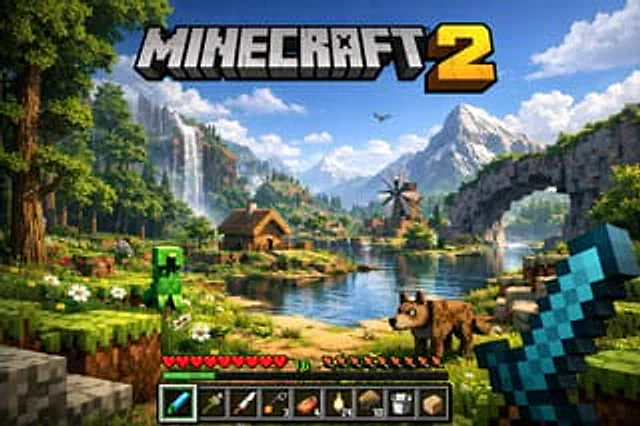
A highly detailed, realistic first-person video game screenshot of a next-generation voxel-based world. At the top center, a large, bold 3D logo reads "{argument name="game title" default="MINECRAFT 2"}". The scene features a {argument name="environment" default="lush, blocky landscape with a river, a small wooden cabin, a windmill, a waterfall, and majestic mountains in the background"}. The world blends realistic lighting, volumetric clouds, and high-resolution textures with cubic, voxel geometry. In the foreground on the left, a {argument name="mob 1" default="blocky green creeper"} stands on the grass, while a {argument name="mob 2" default="blocky brown wolf"} stands on the dirt path to the right. On the far right, the player's hand holds a {argument name="held item" default="pixelated blue diamond sword"} in a first-person perspective. At the bottom of the screen is a game user interface featuring a health bar with 10 red hearts, a green experience bar with the number '16', a hunger bar with 10 brown meat icons, and a 9-slot inventory hotbar. The hotbar contains, from left to right: a selected blue tool with a green highlight box, a green tool, a knife, a wrench with the number '3', a piece of meat with '6', a lantern with '24', a dirt block with '10', a bucket, and a sponge block.Mode d’emploi
- Copiez le prompt original complet, paramètres compris.
- Adaptez le sujet, le texte et la composition à vos besoins.
- Utilisez un outil externe compatible ; vérifiez l’accès et le résultat.
Avant de commencer
- Vérifiez si une image de référence est nécessaire. La compatibilité ne prouve pas le modèle utilisé pour cet exemple.
- Vérifiez noms, chiffres et textes ; les versions du modèle peuvent produire des résultats différents.