Document original
GPT Image 2 · en
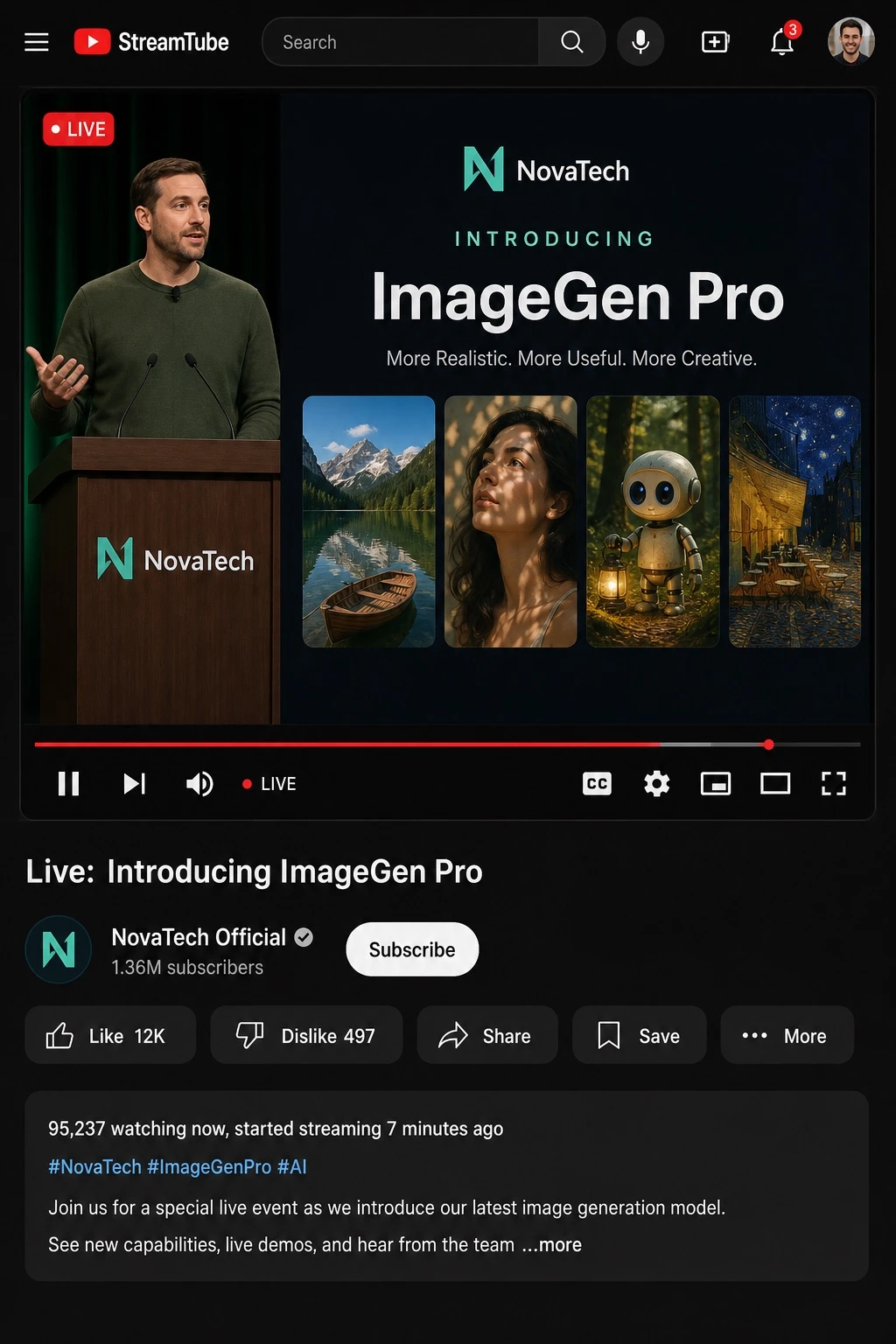
Design a realistic desktop UI mockup of a dark-mode video streaming platform interface, styled like [PLATFORM]. The header includes the [PLATFORM] logo, a search bar labeled 'Search', and five icons: search, microphone, create, notifications, and profile picture. The main video player shows a 'LIVE' badge in the top-left corner. On the left side of the video, depict [PRESENTER_DESCRIPTION] standing behind a podium branded with the [COMPANY] logo. On the right side, show a presentation slide with the text elements '[COMPANY]', 'INTRODUCING', '[PRODUCT_NAME]', and the tagline '[TAGLINE]', accompanied by four sample generated images: a mountain lake with a boat, a woman's portrait lit by dappled light, a cute robot holding a lantern in a forest, and a starry night café painting. Below the video, add ten playback controls: pause, next, volume, a 'LIVE' label, a red progress bar, closed captions (CC), settings, miniplayer, theater mode, and fullscreen. Beneath the player, display the video title '[VIDEO_TITLE]', the channel name '[CHANNEL_NAME]' with a verified badge, '[SUBSCRIBER_COUNT]' subscribers, and a 'Subscribe' button. Include five action buttons: 'Like [LIKE_COUNT]', 'Dislike [DISLIKE_COUNT]', 'Share', 'Save', and 'More'. Add a description box showing '[VIEWER_COUNT] watching now, started streaming [STREAM_DURATION] ago', hashtags '[HASHTAGS]', and a description text: '[DESCRIPTION_TEXT]'. Render the entire mockup in a clean, realistic UI illustration style with a dark mode color scheme.Mode d’emploi
- Copiez le prompt original complet, paramètres compris.
- Adaptez le sujet, le texte et la composition à vos besoins.
- Utilisez un outil externe compatible ; vérifiez l’accès et le résultat.
Avant de commencer
- Vérifiez si une image de référence est nécessaire. La compatibilité ne prouve pas le modèle utilisé pour cet exemple.
- Vérifiez noms, chiffres et textes ; les versions du modèle peuvent produire des résultats différents.