Document original
GPT Image 2 · en
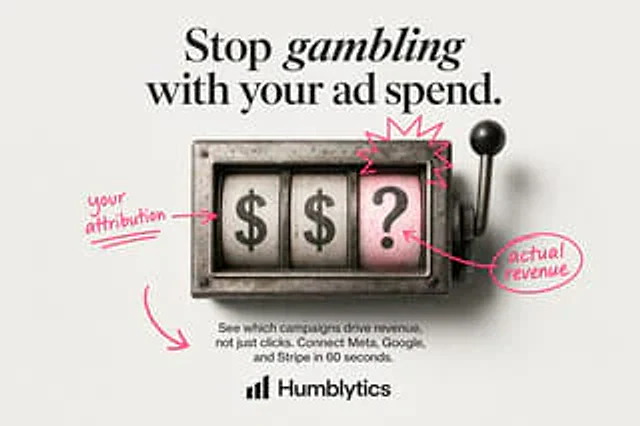
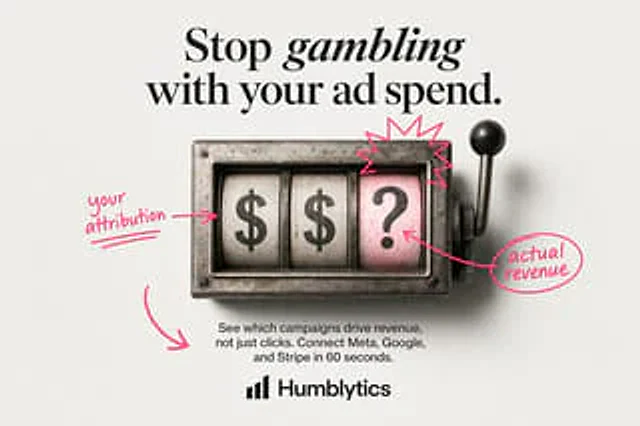
Against a gray-white studio backdrop, create a clean, minimalist static ad with a centered layout. At the top is a large, luxurious, high-fashion serif headline with the following text:{argument name="headline text" default="Stop gambling with your ad spend."} The word "gambling" is emphasized using italic serifs. The image shows a vintage metal slot machine window viewed directly from the center, slightly weathered and authentic. Inside the rectangular steel casing are three vertical reels, with a lever with a black knob on the right. The three reels display "$", "$", and "?" from left to right. The rightmost reel has a light pink background, while the first two are a worn white. Hand-drawn neon pink annotations are added to the image: an arrow pointing to the first reel and a note on the left, stating {argument name="left annotation" default="your attribution"} Add a star-shaped doodle above the pink question mark wheel; draw an arrow from the question mark wheel to the circled annotation on the right, the content of which is:{argument name="right annotation" default="actual revenue"} Add a large, curved arrow pointing to the main text area in the bottom left corner. Below the slot machine, place a short, centered black sans-serif paragraph containing the following content:{argument name="body text" default="See which campaigns drive revenue, not just clicks. Connect Meta, Google, and Stripe in 60 seconds."} A simple black analytical-style bar chart logo icon is placed in the center at the bottom, followed by the brand name in bold sans-serif.{argument name="brand name" default="Humblytics"} The requirements include high text clarity, exquisite product advertising composition, soft studio shadows, a color scheme limited to black, steel gray, off-white, and bright pink, and an aesthetic that embodies modern, direct-response advertising.Mode d’emploi
- Copiez le prompt original complet, paramètres compris.
- Adaptez le sujet, le texte et la composition à vos besoins.
- Utilisez un outil externe compatible ; vérifiez l’accès et le résultat.
Avant de commencer
- Vérifiez si une image de référence est nécessaire. La compatibilité ne prouve pas le modèle utilisé pour cet exemple.
- Vérifiez noms, chiffres et textes ; les versions du modèle peuvent produire des résultats différents.