
Document original
GPT Image 2 · en
Scene:
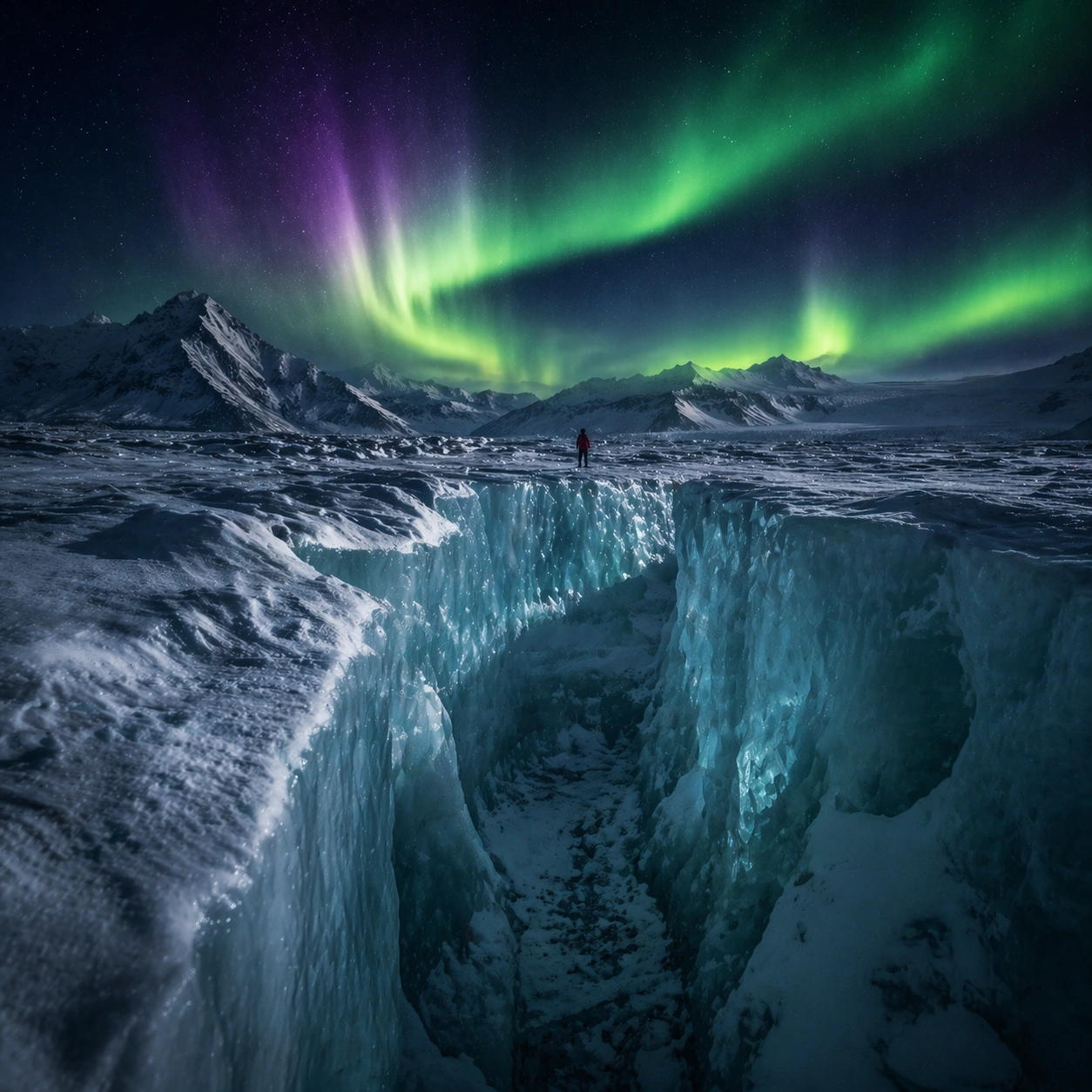
Create a square cinematic still for Aurora Glacier Silent Theatre. Use production-grade photoreal lighting, disciplined lens behavior, and a composition that feels like a finished key frame from an original film rather than a casual snapshot. An Arctic glacier plain opens under a sweeping aurora curtain, with deep night sky, luminous green and faint violet ribbons overhead, fractured ice catching reflected color, and a breath-frozen atmosphere that feels almost soundless. Move the camera closer or lower so the viewer feels more embedded inside the atmosphere while the same light direction and environment remain intact.

Subject:
Build a coherent original scene whose emotional center comes from atmosphere, light physics, and spatial clarity. Avoid relying on celebrity likeness, franchise iconography, or stylized illustration shortcuts. A solitary human figure in a red parka should appear tiny against the glacier geometry, while crevasses, wind-scoured snow, and ice walls provide a strong sense of scale without cluttering the frame. Preserve the same world logic from the reference and let one human-scale or material-scale element become more prominent without stealing focus from the atmosphere.

Important details:
Preserve a believable physical world with strong depth layering, careful color separation, and premium image discipline. Keep the aurora soft and physically plausible rather than graphic, with believable ice reflectance, low-angle moonless ambient light, and careful contrast so the red parka remains a scale marker rather than a fashion focal point. Keep the palette family, structural read, and light behavior from image 01 while increasing immediacy and tactile presence.

Use case:
Aurora Glacier series study 2/9.

Constraints:
No readable text, no watermark, no logos, preserve exact 1:1 aspect ratio, no tents, no readable expedition logos, no fantasy animals, no saturated nightclub colors, no fireworks effect.
Mode d’emploi
- Copiez le prompt original complet, paramètres compris.
- Adaptez le sujet, le texte et la composition à vos besoins.
- Utilisez un outil externe compatible ; vérifiez l’accès et le résultat.
Avant de commencer
- Vérifiez si une image de référence est nécessaire. La compatibilité ne prouve pas le modèle utilisé pour cet exemple.
- Vérifiez noms, chiffres et textes ; les versions du modèle peuvent produire des résultats différents.