Document original
GPT Image 2 · en
Scene:
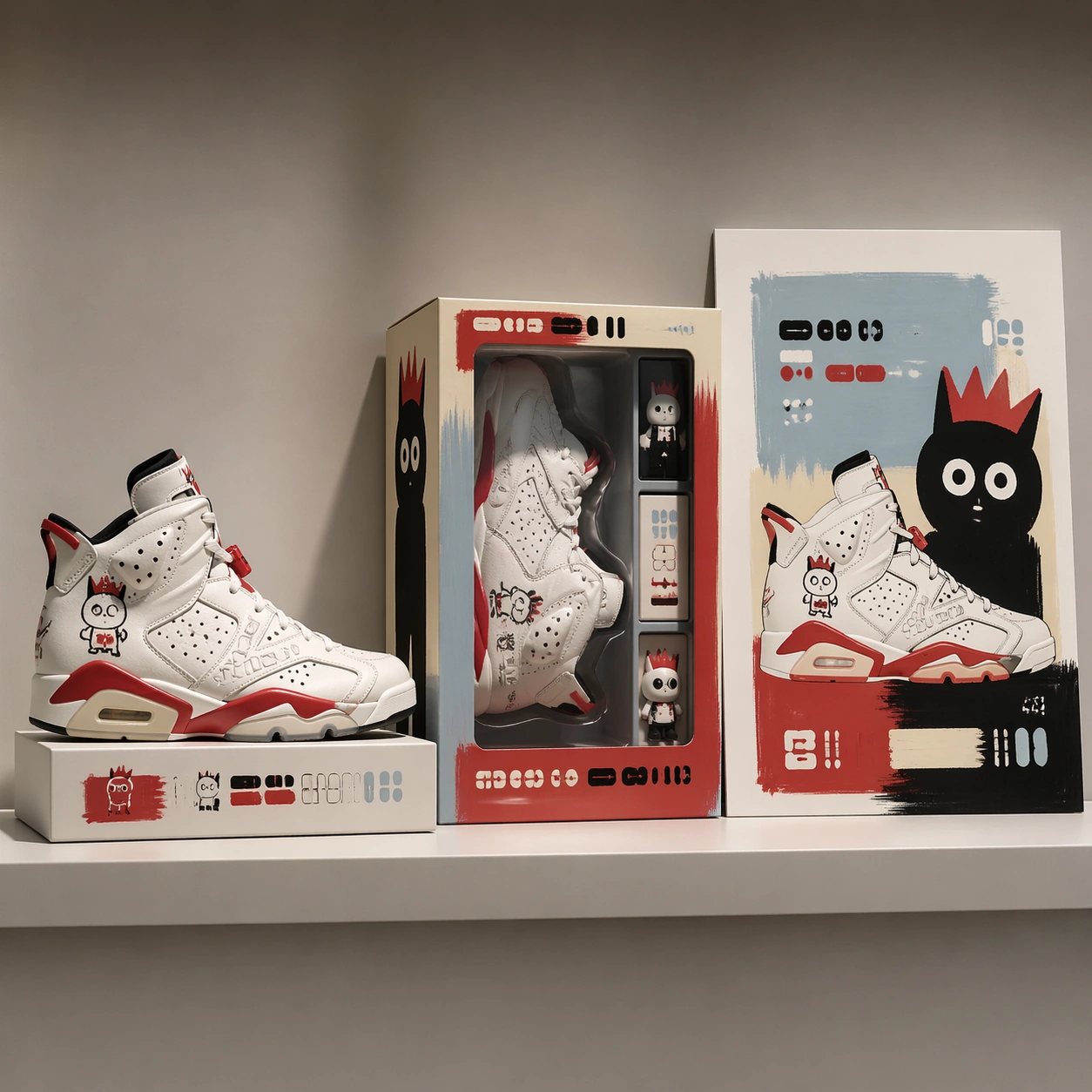
A square commercial pitch-board mockup photographed in a bright studio, arranged as a clean three-part retail presentation. The camera looks straight at a shallow display shelf with softbox reflections, neutral warm gray background, and crisp shadows. The composition uses a left product hero, a center packaging window box, and a right campaign poster panel, all aligned to a precise grid with generous margins and premium proposal lighting.

Subject:
A fictional athletic footwear capsule paired with a neo-pop toy painter language. The shoe has sculpted white leather panels, cherry-red rubber accents, hand-drawn childlike character marks, and small embossed abstract glyph blocks. The packaging is a clear-window collector box with painted mascot silhouettes and layered insert cards. The poster repeats the product shape as oversized flat color cutouts with playful eyes, uneven brush borders, and carefully placed non-readable label bars.

Important details:
Keep the product, box, and poster visibly from the same campaign through matching red, ivory, black, and pale blue. The mockup must feel expensive enough for a design proposal, not a random collage. Preserve believable materials: leather grain, translucent plastic window, folded carton edges, printed ink texture, and tabletop contact shadows. All typography areas should be structured as clean placeholder glyphs rather than legible brand names.

Use case:
Brand Artist Collab Mockup single study 1/8, focused on a proposal-ready product, packaging, and poster triptych.

Constraints:
No readable text, no watermark, no logos, preserve exact 1:1 aspect ratio, no real brand names, no real artist signatures, no distorted shoe anatomy, no cluttered retail background, no extra panels outside the three-part mockup.
Mode d’emploi
- Copiez le prompt original complet, paramètres compris.
- Adaptez le sujet, le texte et la composition à vos besoins.
- Utilisez un outil externe compatible ; vérifiez l’accès et le résultat.
Avant de commencer
- Vérifiez si une image de référence est nécessaire. La compatibilité ne prouve pas le modèle utilisé pour cet exemple.
- Vérifiez noms, chiffres et textes ; les versions du modèle peuvent produire des résultats différents.