Document original
GPT Image 2 · en
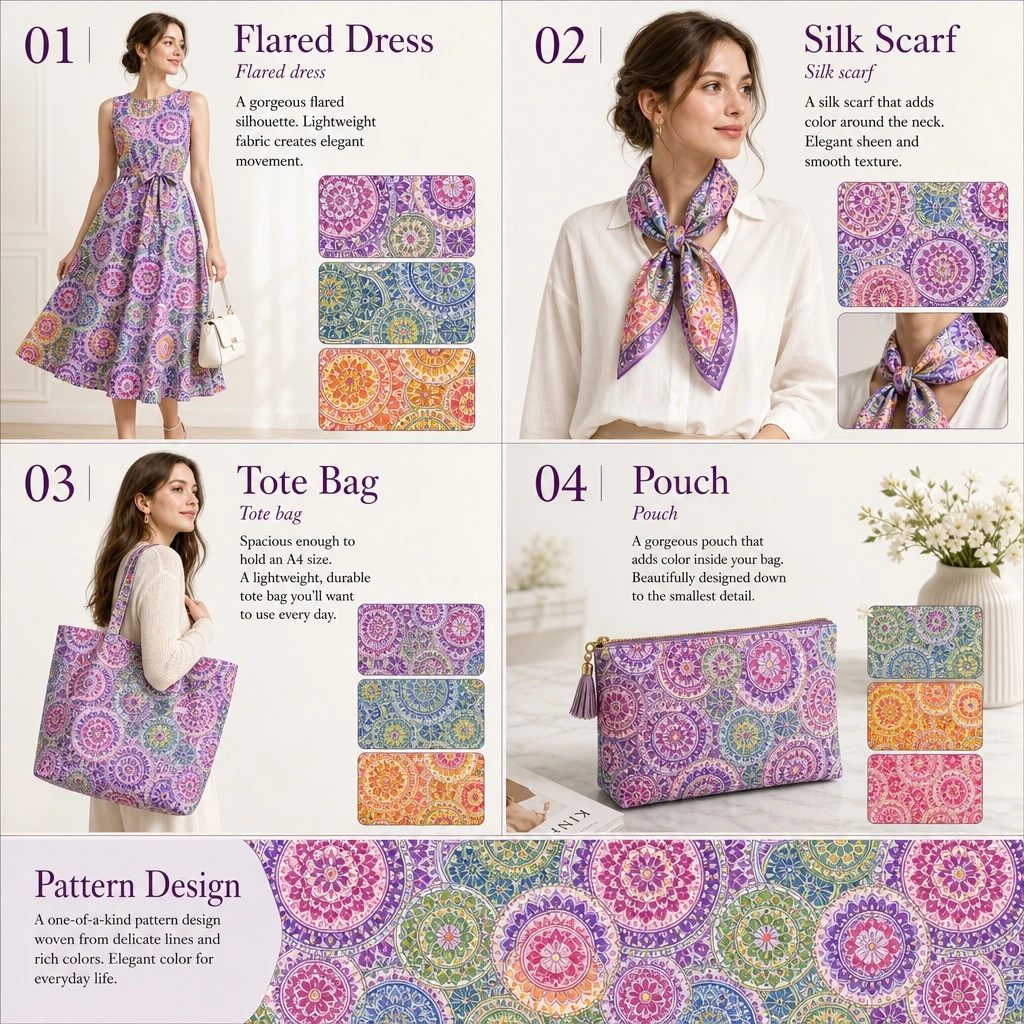
Design a fashion product catalog layout with a 2x2 grid structure plus a full-width bottom banner. Theme: a cohesive fashion collection featuring [PATTERN_DESCRIPTION].

Section 01: Title '[PRODUCT_1]' with subtitle in [LANGUAGE] 'Flared dress'. Main image: a woman wearing a patterned flared dress, holding a white handbag. Include 3 fabric swatches: purple variant, green/blue variant, orange/yellow variant. Description text in [LANGUAGE]: 'A gorgeous flared silhouette. Lightweight fabric creates elegant movement.'

Section 02: Title '[PRODUCT_2]' with subtitle in [LANGUAGE] 'Silk scarf'. Main image: a woman in a white blouse wearing a patterned silk scarf. Include 2 swatches: flat pattern detail, tied knot detail. Description text in [LANGUAGE]: 'A silk scarf that adds color around the neck. Elegant sheen and smooth texture.'

Section 03: Title '[PRODUCT_3]' with subtitle in [LANGUAGE] 'Tote bag'. Main image: a woman carrying a patterned tote bag. Include 3 swatches: purple variant, blue variant, orange/yellow variant. Description text in [LANGUAGE]: 'Spacious enough to hold an A4 size. A lightweight, durable tote bag you'll want to use every day.'

Section 04: Title '[PRODUCT_4]' with subtitle in [LANGUAGE] 'Pouch'. Main image: a patterned zip pouch on a table with a magazine and a vase. Include 3 swatches: green/purple variant, orange variant, pink variant. Description text in [LANGUAGE]: 'A gorgeous pouch that adds color inside your bag. Beautifully designed down to the smallest detail.'

Bottom banner: Title 'Pattern Design'. Description text in [LANGUAGE]: 'A one-of-a-kind pattern design woven from delicate lines and rich colors. Elegant color for everyday life.' Image: a horizontal strip showing the seamless repeating pattern.
Mode d’emploi
- Copiez le prompt original complet, paramètres compris.
- Adaptez le sujet, le texte et la composition à vos besoins.
- Utilisez un outil externe compatible ; vérifiez l’accès et le résultat.
Avant de commencer
- Vérifiez si une image de référence est nécessaire. La compatibilité ne prouve pas le modèle utilisé pour cet exemple.
- Vérifiez noms, chiffres et textes ; les versions du modèle peuvent produire des résultats différents.