
Document original
GPT Image 2 · en
Scene:
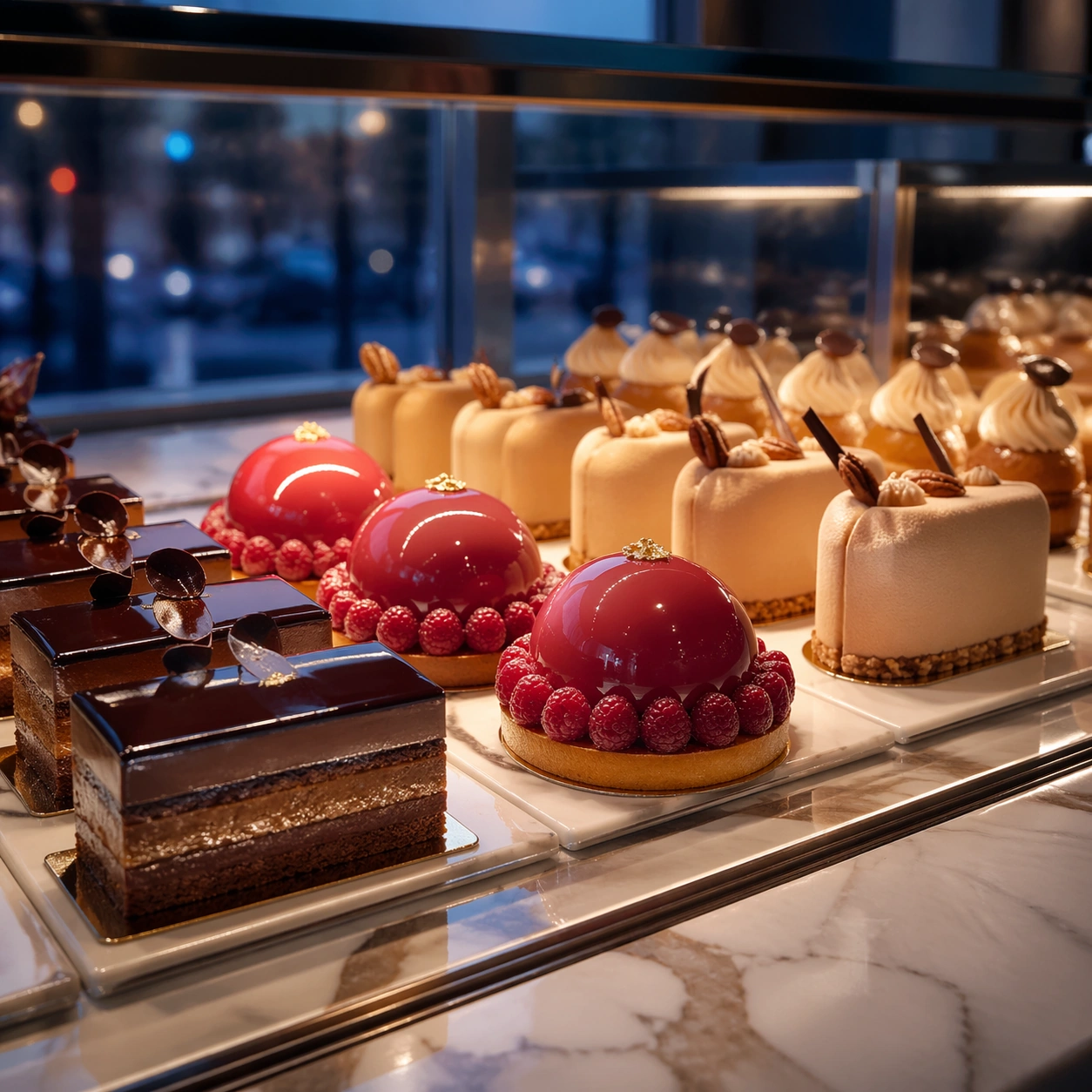
Compose a square premium patisserie image with polished but believable boutique lighting, elegant marble or lacquer surfaces, and a sweet-shop atmosphere that feels brand-authored rather than generic. The camera should preserve product clarity, shape definition, and shelf or counter context while leaving enough breathing room for campaign placement. Frame a square crop of a glass pastry case at blue hour, balancing interior warm light with cooler ambient reflections from the shopfront.

Subject:
The desserts must look crafted by a high-end pastry kitchen: clean lamination, glossy glaze, stable cream structure, crisp edges, and packaging or display surfaces that reinforce a coherent dessert identity. Show several hero pastries aligned in a premium display case, with one standout item catching the eye and the rest supporting a consistent retail rhythm.

Important details:
Sweetness should come from color control, finish quality, and material nuance, not from visual clutter. Preserve believable pastry engineering, boutique display logic, and refined merchandising cues so the images can support brand storytelling across retail, packaging, and editorial use. This image should feel fully self-contained while still belonging to the same broader topic and commercial world. Glass cleanliness, reflected highlights, shelf spacing, and pastry scale all need to feel real so the image can sell a believable high-end dessert environment.

Use case:
Dessert Brand single study 6/9, built for Prompt Atlas coverage of a food and beverage commercial visual system.

Constraints:
No readable text, no watermark, no logos, preserve exact 1:1 aspect ratio, no candy-color overload, no plastic frosting, no supermarket clutter, no cartoon decorations, no melted textures that break realism, no childish party props, no crowded bakery stock, no visible staff faces, no fluorescent supermarket light.
Mode d’emploi
- Copiez le prompt original complet, paramètres compris.
- Adaptez le sujet, le texte et la composition à vos besoins.
- Utilisez un outil externe compatible ; vérifiez l’accès et le résultat.
Avant de commencer
- Vérifiez si une image de référence est nécessaire. La compatibilité ne prouve pas le modèle utilisé pour cet exemple.
- Vérifiez noms, chiffres et textes ; les versions du modèle peuvent produire des résultats différents.