
Document original
GPT Image 2 · en
Scene:
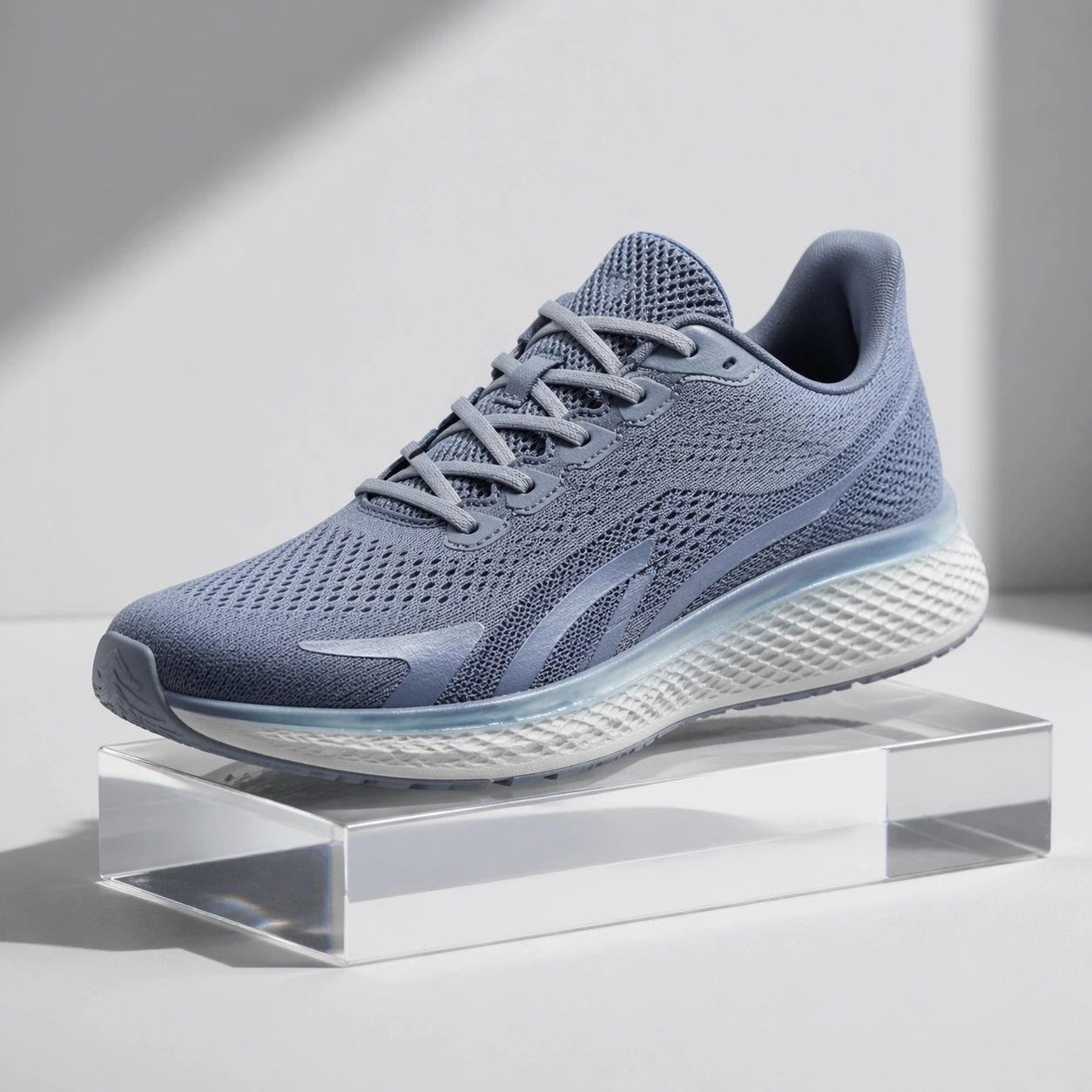
Square crop of a product photography set for a lightweight running shoe, clean studio sweep, softbox lighting, pale gray floor, and a few controlled prop shadows. The style is photorealistic commercial mockup with restrained color and crisp material definition.

Subject:
A single shoe sits three-quarter view on a low acrylic riser. The image should imply an edit request such as keep the shoe shape, remove the red heel tag, make the upper cooler blue-gray, and preserve the sole texture and lace geometry. The result must look like the same product after conversational colorway editing, not a different model. Include subtle mesh, translucent sole edge, small decorative stripe shapes with no logo, and clean repaired fabric where the heel tag used to be.

Important details:
This tests local semantic editing without a mask. The shoe silhouette, stitching pattern, lace placement, sole grooves, and lighting must remain coherent while targeted attributes change. The removed tag should leave believable material continuity. The cooler colorway should affect the upper and accent stripe but not the background or shadows. The product should remain centered with catalog-level clarity, suitable for comparing whether shape identity survived the edit.

Use case:
Conversational Editing Workflow single study 6/8, testing object-preserving product edits across removal, material repair, and color transformation.

Constraints:
No readable text, no watermark, no logos, preserve exact 1:1 aspect ratio, no brand marks, no extra shoes, no foot or model, no UI overlay, no split before-after view, no deformed sole, no mismatched laces.
Mode d’emploi
- Copiez le prompt original complet, paramètres compris.
- Adaptez le sujet, le texte et la composition à vos besoins.
- Utilisez un outil externe compatible ; vérifiez l’accès et le résultat.
Avant de commencer
- Vérifiez si une image de référence est nécessaire. La compatibilité ne prouve pas le modèle utilisé pour cet exemple.
- Vérifiez noms, chiffres et textes ; les versions du modèle peuvent produire des résultats différents.