
Documento originale
GPT Image 2 · en
{
  "global_settings": {
    "resolution": "8K ultra high definition",
    "aspect_ratio": "2:3 vertical",
    "style": "hyper-realistic AI-edited food photography",
    "clarity": "extreme sharpness, micro-texture visibility",
    "motion": "frozen action with suspended ingredients",
    "lighting_quality": "studio-grade, high-contrast, cinematic",
    "background_separation": "strong subject isolation with clean depth"
  },

  "module_1_image_1_style": {
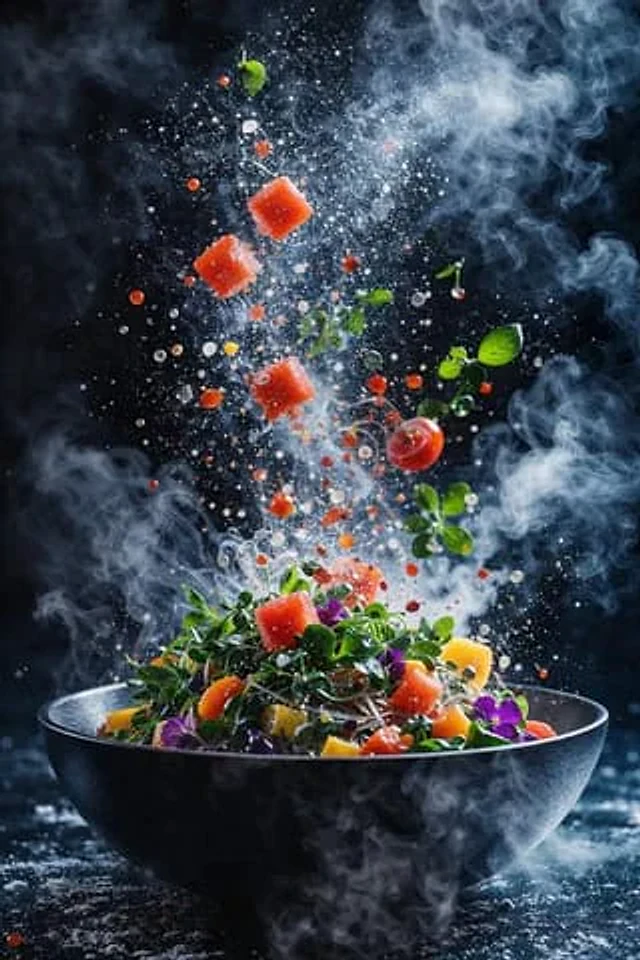
    "scene_description": "A dynamic salad explosion emerging from a matte black bowl placed on a round wooden surface. Ingredients are mid-air, scattered upward and outward.",
    "ingredients_visible": [
      "green lettuce leaves",
      "cherry tomatoes (whole and sliced)",
      "cucumber slices arranged in a curved stack",
      "black olives",
      "white cheese cubes",
      "orange citrus slice",
      "small broccoli florets",
      "fresh green basil leaves"
    ],
    "motion_details": {
      "ingredients":
Come usare
- Copia tutto il prompt originale, inclusi i parametri.
- Adatta soggetto, testo e composizione alle tue esigenze.
- Usa uno strumento esterno compatibile; verifica accesso e risultato.
Prima di iniziare
- Controlla se serve un’immagine di riferimento. La compatibilità non prova il modello usato per l’esempio.
- Verifica nomi, numeri e testi; i risultati cambiano con le versioni del modello.