Documento originale
GPT Image 2 · en
{
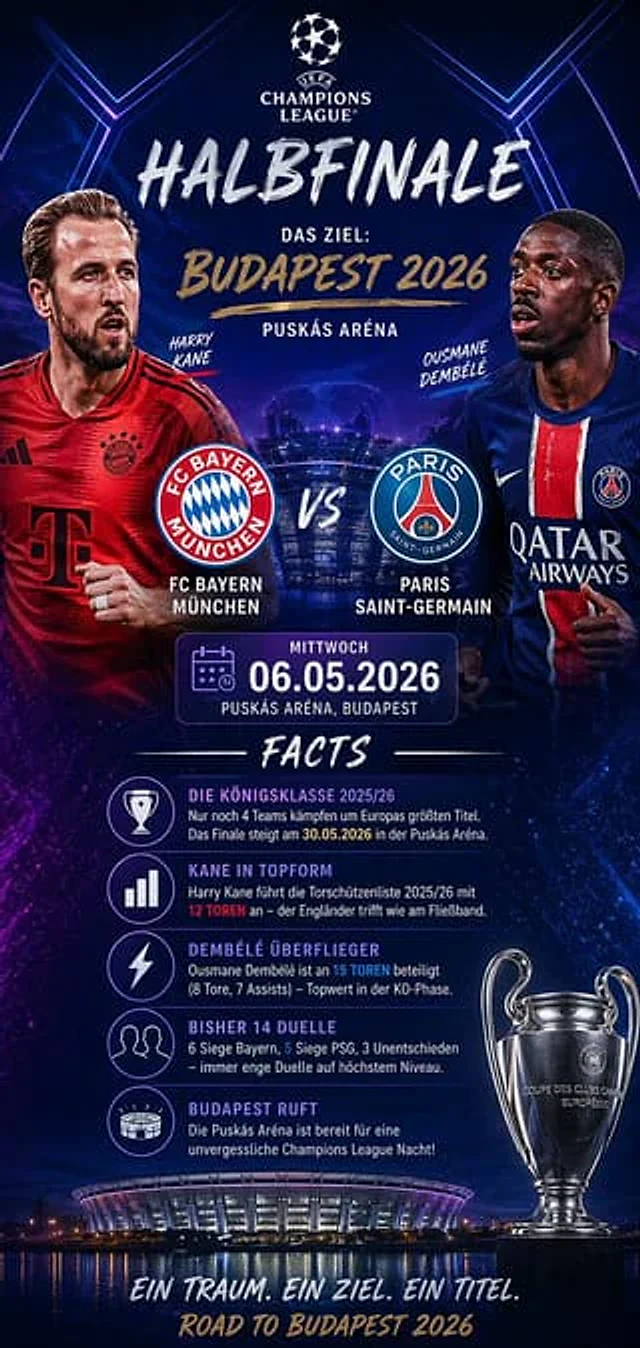
  "type": "Sports Event Infographic Poster",
  "theme": "UEFA Champions League",
  "background": "A deep blue and purple cosmic sky, glowing blue hexagonal lines, with the brightly lit stadium reflected at the bottom.",
  "header": {
    "logo": "UEFA Champions League",
    "title": "{argument name=\"stage\" default=\"Semifinals\"}",
    "subtitle": "Target:{argument name=\"location\" default=\"Budapest 2026\"}",
    "venue": "Puskás Arena"
  },
  "matchup": {
    "player_left": "Wearing a red FC Bayern jersey{argument name=\"team 1 player\" default=\"Harry Kane\"}",
    "player_right": "Wearing a blue PSG jersey{argument name=\"team 2 player\" default=\"Osman Dembele\"}",
    "center_logos": "FC Bayern Munich and Paris Saint-Germain, along with the letter VS.",
    "date_box": "Calendar icon, Wednesday.{argument name=\"date\" default=\"May 6, 2026\"}"
  },
  "facts_section": {
    "title": "Event Overview",
    "count": 5,
    "items": [
      "Trophy icon: 2025/26 UEFA Champions League",
      "Bar chart icon: Kane in hot form",
      "Lightning icon: Dembele leaping",
      "Double icon: Previous 14 encounters",
      "Stadium icon: Budapest is calling"
    ]
  },
  "footer": {
    "trophy": "The Champions League trophy is displayed on the right.",
    "stadium_image": "Puskás Arena at night",
    "tagline": "A dream. A goal. A championship.",
    "bottom_text": "The Road to Budapest 2026"
  }
}
Come usare
- Copia tutto il prompt originale, inclusi i parametri.
- Adatta soggetto, testo e composizione alle tue esigenze.
- Usa uno strumento esterno compatibile; verifica accesso e risultato.
Prima di iniziare
- Controlla se serve un’immagine di riferimento. La compatibilità non prova il modello usato per l’esempio.
- Verifica nomi, numeri e testi; i risultati cambiano con le versioni del modello.