
Documento originale
GPT Image 2 · en
Scene:
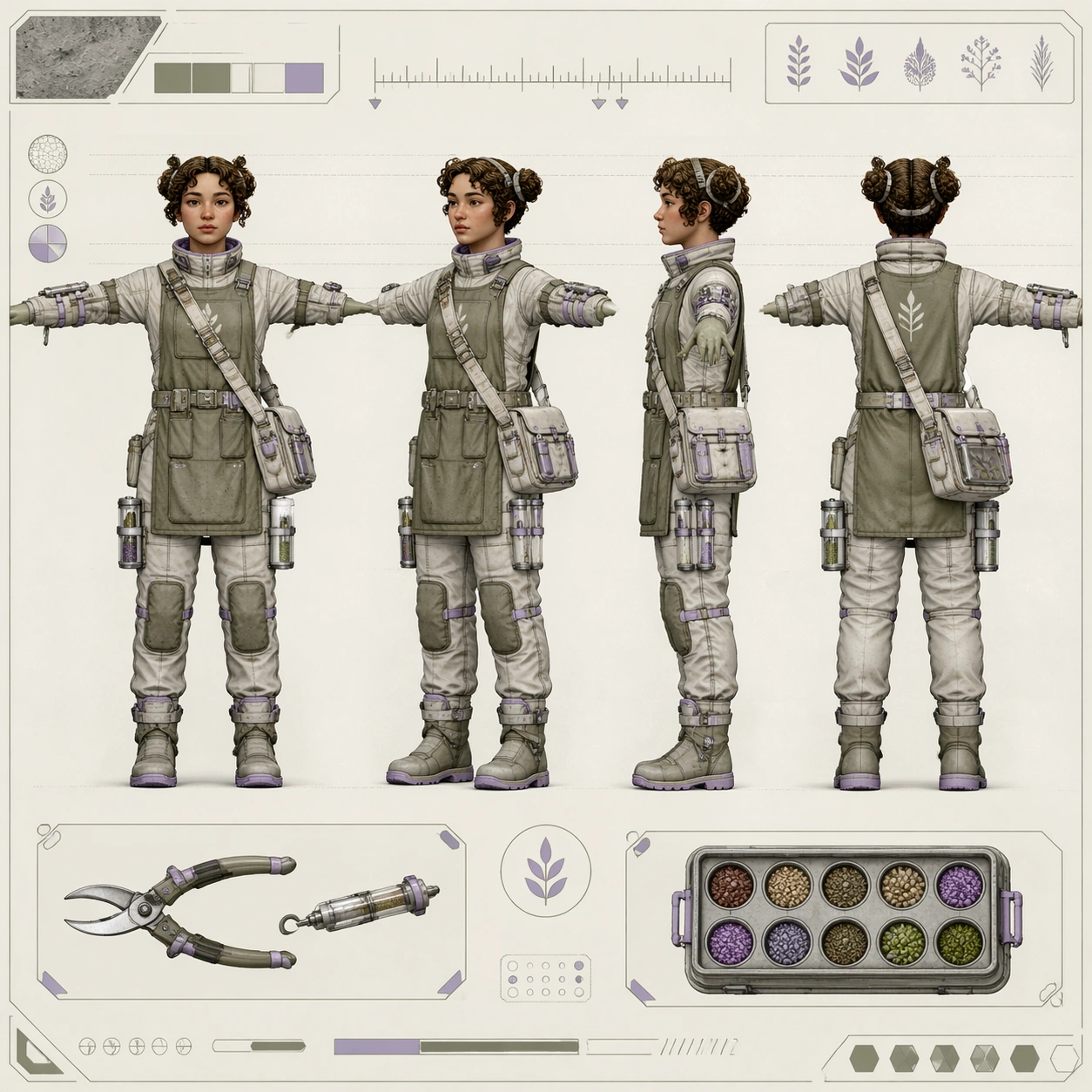
A square character turnaround sheet presented as a polished space-horticulture design page on a softly lit off-white board. The camera is perfectly straight-on, the background is calm and minimal, and the layout emphasizes inspection and comparison rather than drama. Use a restrained palette of bone white, muted olive, brushed silver, and dusty lavender, with fine guide lines and careful margins.

Subject:
Create one original lunar botanist shown in four aligned full-body views on the same sheet: front, forty-five-degree, side, and back, all in a neutral T-pose. The botanist is a thoughtful greenhouse field specialist with a rounded face, short curly hair tied into two compact loops, insulated plant-sample satchel, slim pressure-soft suit beneath an apron-like gardening overlayer, seed canisters on the thighs, soft magnetic boots, and forearm tools for clipping, grafting, and moisture sampling. Add one or two modest insets for a pruning tool and seed capsule tray, without reducing the dominance of the four main views.

Important details:
The page must read as an industrial character sheet for a believable lunar agriculture pipeline. Preserve identical anatomy, facial structure, suit seam logic, pocket count, and tool placement across every view. Materials should feel plausible for greenhouse work in partial gravity: dusty fabric, translucent sample tubes, brushed aluminum connectors, flexible joint seals, and lightly worn rubber soles. Include a non-readable tick ruler, abstract specimen symbols, and clean callout boxes with no letters. Keep the design grounded and usable rather than whimsical.

Use case:
Character Turnaround single study 7/8, testing a space-agriculture four-view sheet with technical precision and gentle worldbuilding.

Constraints:
No readable text, no watermark, no logos, preserve exact 1:1 aspect ratio, no outer-space vista background, no astronaut helmet obscuring the face, no floating character, no cartoon plant creatures, no inconsistent tool placement, no proportion changes between views.
Come usare
- Copia tutto il prompt originale, inclusi i parametri.
- Adatta soggetto, testo e composizione alle tue esigenze.
- Usa uno strumento esterno compatibile; verifica accesso e risultato.
Prima di iniziare
- Controlla se serve un’immagine di riferimento. La compatibilità non prova il modello usato per l’esempio.
- Verifica nomi, numeri e testi; i risultati cambiano con le versioni del modello.