
Documento originale
GPT Image 2 · en
Scene:
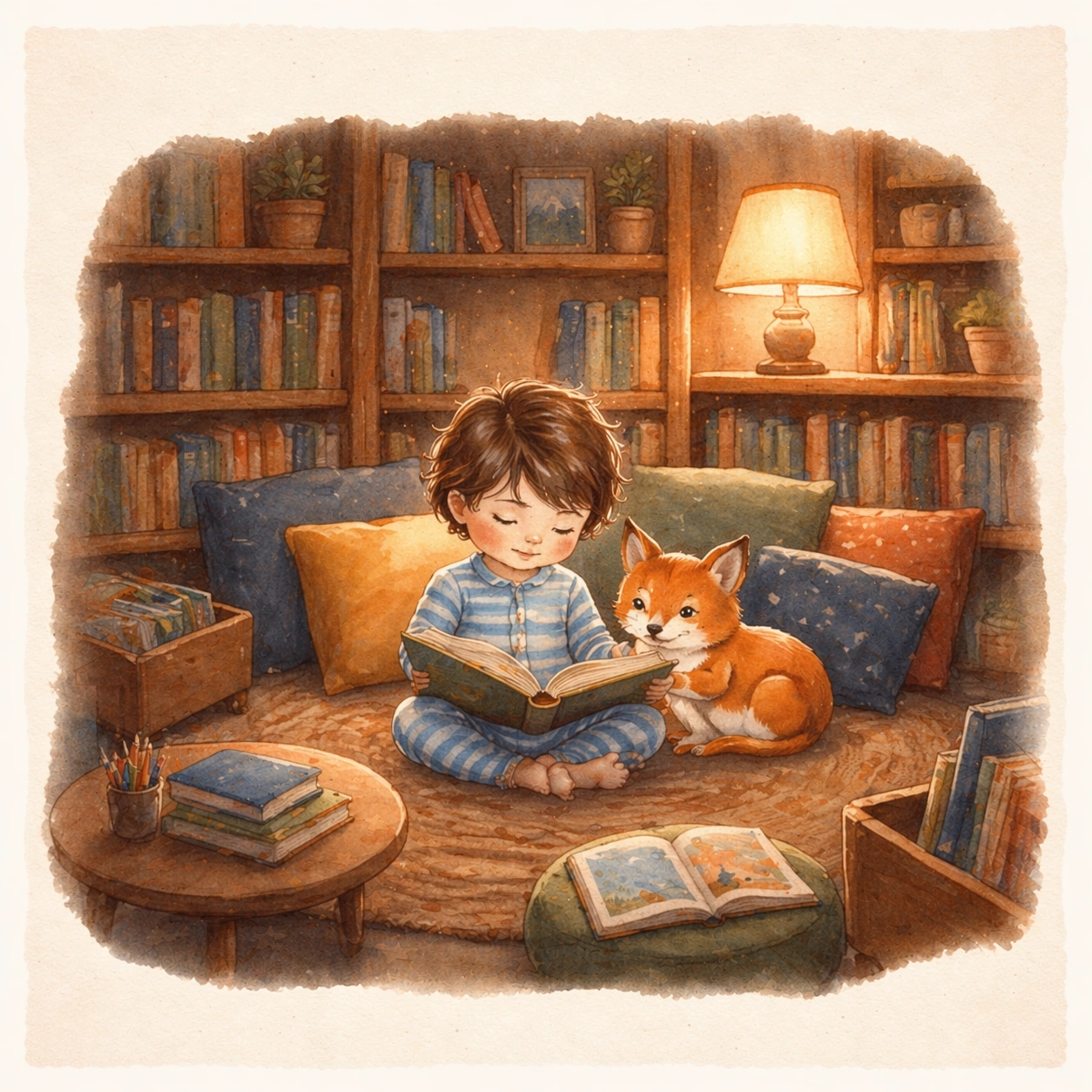
Render the same square open-book view with matching page margins, soft paper texture, and storybook paint handling, now set inside a cozy children library under honey-colored lamp light. The spread should feel like a calm middle chapter that deepens the world without breaking style continuity. Keep the square frame balanced, calm, and production-ready so the asset can serve gallery review, research comparison, and real educational delivery at the same time.

Subject:
Place the same child and fox companion in a reading nook surrounded by shelves, cushions, low tables, and borrowed picture books. Their facial features, clothing base, and emotional bond must match the reference spread exactly, while the setting shifts to quiet discovery and concentration. The subject matter should feel intentionally selected for a coherent curriculum family rather than like a random decorative assortment.

Important details:
Maintain the established illustration logic from the reference image: gentle brushwork, rounded staging, warm educational atmosphere, and clear page composition. The library scene should feel narratively rich yet still leave visual breathing room for eventual typesetting outside the main art. Preserve the same child protagonist, fox companion, brush texture, page framing, color family, and storybook page proportions from the reference spread. Use variation only in the teaching content, supporting props, and scene-specific mood while preserving the core visual system exactly.

Use case:
Children Storybook Scene Page System series study 3/4, library hideaway.

Constraints:
No readable text, no watermark, no logos, preserve exact 1:1 aspect ratio, no readable story text, no logos, no celebrity resemblance, no harsh horror mood, no hyper-detailed realism, no extra main characters replacing the leads.
Come usare
- Copia tutto il prompt originale, inclusi i parametri.
- Adatta soggetto, testo e composizione alle tue esigenze.
- Usa uno strumento esterno compatibile; verifica accesso e risultato.
Prima di iniziare
- Controlla se serve un’immagine di riferimento. La compatibilità non prova il modello usato per l’esempio.
- Verifica nomi, numeri e testi; i risultati cambiano con le versioni del modello.