
Documento originale
GPT Image 2 · en
Scene:
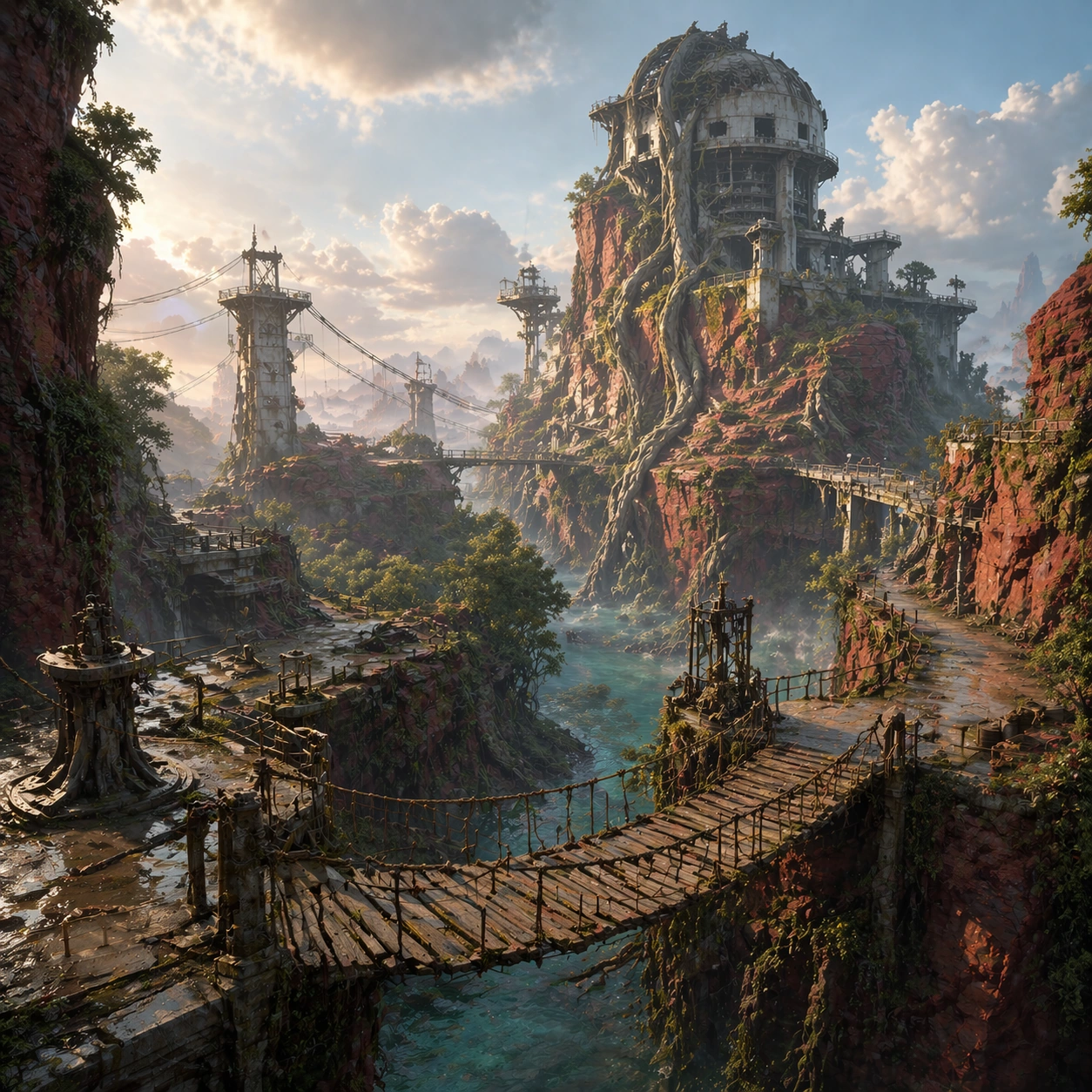
A square traversal-focused gameplay art frame using the same biome and landmark language as the reference vista, but with the camera lowered closer to the route so hanging bridges, cliff switchbacks, and suspended maintenance platforms become the compositional spine. Lighting is slightly brighter and clearer than image 01, with crisp edge light on ropes, railings, and wet stone.

Subject:
The exact same mangrove canyon biome from the reference model, preserving the collapsed reactor-observatory tower, canyon walls, root growth, water channels, and bridge architecture. Recompose the space to highlight how a player would move through it: one main bridge crossing in the foreground, secondary catwalks in the midground, and a distant lift platform leading toward the landmark.

Important details:
Preserve the landmark silhouette, palette, and route logic from the reference image. The goal is to make traversal feel intentional and readable, not cinematic chaos. Show believable handrails, anchor points, support beams, wet stone wear, puddle reflections, and depth cues that clarify where a player could step, climb, or look next. The world language must remain identical to the reference biome.

Use case:
Biome Pack series study 2/9, using the same biome reference to foreground traversal and path readability.

Constraints:
No readable text, no watermark, no logos, preserve exact 1:1 aspect ratio, preserve exact landmarks from the reference model, no characters, no combat effects, no broken bridge collapse in progress, no unreadable UI text, no floating islands
Come usare
- Copia tutto il prompt originale, inclusi i parametri.
- Adatta soggetto, testo e composizione alle tue esigenze.
- Usa uno strumento esterno compatibile; verifica accesso e risultato.
Prima di iniziare
- Controlla se serve un’immagine di riferimento. La compatibilità non prova il modello usato per l’esempio.
- Verifica nomi, numeri e testi; i risultati cambiano con le versioni del modello.