Documento originale
GPT Image 2 · en
{
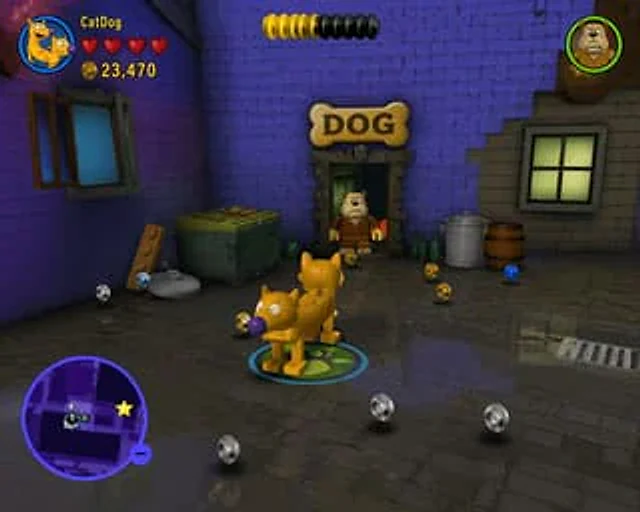
  "type": "Video game screenshots",
  "style": "{argument name=\"game style\" default=\"Classic LEGO video games\"}",
  "scene": {
    "environment": "The dark alleyway had purple brick walls on the left and gray brick walls on the right, with reflections shimmering on the damp cobblestone pavement.",
    "props": [
      "1 green trash can",
      "A piece of wood with granules",
      "1 metal trash can",
      "1 wooden barrel",
      "3 green glass bottles",
      "A bone-shaped sign with the word 'DOG' written on it."
    ],
    "collectibles": "10 floating particles (4 silver, 4 gold, 2 blue)"
  },
  "characters": [
    {
      "description": "{argument name=\"player character\" default=\"CatDog\"} Rendered as a building block plastic doll",
      "action": "Standing in the center, beneath your feet is a glowing blue-green circular player marker."
    },
    {
      "description": "Bulldog rendered as a small plastic doll",
      "action": "Standing at the door"
    }
  ],
  "layout": {
    "ui_elements": [
      {
        "position": "Top left corner",
        "description": "Player HUD",
        "components": [
          "Circular character head",
          "text'{argument name=\"player name\" default=\"CatDog\"} '",
          "4 red hearts",
          "With text '{argument name=\"score\" default=\"23,470\"} The gold coin icon"
        ]
      },
      {
        "position": "Top center",
        "description": "Yellow and black cylindrical progress bar"
      },
      {
        "position": "Top right corner",
        "description": "Bulldog round character head"
      },
      {
        "position": "bottom left corner",
        "description": "A small circular map with a purple border, map layout, and yellow star icons."
      }
    ]
  }
}
Come usare
- Copia tutto il prompt originale, inclusi i parametri.
- Adatta soggetto, testo e composizione alle tue esigenze.
- Usa uno strumento esterno compatibile; verifica accesso e risultato.
Prima di iniziare
- Controlla se serve un’immagine di riferimento. La compatibilità non prova il modello usato per l’esempio.
- Verifica nomi, numeri e testi; i risultati cambiano con le versioni del modello.