
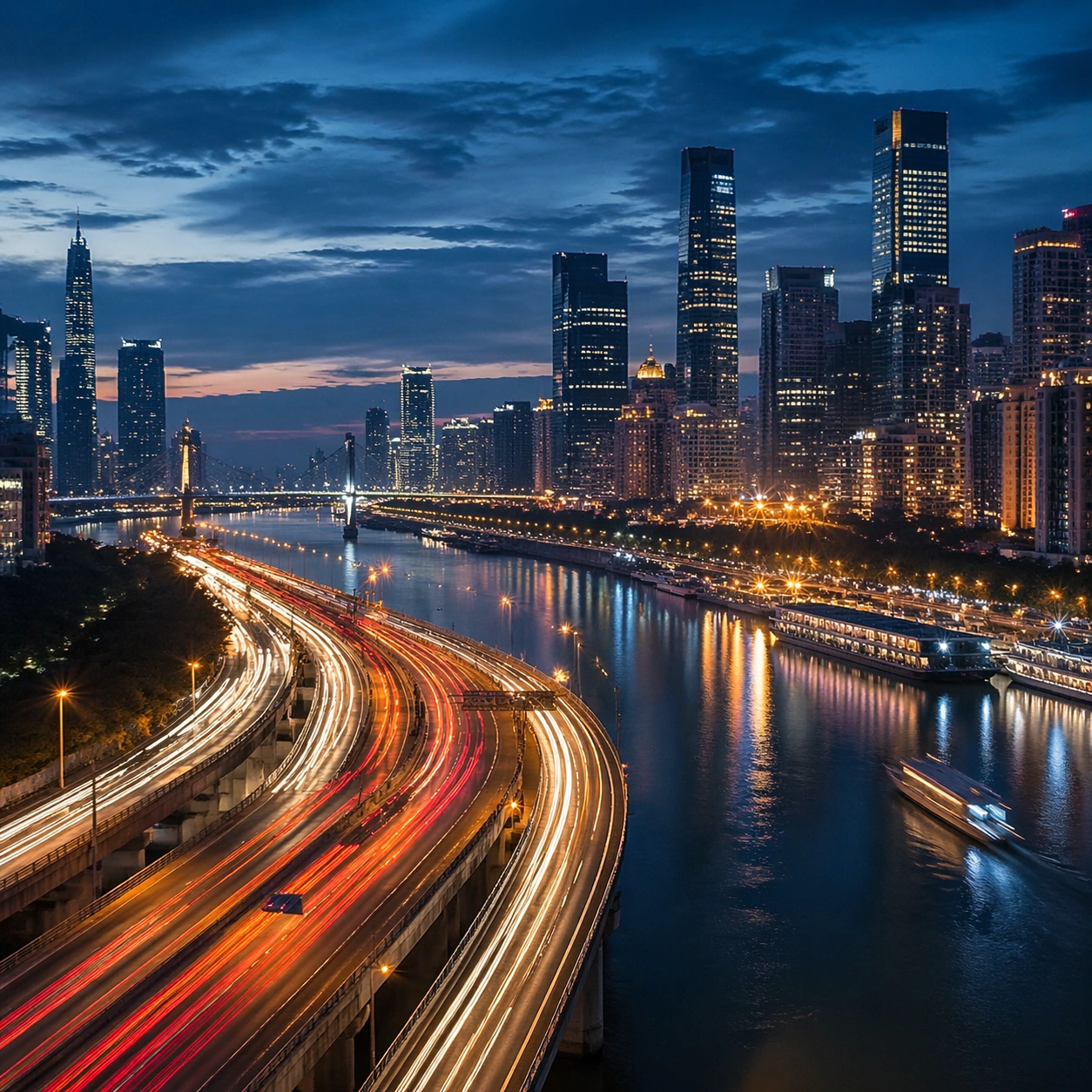
Documento originale
GPT Image 2 · en
Scene:
Create a square cinematic still for Blue Hour Metropolis Long Exposure. Use production-grade photoreal lighting, disciplined lens behavior, and a composition that feels like a finished key frame from an original film rather than a casual snapshot. A dense riverside metropolis is captured at the exact transition of blue hour, where the sky holds deep cobalt, windows begin to glow warm gold, traffic turns into elegant light trails, and water reflects both cool atmosphere and neon accents. End on a quieter independent image that holds the residue of the topic atmosphere after its loudest moment has passed, while still feeling complete and exhibition-ready.

Subject:
Build a coherent original scene whose emotional center comes from atmosphere, light physics, and spatial clarity. Avoid relying on celebrity likeness, franchise iconography, or stylized illustration shortcuts. Skyscrapers, bridges, riverbanks, layered roads, and a few boats or ferries should form a coherent urban rhythm, with architecture believable and anonymous rather than tied to any one landmark identity. The frame should suggest memory, aftermath, or lingering presence through environment first and only secondarily through any figure or object.

Important details:
Preserve a believable physical world with strong depth layering, careful color separation, and premium image discipline. Control color temperature precisely, keeping the cool ambient sky separate from warm occupancy lights, with long-exposure motion on roads and water that feels polished, metropolitan, and technically disciplined. Favor restraint, believable light decay, and subtle narrative closure over spectacle or decorative excess.

Use case:
Blue Hour City single study 9/9.

Constraints:
No readable text, no watermark, no logos, preserve exact 1:1 aspect ratio, no readable billboards, no famous landmark mimicry, no fireworks, no science-fiction holograms, no empty skyline.
Come usare
- Copia tutto il prompt originale, inclusi i parametri.
- Adatta soggetto, testo e composizione alle tue esigenze.
- Usa uno strumento esterno compatibile; verifica accesso e risultato.
Prima di iniziare
- Controlla se serve un’immagine di riferimento. La compatibilità non prova il modello usato per l’esempio.
- Verifica nomi, numeri e testi; i risultati cambiano con le versioni del modello.