Documento originale
GPT Image 2.5 · en
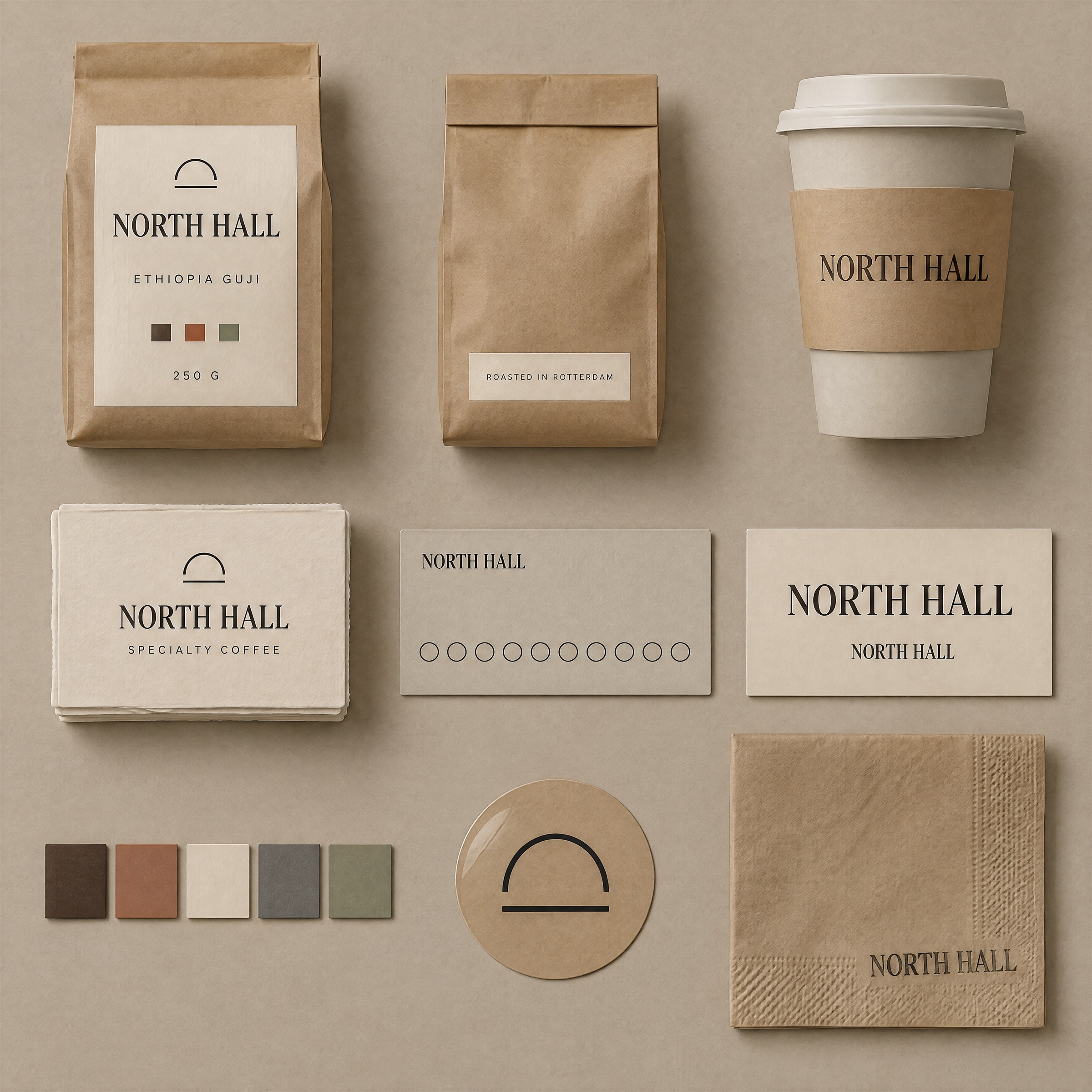
A brand identity touchpoint board for a specialty coffee roaster, 1:1 square, presented as a studio flat lay
photographed from directly above: nine physical items arranged in a 3 by 3 grid on a warm greige paper
backdrop, evenly spaced, each item fully inside its own cell with clear air around it.

THE BRAND — identical on every item
The wordmark is the words "NORTH HALL" set in a single high-contrast serif, all capitals, with the two words on
one line separated by a single space, tracked tight. It appears on seven of the nine items and must be
letter-for-letter identical on all of them: same typeface, same weight, same letterforms, same proportions,
same spacing between the two words, and the same clear space around it equal to the height of the letter H on
every side. A small circular emblem — a thin-stroke arch over a horizontal line — sits above the wordmark on
packaging only, and is the same size relative to the wordmark wherever it appears.

THE NINE ITEMS, reading left to right then top to bottom
1. A 250 g kraft coffee bag, front on, with a cream label panel carrying the wordmark in the upper third and
   "ETHIOPIA GUJI" in a small wide-spaced sans beneath it, plus a row of three small filled squares at the
   bottom of the label indicating roast level.
2. The same bag seen from behind, filling less of its cell, showing a plain kraft back with a small cream
   patch carrying two lines of tiny type and a debossed fold line.
3. A stone-coloured takeaway cup standing with a printed kraft sleeve around its middle; the wordmark runs
   across the sleeve once, horizontally, at the sleeve's vertical centre.
4. A neat stack of thick cotton-rag business cards, the top card square to the camera, carrying the emblem and
   the wordmark centred, with "SPECIALTY COFFEE" in small wide-tracked capitals beneath it.
5. A slim loyalty card in the same stone colour, laying flat, with the wordmark small at the top left and a row
   of ten empty circular stamp positions across its lower half, none of them filled.
6. A type specimen strip: the wordmark set large in the centre of a narrow cream card, and directly beneath it
   the same wordmark at one third of the size, showing that the letterforms do not change with size.
7. Five colour chips in a row — deep espresso brown, clay terracotta, bone cream, slate grey, and one muted
   sage — each a small square with a narrow margin between them, no text on any chip.
8. A single die-cut vinyl sticker, cream on kraft, carrying only the emblem at a larger size, with no wordmark.
9. A folded kraft napkin with the wordmark stamped once in the lower right corner in slightly uneven ink, so
   the stamp's edges are a little soft and one corner of the impression is fainter than the rest.

MATERIAL AND LIGHT
One large soft source from the upper left, close to the set, so shadows fall down and to the right and are soft
and short. Materials must be distinguishable: matte uncoated kraft with visible fibre, thick cotton-rag card
stock with a deckled textured edge, matt laminated paper on the sleeve, and a slightly glossy vinyl sticker
catching one soft highlight. Slight top-down perspective flattening with no keystone distortion.

COLOUR
The palette is limited to the five chips: deep espresso, clay terracotta, bone cream, slate grey and muted sage.
Kraft brown is the substrate, not a palette colour.

CONSTRAINTS
The wordmark must be spelled exactly "NORTH HALL" everywhere it appears, with no variation, no alternate
spelling, no translated version and no second logo. Render only these five strings and no others: "NORTH HALL",
"ETHIOPIA GUJI", "SPECIALTY COFFEE", "ROASTED IN ROTTERDAM", "250 G". Do not add taglines, tasting notes,
weights, prices, awards, certifications, recycling symbols, barcodes, QR codes or any other text. Do not add
a tenth item, a plant, a cup of coffee, beans, a hand or a prop. Do not repeat an item in two cells. Do not
rotate the items: everything is square to the camera. No watermark.
Come usare
- Copia tutto il prompt originale, inclusi i parametri.
- Adatta soggetto, testo e composizione alle tue esigenze.
- Usa uno strumento esterno compatibile; verifica accesso e risultato.
Prima di iniziare
- Controlla se serve un’immagine di riferimento. La compatibilità non prova il modello usato per l’esempio.
- Verifica nomi, numeri e testi; i risultati cambiano con le versioni del modello.