
Documento originale
GPT Image 2 · en
Scene:
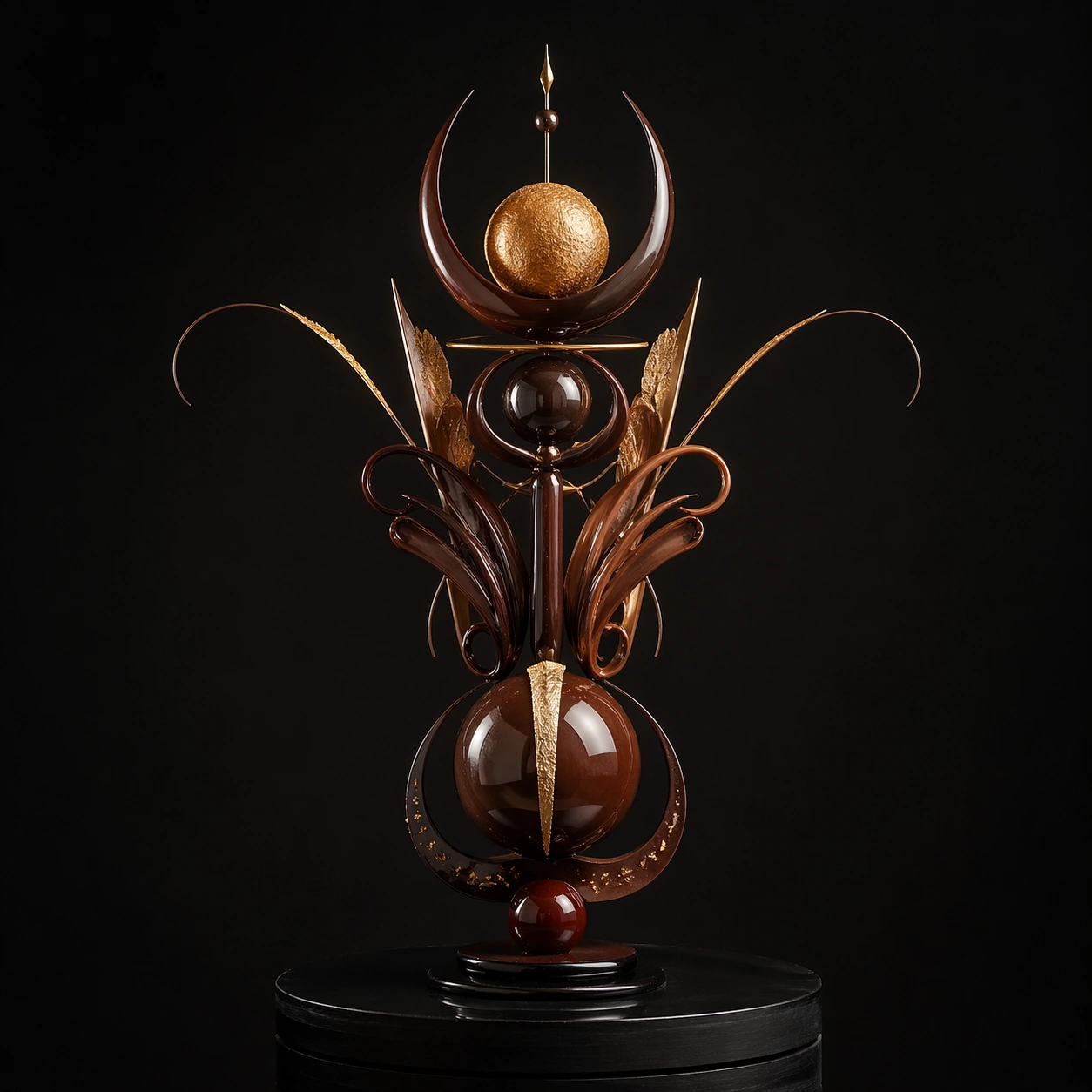
Create a square competition-style pastry studio photograph with one sculptural chocolate showpiece on a dark pedestal against a controlled neutral or black backdrop. Softbox reflections should skim the tempered surfaces with glass-like sharpness, while shadows stay deep and elegant. The object must feel large, balanced, and professionally lit, as if documented after winning a grand pastry prize. Create a square studio shot of a chocolate sculpture on a rotating-display style base, with black surroundings and balanced front lighting. The base should feel professional and understated, never theatrical.

Subject:
Present one ambitious chocolate sculpture with clear front-facing symmetry and a few delicate outstretched elements, as if positioned for judging or documentation. Gold leaf, lacquer, and precise supports may accent the form. The work should feel like a competition finalist captured in a moment of stillness.

Important details:
Tempered chocolate realism is critical: mirror reflections, crisp edges, matte-to-gloss transitions, gold leaf, sugar accents, and structural balance all need to feel plausible. The sculpture can be impossible in composition, but never sloppy in craft. Every support point and reflection line should suggest deliberate pastry engineering. The image should balance pedestal presence with sculptural dominance. Lighting must flatter the temper while preserving enough shadow to keep the object dramatic and dimensional.

Use case:
Chocolate lacquer sculpture single study 7/9, documenting a judged showpiece on a quiet competition base.

Constraints:
No readable text, no watermark, no logos, preserve exact 1:1 aspect ratio, no candy-bar packaging cues, no readable competition banners, no cartoon dessert palette, no smudged fingerprints, no cluttered workshop background, no trophy text, no audience background, no confetti celebration.
Come usare
- Copia tutto il prompt originale, inclusi i parametri.
- Adatta soggetto, testo e composizione alle tue esigenze.
- Usa uno strumento esterno compatibile; verifica accesso e risultato.
Prima di iniziare
- Controlla se serve un’immagine di riferimento. La compatibilità non prova il modello usato per l’esempio.
- Verifica nomi, numeri e testi; i risultati cambiano con le versioni del modello.