
Documento originale
GPT Image 2 · en
Scene:
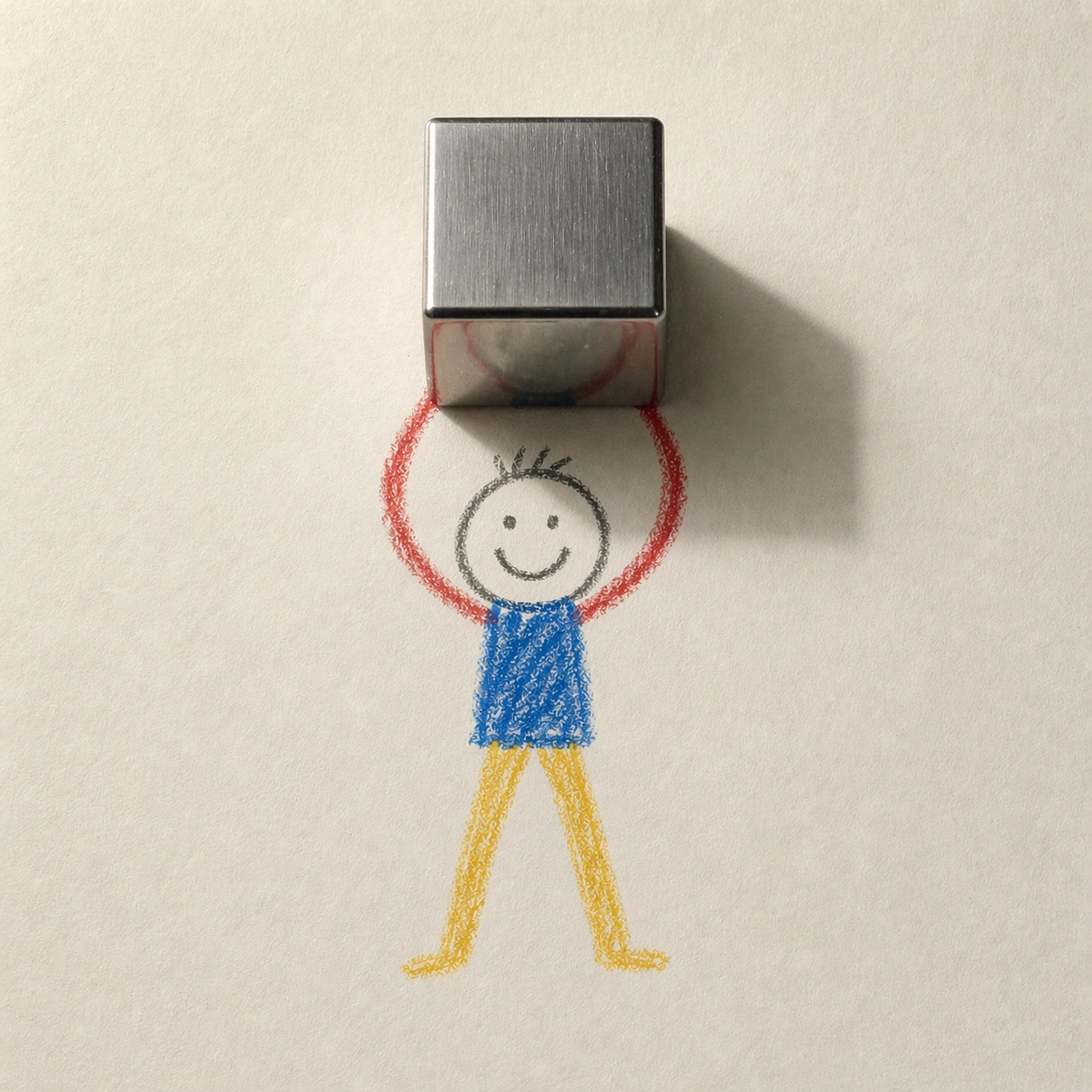
A square top-down studio photograph of the same sheet of off-white drawing paper, using the same upper-left soft daylight and calm tabletop setting established by the reference. The page should show subtle dents, fibers, and wax drag marks, but it must remain uncluttered. The composition is centered and still, like a controlled research sample for mixed rendering layers.

Subject:
Use the same childlike crayon stick figure from the reference image, preserving the round head, simple smile, blue torso, red arms, yellow legs, scale, and lifted-arm pose. Replace the apple with a small brushed stainless-steel cube balanced above the drawn hands. The cube is photoreal, heavy, sharply edged, and reflective, with slightly rounded machined bevels, cool gray highlights, and distorted reflections of the warm paper and colored crayon strokes.

Important details:
The 3D cube must visibly weigh on the paper-world illusion without turning the crayon figure into a sculpture. Its shadow should be darker and more geometric than the apple shadow, crossing the red crayon arms and part of the face. The cube should occlude portions of the drawn hands cleanly, showing exact layer ordering: paper first, crayon marks second, real cube third, shadow over both. Keep the character identity and camera position stable from the reference.

Use case:
2D and 3D Medium Collision series study 3/8, testing consistent 2D character identity against a reflective hard-surface 3D material.

Constraints:
No readable text, no watermark, no logos, preserve exact 1:1 aspect ratio, no extra objects, no toy block colors, no engraved markings, no soft pillow cube, no realistic arm anatomy, no change to the reference crayon figure.
Come usare
- Copia tutto il prompt originale, inclusi i parametri.
- Adatta soggetto, testo e composizione alle tue esigenze.
- Usa uno strumento esterno compatibile; verifica accesso e risultato.
Prima di iniziare
- Controlla se serve un’immagine di riferimento. La compatibilità non prova il modello usato per l’esempio.
- Verifica nomi, numeri e testi; i risultati cambiano con le versioni del modello.