Documento originale
GPT Image 2 · en
{
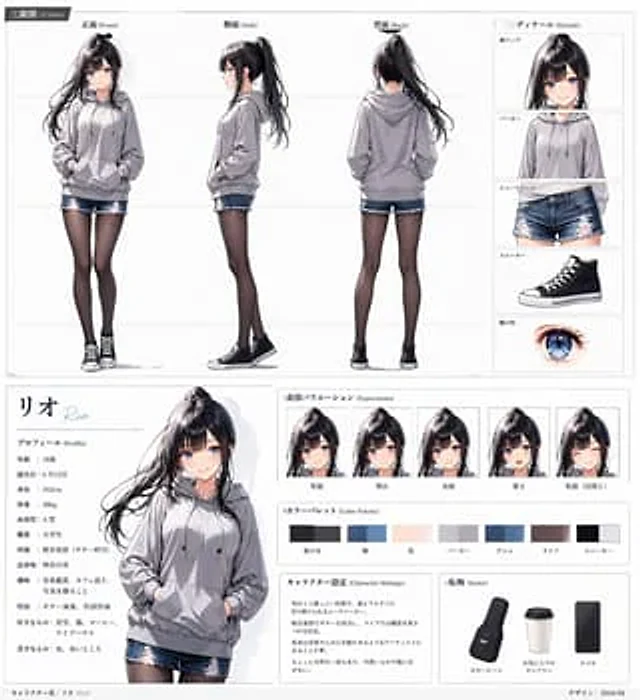
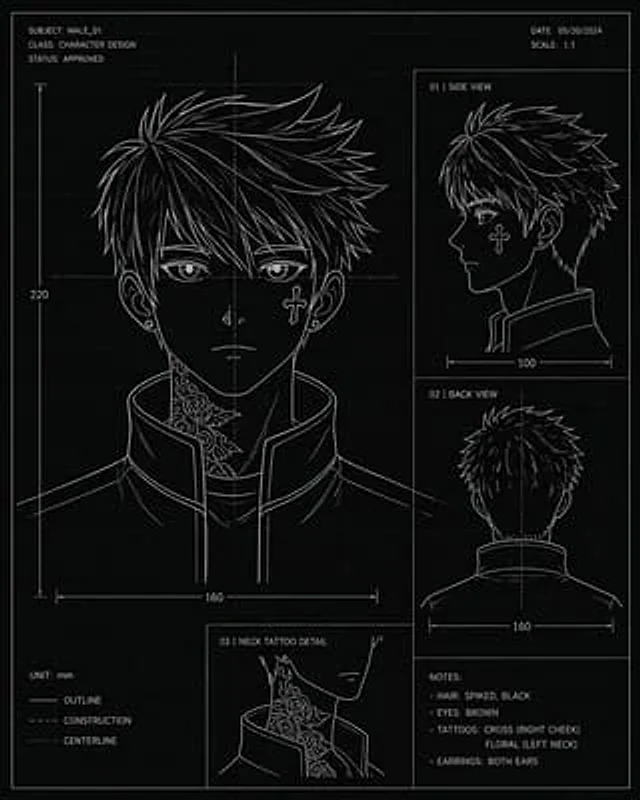
  "type": "Character design blueprint",
  "style": "Technical concept art, black blueprint background with light-colored grid lines, thin white lines, minimalist color drawing aesthetics.",
  "subject": {
    "category": "Anime-style male head rotation image",
    "name": "{argument name=\"character name\" default=\"MALE_01\"}",
    "gender_presentation": "male",
    "age_appearance": "young adults",
    "hair": {
      "color": "{argument name=\"hair color\" default=\"black\"}",
      "style": "This short, layered, spiky hairstyle features sharp, jagged strands, thick hair on top, and a gradual tapering towards the sides and back of the head."
    },
    "eyes": {
      "color": "{argument name=\"eye color\" default=\"brown\"}"
    },
    "accessories": {
      "earrings": "Wearing small earrings in both ears"
    },
    "clothing": {
      "top": "High-necked structured jacket with a slightly open front and clean, crisp stitching."
    },
    "tattoos": [
      "Cross tattoo on right cheek",
      "Climbing flower tattoo on the left side of the neck"
    ]
  },
  "layout": {
    "orientation": "Vertical layout",
    "sections": [
      {
        "title": "Front view",
        "position": "Large left panel",
        "count": 1,
        "details": "Large frontal view of the head and shoulders, neck tattoo visible above the high collar, both ears visible, marked width 160 and vertical height 220."
      },
      {
        "title": "01 | Side View",
        "position": "Top right panel",
        "count": 1,
        "details": "Right side profile, collar visible, width measured 100."
      },
      {
        "title": "02 | Rear View",
        "position": "Right middle panel",
        "count": 1,
        "details": "Rear view of head and upper shoulder, showing the center line, width measured 160."
      },
      {
        "title": "03 | Neck Tattoo Details",
        "position": "bottom left illustration",
        "count": 1,
        "details": "Close-up illustration of a floral neck tattoo along the jawline and next to the collar."
      },
      {
        "title": "Note:",
        "position": "bottom right corner",
        "count": 4,
        "labels": [
          "Hairstyle: Spiky, black",
          "Eyes: Brown",
          "Tattoos: Cross (right cheek), Flower (left neck)",
          "Earrings: Both ears"
        ]
      }
    ],
    "header": {
      "top_left": [
        "theme:{argument name=\"subject code\" default=\"MALE_01\"}",
        "Category: Character Design",
        "Status: Approved"
      ],
      "top_right": [
        "date:{argument name=\"date\" default=\"May 20, 2024\"}",
        "Ratio: 1:1"
      ]
    },
    "legend": {
      "bottom_left": [
        "Unit: mm",
        "contour",
        "structure",
        "Centerline"
      ]
    }
  },
  "composition": "The drawing page layout is clean and simple, featuring thin panel borders, measurement arrows, center reference lines, and blueprint annotation typography; all text is in clear, white, capital sans-serif font.",
  "color_palette": {
    "background": "black",
    "lines": "White",
    "grid": "Dark gray",
    "accents": "none"
  }
}
Come usare
- Copia tutto il prompt originale, inclusi i parametri.
- Adatta soggetto, testo e composizione alle tue esigenze.
- Usa uno strumento esterno compatibile; verifica accesso e risultato.
Prima di iniziare
- Controlla se serve un’immagine di riferimento. La compatibilità non prova il modello usato per l’esempio.
- Verifica nomi, numeri e testi; i risultati cambiano con le versioni del modello.