
Documento originale
GPT Image 2 · en
Scene:
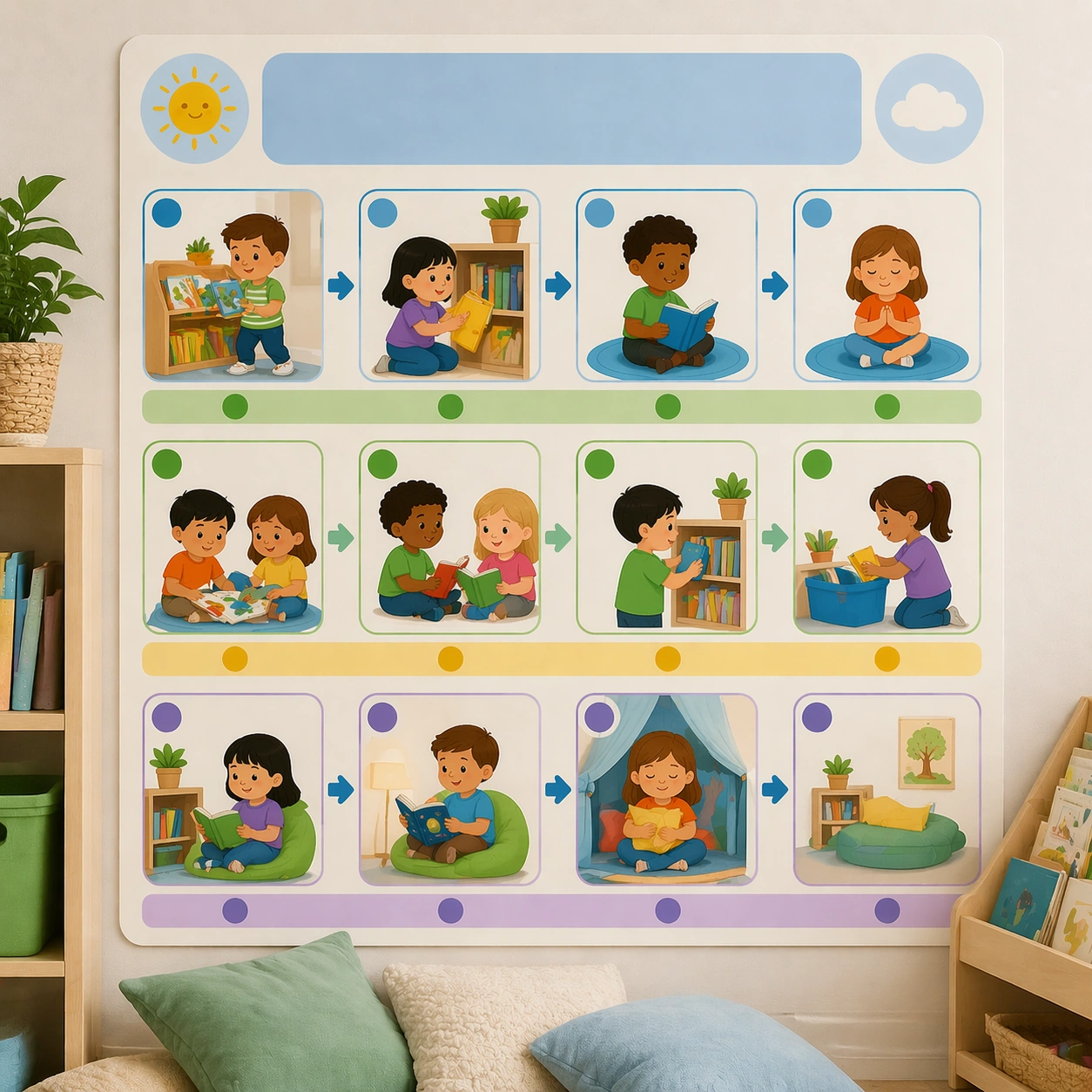
Return to the same square wall-poster presentation and environmental realism from the reference board, but place the asset near a soft reading nook with cushions and low shelves in the background. The poster should feel like a quiet, literacy-friendly rule board for young readers. Keep the square frame balanced, calm, and production-ready so the asset can serve gallery review, research comparison, and real educational delivery at the same time.

Subject:
Show expectations for choosing a book, sitting gently, sharing space, returning materials, and quiet reflection through icons, mini scenes, and blank title panels. The visual language should feel consistent with the earlier routine posters while adapting to a calmer reading mood. The subject matter should feel intentionally selected for a coherent curriculum family rather than like a random decorative assortment.

Important details:
Preserve the full system from the reference board: same panel proportions, icon style, color palette, and whitespace logic. The complete set should read as one coherent classroom-management toolkit. Preserve the same poster modules, icon scale, blank headline bands, classroom color coding, and pacing rhythm from the reference routine board. Use variation only in the teaching content, supporting props, and scene-specific mood while preserving the core visual system exactly.

Use case:
Classroom Routine and Rule Visual Set series study 4/4, reading corner board.

Constraints:
No readable text, no watermark, no logos, preserve exact 1:1 aspect ratio, no readable text, no teacher handwriting, no logos, no cluttered classroom walls, no harsh warning tone, no chaotic sticker overload.
Come usare
- Copia tutto il prompt originale, inclusi i parametri.
- Adatta soggetto, testo e composizione alle tue esigenze.
- Usa uno strumento esterno compatibile; verifica accesso e risultato.
Prima di iniziare
- Controlla se serve un’immagine di riferimento. La compatibilità non prova il modello usato per l’esempio.
- Verifica nomi, numeri e testi; i risultati cambiano con le versioni del modello.