Documento originale
GPT Image 2 · en
Scene:
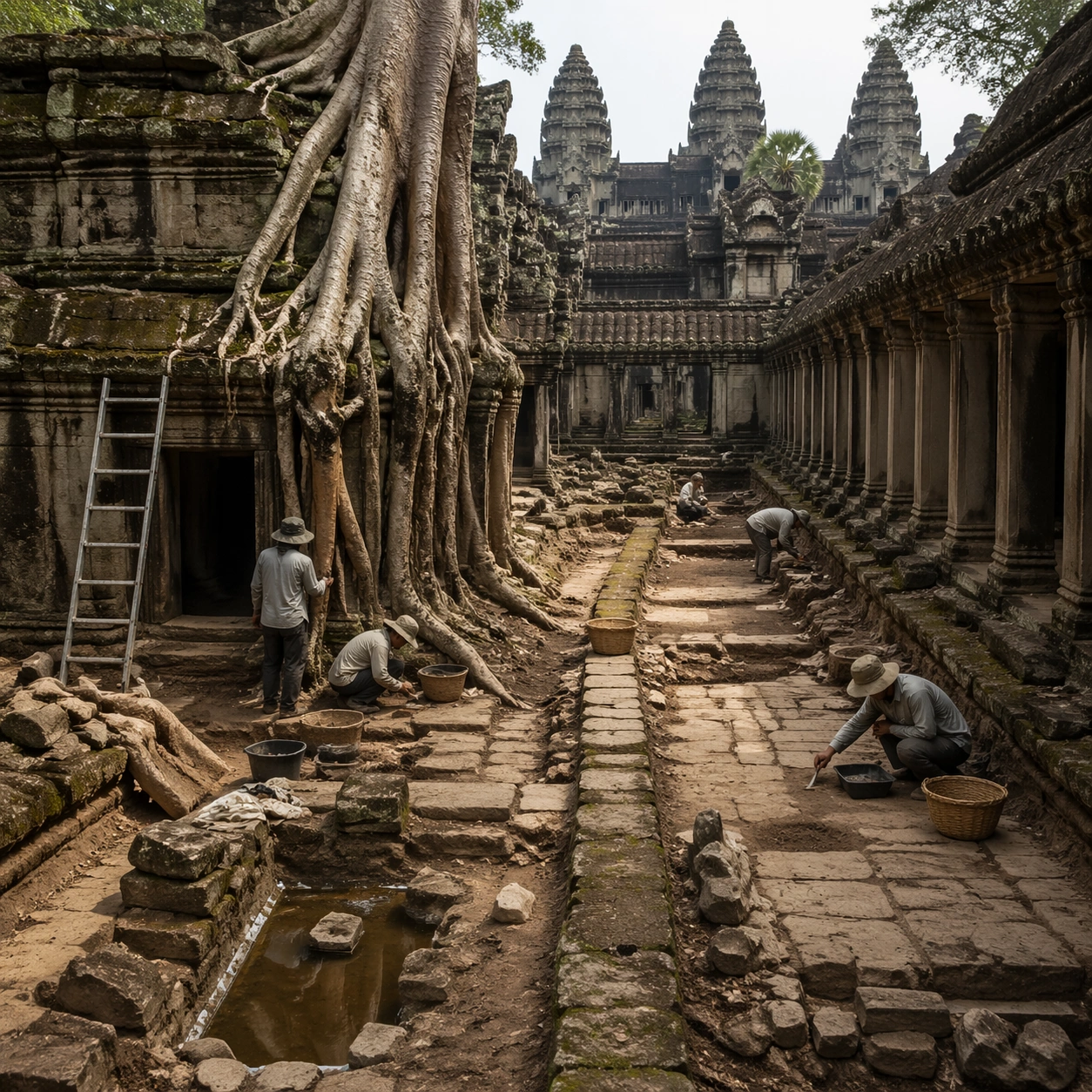
A square independent archaeology study composed from a slightly elevated fieldwork viewpoint. Use balanced natural light, crisp evidence hierarchy, and practical site organization so the image feels publishable in a museum report and still visually strong enough for a gallery wall. The frame should explain where excavation is happening without relying on readable markers or diagrams.

Subject:
Show a root-bound court with selective clearing, measured pathways, drainage traces, and archaeologists studying where living wood meets carved stone. Include grounded human traces such as ladders, trays, brushes, baskets, light rigs, or measuring tools only when they support archaeological realism and remain visually secondary. The site should stay culturally specific, with architecture, surface treatment, sediment, and environmental context all belonging to the correct civilization rather than a generic dig.

Important details:
Keep the site recognizably Khmer, with disciplined tower silhouettes, naga-era stone logic, gallery rhythm, and roots that wrap around built forms instead of replacing them with fantasy tree sculpture. Prioritize evidence relationships: exposed layers, cleaned edges, protected surfaces, loose fragments, and transitions between buried and revealed material. Let color, wear, and composition explain what has just been uncovered. The image must feel methodical rather than adventurous. Keep any site tags, notes, or markers abstract and unreadable. Avoid sensational treasure imagery and keep the atmosphere scholarly, patient, and materially convincing.

Use case:
Angkor Wat Overgrown Symbiosis single study 5/9.

Constraints:
No readable text, no watermark, no logos, preserve exact 1:1 aspect ratio, no fantasy elves, no glowing magic runes, no steel catwalks, no modern park signage, no treasure-chest clichés, no action-movie posing, no arbitrary props, no infographic overlay.
Come usare
- Copia tutto il prompt originale, inclusi i parametri.
- Adatta soggetto, testo e composizione alle tue esigenze.
- Usa uno strumento esterno compatibile; verifica accesso e risultato.
Prima di iniziare
- Controlla se serve un’immagine di riferimento. La compatibilità non prova il modello usato per l’esempio.
- Verifica nomi, numeri e testi; i risultati cambiano con le versioni del modello.