
Documento originale
GPT Image 2 · en
Scene:
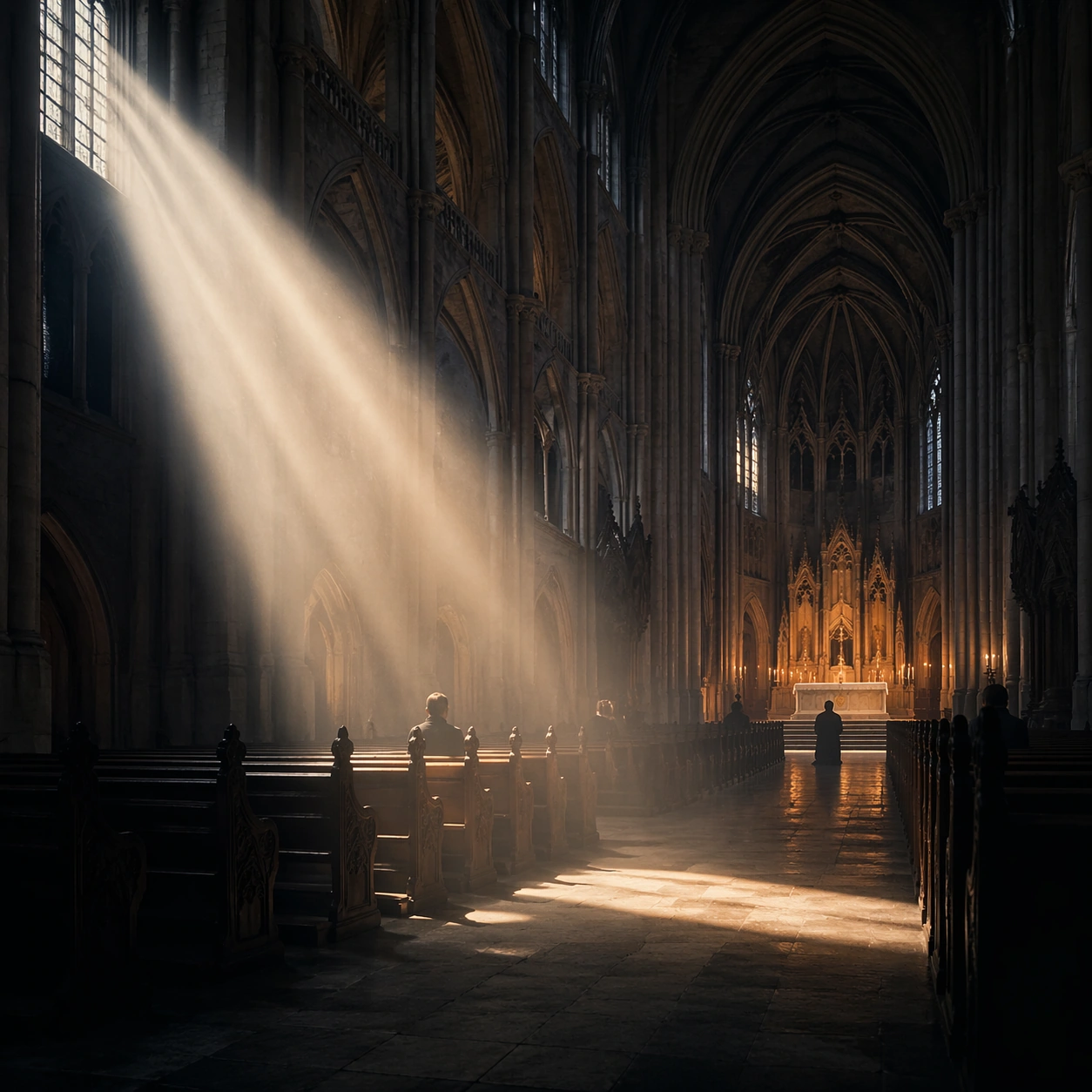
Create a square cinematic still for Cathedral Light Beam of Worship. Use production-grade photoreal lighting, disciplined lens behavior, and a composition that feels like a finished key frame from an original film rather than a casual snapshot. A vast Gothic nave is carved by one sharply defined shaft of early sun entering from high clerestory windows on the left, with cold blue shadows in the aisles, faint amber heat around the altar, and visibly suspended dust or incense in the air. Treat this as an adjacent moment before or after the main event, preserving the same topic language while letting the atmosphere shift slightly in intensity or position.

Subject:
Build a coherent original scene whose emotional center comes from atmosphere, light physics, and spatial clarity. Avoid relying on celebrity likeness, franchise iconography, or stylized illustration shortcuts. Stone columns, ribbed vaults, carved pews, a restrained altar glow, and a few worshippers or attendants in silhouette should define the human scale without turning the image into a crowd scene or ceremony spectacle. Show the environment in transition, with clear evidence of recent motion, changing weather, or fading light, but without turning it into action spectacle.

Important details:
Preserve a believable physical world with strong depth layering, careful color separation, and premium image discipline. Treat the volumetric beam as the true protagonist, with physically coherent light falloff, believable bounce on worn stone, clean separation between shadow layers, and a solemn emotional register that feels sacred rather than theatrical. Subtle temporal storytelling matters here more than maximal drama, so let traces, gradients, and environmental residue do the work.

Use case:
Cathedral Beam single study 7/9.

Constraints:
No readable text, no watermark, no logos, preserve exact 1:1 aspect ratio, no fantasy creatures, no electric stage lights, no readable scripture, no tourist clutter, no exaggerated stained-glass rainbows.
Come usare
- Copia tutto il prompt originale, inclusi i parametri.
- Adatta soggetto, testo e composizione alle tue esigenze.
- Usa uno strumento esterno compatibile; verifica accesso e risultato.
Prima di iniziare
- Controlla se serve un’immagine di riferimento. La compatibilità non prova il modello usato per l’esempio.
- Verifica nomi, numeri e testi; i risultati cambiano con le versioni del modello.