
Documento originale
GPT Image 2 · en
Scene:
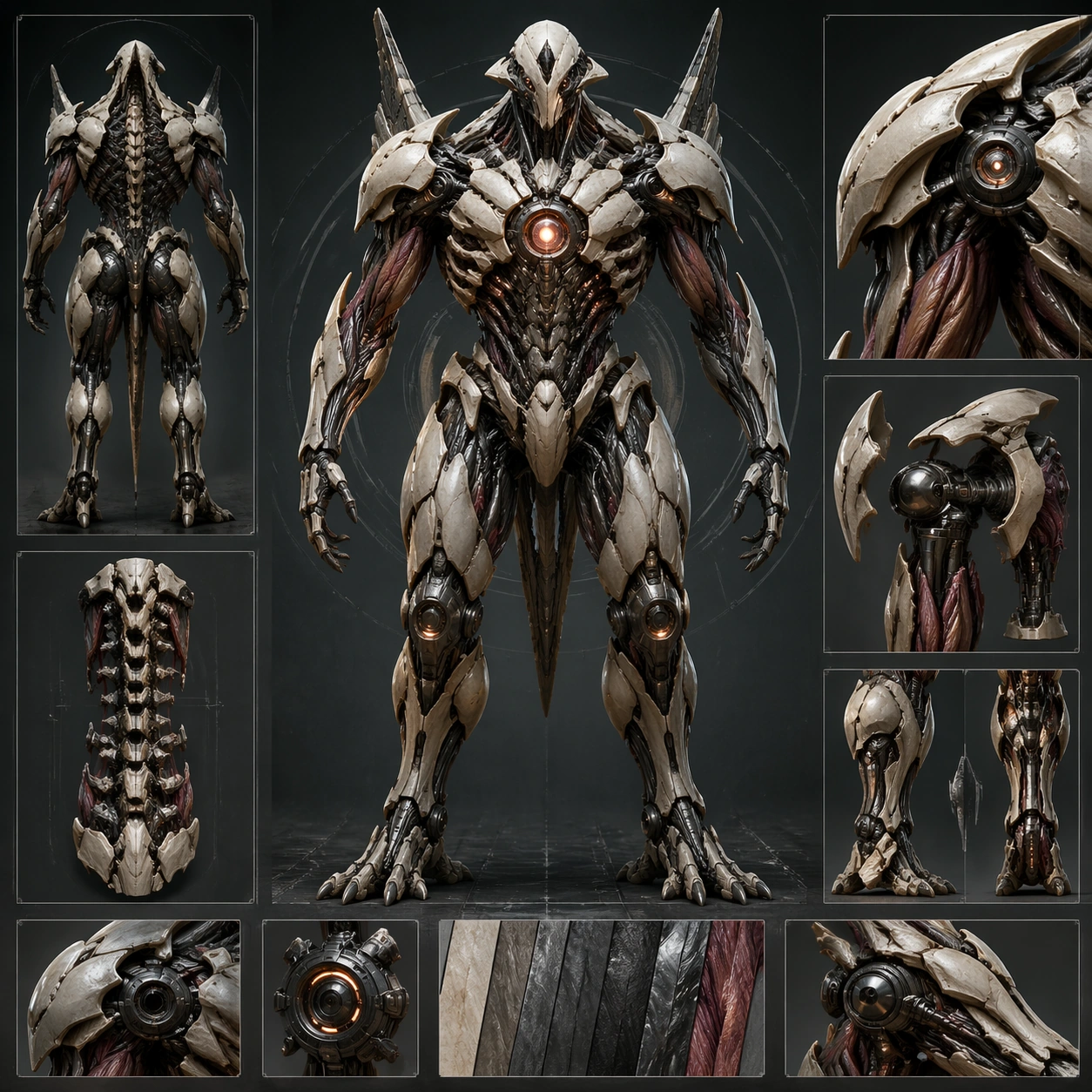
Create a square concept board for one biomechanical entity, balancing orthographic clarity, material close-ups, and enough dramatic lighting to feel like a finished poster. The layout should feel structured, with a dominant hero view supported by sections, parts, or alternate poses rather than scattered fragments. Build the board around a frontal sentinel stance with support views for the spine, shoulder assemblies, and lower-limb loading points.

Subject:
Center the image on a coherent organism-machine fusion where anatomy, exoskeletal plating, powered joints, sensors, and functional appendages belong to one design family. The being should feel purposeful, with visible load paths, movement logic, and enough biological cues to avoid looking like a plain robot. Establish one tall guardian-type body with plated musculature, optic nodes, joint sleeves, and a clearly readable chest core.

Important details:
Control noise aggressively. Use clear mass hierarchy, disciplined materials, and selective cross-section or inset views to explain how organic tissue and mechanical systems cooperate. The board should remain commercially useful for design review, poster, or worldbuilding deck surfaces. The anchor board should lock silhouette, material balance, and inset hierarchy so later variants can preserve the same entity family. Resolve the anchor rules that later reference-dependent variants must inherit, especially the torso silhouette, joint language, plated musculature, and board hierarchy.

Use case:
Biomech Board series study 1/4, designed as a reusable core-system image for this topic.

Constraints:
No readable text, no watermark, no logos, preserve exact 1:1 aspect ratio, no gore splatter, no random wires everywhere, no superhero costume cues, no readable labels, no weapon fetish clutter.
Come usare
- Copia tutto il prompt originale, inclusi i parametri.
- Adatta soggetto, testo e composizione alle tue esigenze.
- Usa uno strumento esterno compatibile; verifica accesso e risultato.
Prima di iniziare
- Controlla se serve un’immagine di riferimento. La compatibilità non prova il modello usato per l’esempio.
- Verifica nomi, numeri e testi; i risultati cambiano con le versioni del modello.