Documento originale
GPT Image 2 · en
{
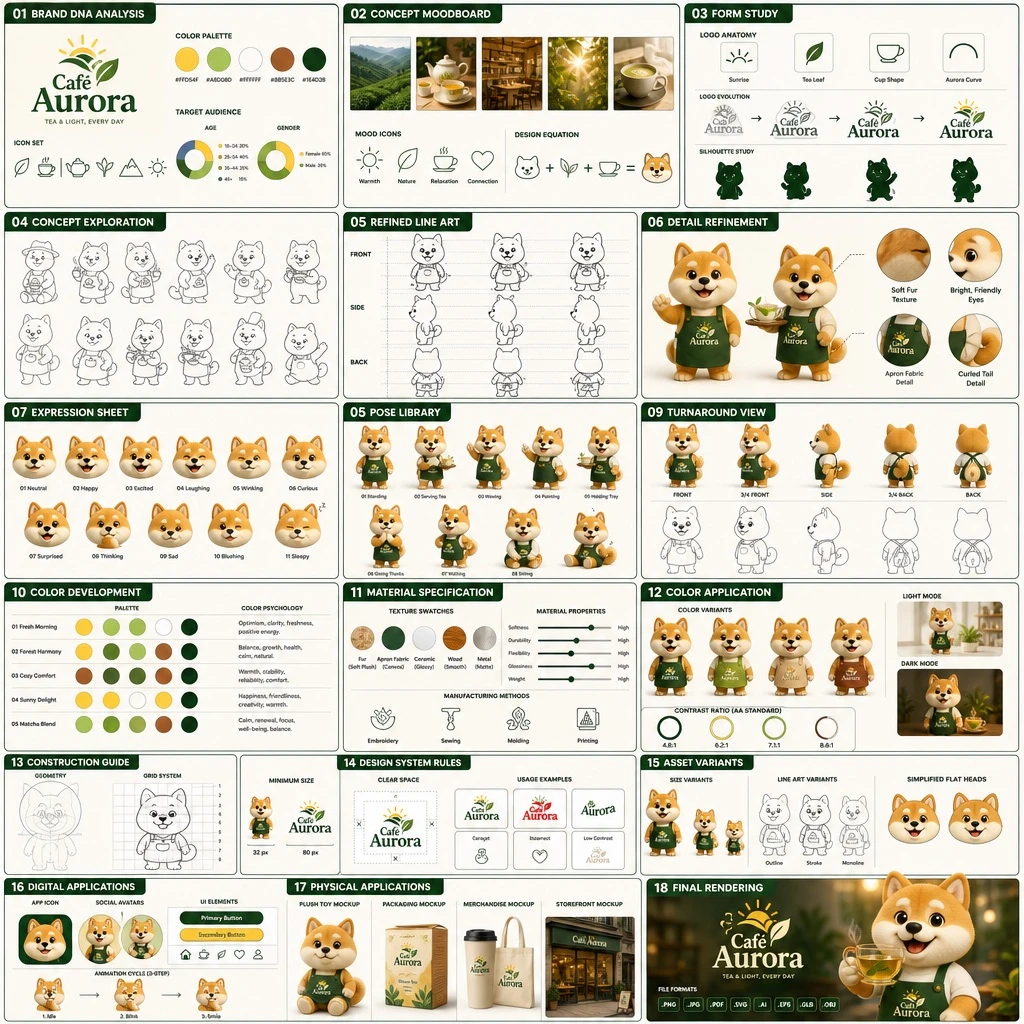
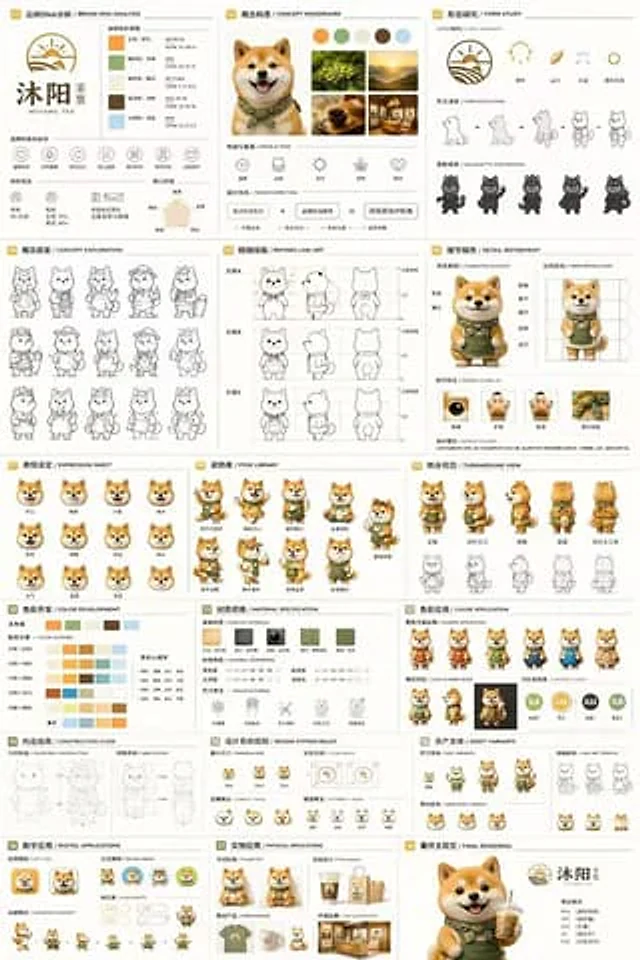
  "type": "18 Panel Brand Identity and Role Design Document",
  "brand": {
    "name": "{argument name=\"brand name\" default=\"Muyang Tea\"}",
    "industry": "{argument name=\"industry\" default=\"Tea shop\"}",
    "colors": [
      "{argument name=\"primary color\" default=\"yellow\"}",
      "{argument name=\"secondary color\" default=\"green\"}",
      "White",
      "brown",
      "Dark green"
    ]
  },
  "subject": "{argument name=\"character description\" default=\"Adorable Shiba Inu mascot wearing a green apron (3D rendering)\"}",
  "layout": {
    "grid": "3 columns and 6 rows",
    "sections": [
      {
        "title": "01 Brand DNA Analysis",
        "elements": [
          "Logo",
          "5 color swatches",
          "6 icons",
          "Target Audience Chart"
        ]
      },
      {
        "title": "02 Conceptualization / CONCEPT MOODBOARD",
        "elements": [
          "5 reference photos",
          "4 emotion icons",
          "Design Formula"
        ]
      },
      {
        "title": "03 Morphological Study",
        "elements": [
          "4 deconstructed logo icons",
          "4 evolutionary steps",
          "4 outline diagrams"
        ]
      },
      {
        "title": "04 Concept Exploration",
        "elements": [
          "12 character line art sketches"
        ]
      },
      {
        "title": "05 Refined Line Art",
        "elements": [
          "Three lines of front and side profile drawings with proportion reference."
        ]
      },
      {
        "title": "06 Detail Refinement",
        "elements": [
          "Two full-body renderings with annotations",
          "4 circular close-up images"
        ]
      },
      {
        "title": "07 Expression Settings / EXPRESSION SHEET",
        "elements": [
          "11 3D rendered head expressions"
        ]
      },
      {
        "title": "08 Pose Library",
        "elements": [
          "9 full-body 3D rendered poses"
        ]
      },
      {
        "title": "09 Turnaround View",
        "elements": [
          "5 full-body 3D renderings",
          "5 corresponding line art views"
        ]
      },
      {
        "title": "10 Color Development",
        "elements": [
          "5-row, 5-color scheme",
          "Color Psychology Text"
        ]
      },
      {
        "title": "11. Material Specifications",
        "elements": [
          "5 texture color swatches",
          "Attribute slider",
          "4 manufacturing process icons"
        ]
      },
      {
        "title": "12. Color Application",
        "elements": [
          "Renderings of 4 color scheme variations",
          "2 shading renderings",
          "4 contrast rating circles"
        ]
      },
      {
        "title": "13 Construction Guide",
        "elements": [
          "2 geometric structures and grid line drawings"
        ]
      },
      {
        "title": "14 Design System Rules",
        "elements": [
          "Minimum Size Icon",
          "Safe space diagram",
          "4 usage examples"
        ]
      },
      {
        "title": "15 Asset Variations",
        "elements": [
          "3 size variations",
          "3 line art variations",
          "3 simplified flat avatars"
        ]
      },
      {
        "title": "16 Digital Applications",
        "elements": [
          "1 App icon",
          "2 social media profile pictures",
          "UI elements",
          "3-frame animation loop"
        ]
      },
      {
        "title": "17 Physical Applications",
        "elements": [
          "Plush toy prototype",
          "Packaging prototype",
          "Sample of peripheral products",
          "Storefront display"
        ]
      },
      {
        "title": "18 Final RENDERING",
        "elements": [
          "Large-format, high-resolution 3D rendering of the mascot holding a tea drink.",
          "Logo",
          "File format list"
        ]
      }
    ]
  }
}
Come usare
- Copia tutto il prompt originale, inclusi i parametri.
- Adatta soggetto, testo e composizione alle tue esigenze.
- Usa uno strumento esterno compatibile; verifica accesso e risultato.
Prima di iniziare
- Controlla se serve un’immagine di riferimento. La compatibilità non prova il modello usato per l’esempio.
- Verifica nomi, numeri e testi; i risultati cambiano con le versioni del modello.