原文
GPT Image 2 · en
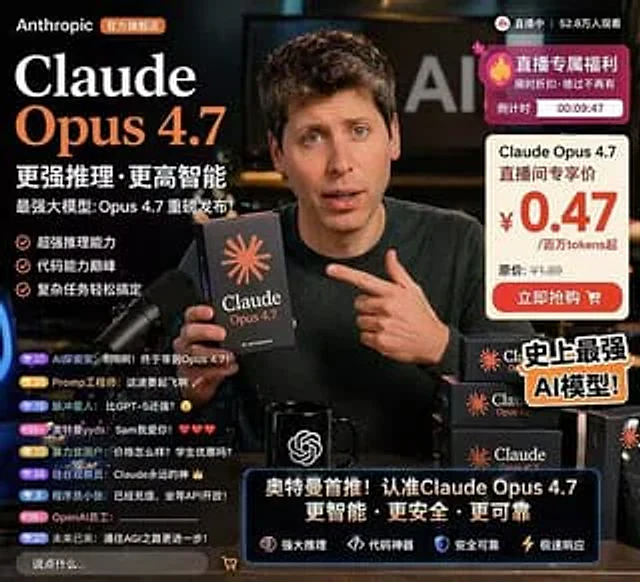
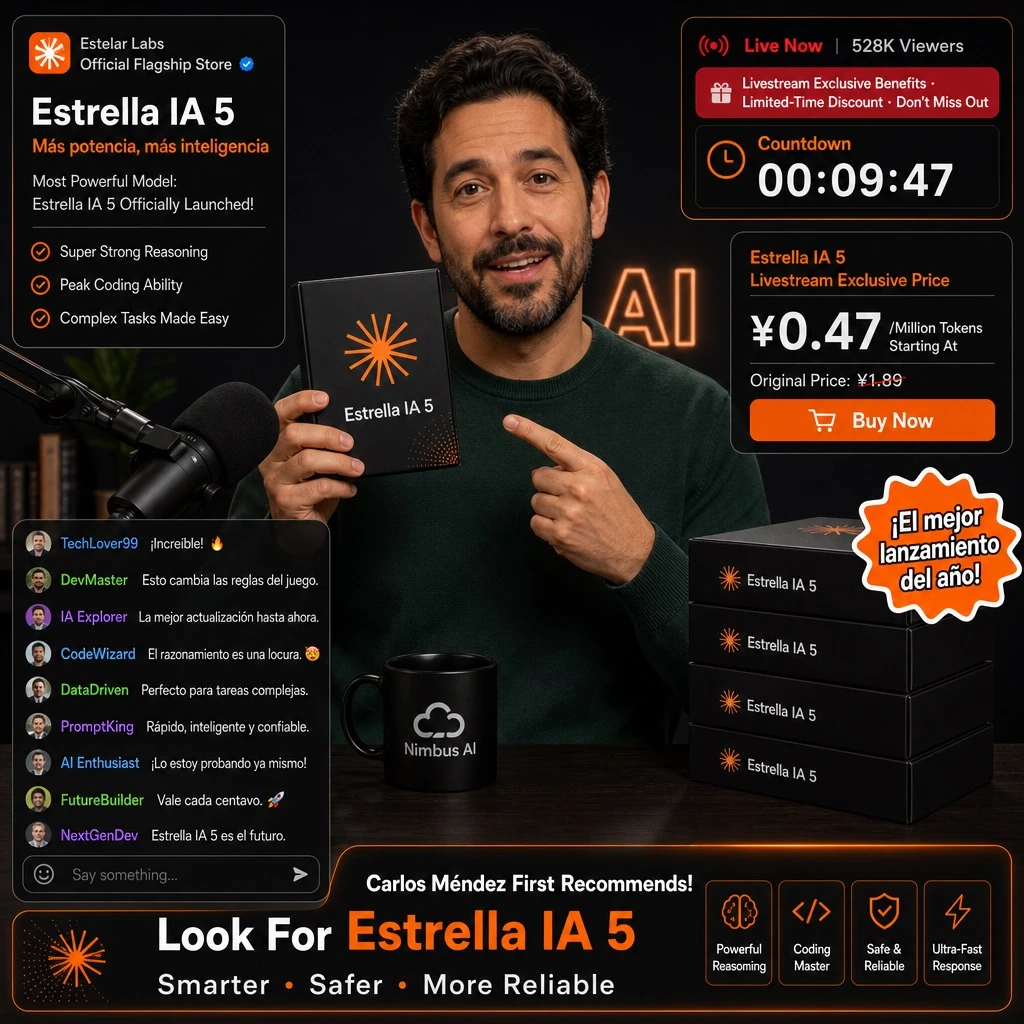
Design an e-commerce livestream screenshot mockup. Scene: the main subject is [PERSON], wearing a dark green crewneck sweater, holding a black product box in one hand while pointing at it with the other. The setting is a dark studio with a microphone visible on the left side and faint 'AI' lettering glowing in the background. Props include a black mug printed with a white [BRAND_A] logo, and a stack of four black product boxes positioned on the right side of the frame.

Product design: the box is black with an orange asterisk or sunburst logo, and the product name '[PRODUCT_NAME]' printed on the front.

UI overlays:
- Top-left product info panel: brand tag '[BRAND_B] Official Flagship Store', title '[PRODUCT_NAME]', subtitle '[MAIN_HEADLINE]', sub-subtitle 'Most Powerful Model: [PRODUCT_NAME] Officially Launched!', and three bullet points reading 'Super Strong Reasoning', 'Peak Coding Ability', 'Complex Tasks Made Easy'.
- Top-right live status panel: viewer info 'Live Now | 528K Viewers', a promotional banner reading 'Livestream Exclusive Benefits · Limited-Time Discount · Don't Miss Out', and a countdown timer showing 'Countdown 00:09:47'.
- Middle-right price card: header '[PRODUCT_NAME] Livestream Exclusive Price', price displayed as '¥[PROMO_PRICE]/Million Tokens Starting At', original price 'Original Price: ¥1.89', and a button labeled 'Buy Now'.
- Bottom-left chat panel: nine chat messages visible, with an input box placeholder reading 'Say something...'.
- Bottom-right banner: headline '[PERSON] First Recommends! Look For [PRODUCT_NAME]', subheadline 'Smarter · Safer · More Reliable', and four feature tags: 'Powerful Reasoning', 'Coding Master', 'Safe & Reliable', 'Ultra-Fast Response'.
- A floating sticker element positioned over the product boxes on the middle-right, displaying the text '[STICKER_TEXT]'.
使い方
- パラメータを含む元のプロンプト全体をコピーします。
- 被写体、文字、構図を自分の要件に置き換えます。
- 対応する外部ツールで使用し、利用条件と結果を確認します。
開始前の確認
- 参考画像の要否を確認してください。互換モデルの表示は、そのモデルでの生成実績を意味しません。
- 名前、数値、画像内の文字を確認します。モデルの版で結果は変わります。