原文
GPT Image 2 · en
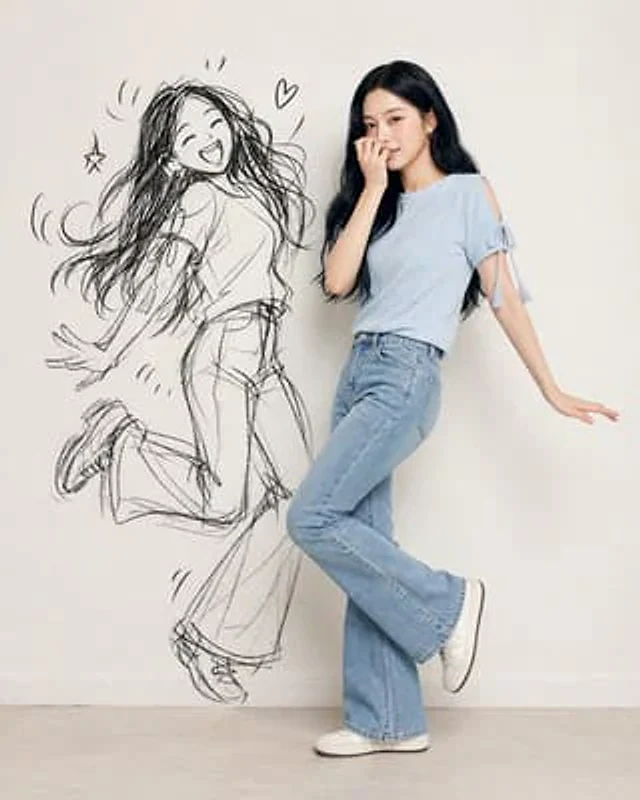
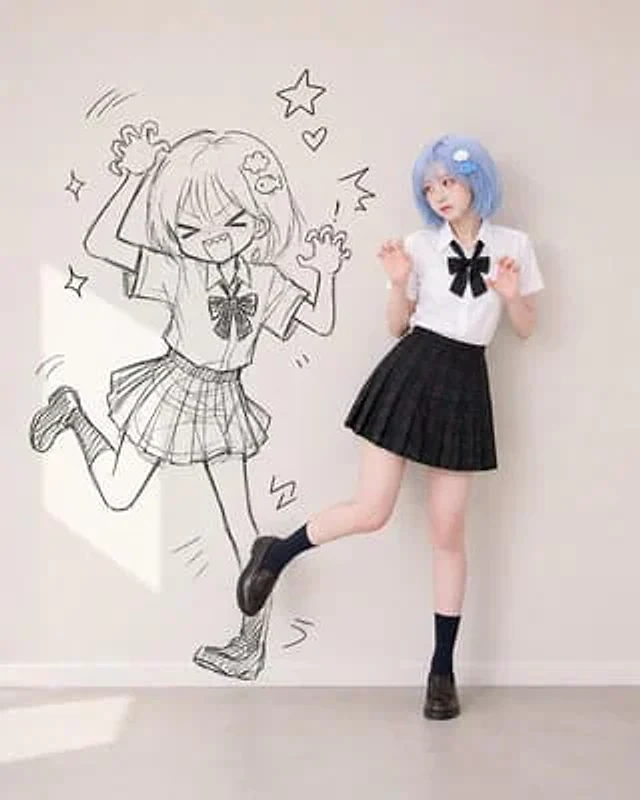
Use the {argument name="character reference" default="uploaded character reference image"} as the strict identity and outfit reference. Preserve the reference character’s: face identity, facial proportions, eye shape, nose, lips, skin tone, hairstyle, hair color, visible hair accessories, overall recognizable vibe, outfit and styling shown in the reference image. Do not hardcode any specific character traits that are not present in the uploaded reference. All identity, hairstyle, accessories, and clothing details must be inferred directly from the uploaded reference image. Create a high-quality mixed-style vertical portrait showing: 1. a realistic full-body version of the uploaded character/person 2. a black hand-drawn doodle-shadow version of the same character/person on the wall beside them. Core concept: The real person and their doodle-shadow are doing a {argument name="pose" default="playful mischievous pose"} together. The real person performs a cute realistic version of the pose, while the doodle-shadow performs a much more exaggerated, chaotic, cartoonish version of the same pose idea. The mood should feel cute, playful, mischievous, stylish, funny, and social-media-friendly. Real person: Must remain realistic and photogenic, wear the same outfit style and key visible details from the uploaded reference image. Expression should be {argument name="expression" default="cute, slightly confused, mildly embarrassed, playful"}, as if thinking: “Why am I doing this with my shadow?” Doodle-shadow: Must be a black hand-drawn sketch version of the same person, drawn directly on the wall. Black sketch line-art only. Should resemble the person through hairstyle silhouette, accessories, outfit silhouette, and pose structure. Add manga-like motion lines, hearts, stars, sparkles, and comic marks around the doodle if helpful. Create a different mischievous pose each time. Possible pose directions: playful idol pose, silly dance pose, leaning sideways with one arm curved overhead.使い方
- パラメータを含む元のプロンプト全体をコピーします。
- 被写体、文字、構図を自分の要件に置き換えます。
- 対応する外部ツールで使用し、利用条件と結果を確認します。
開始前の確認
- 参考画像の要否を確認してください。互換モデルの表示は、そのモデルでの生成実績を意味しません。
- 名前、数値、画像内の文字を確認します。モデルの版で結果は変わります。