
原文
GPT Image 2 · en
Scene:
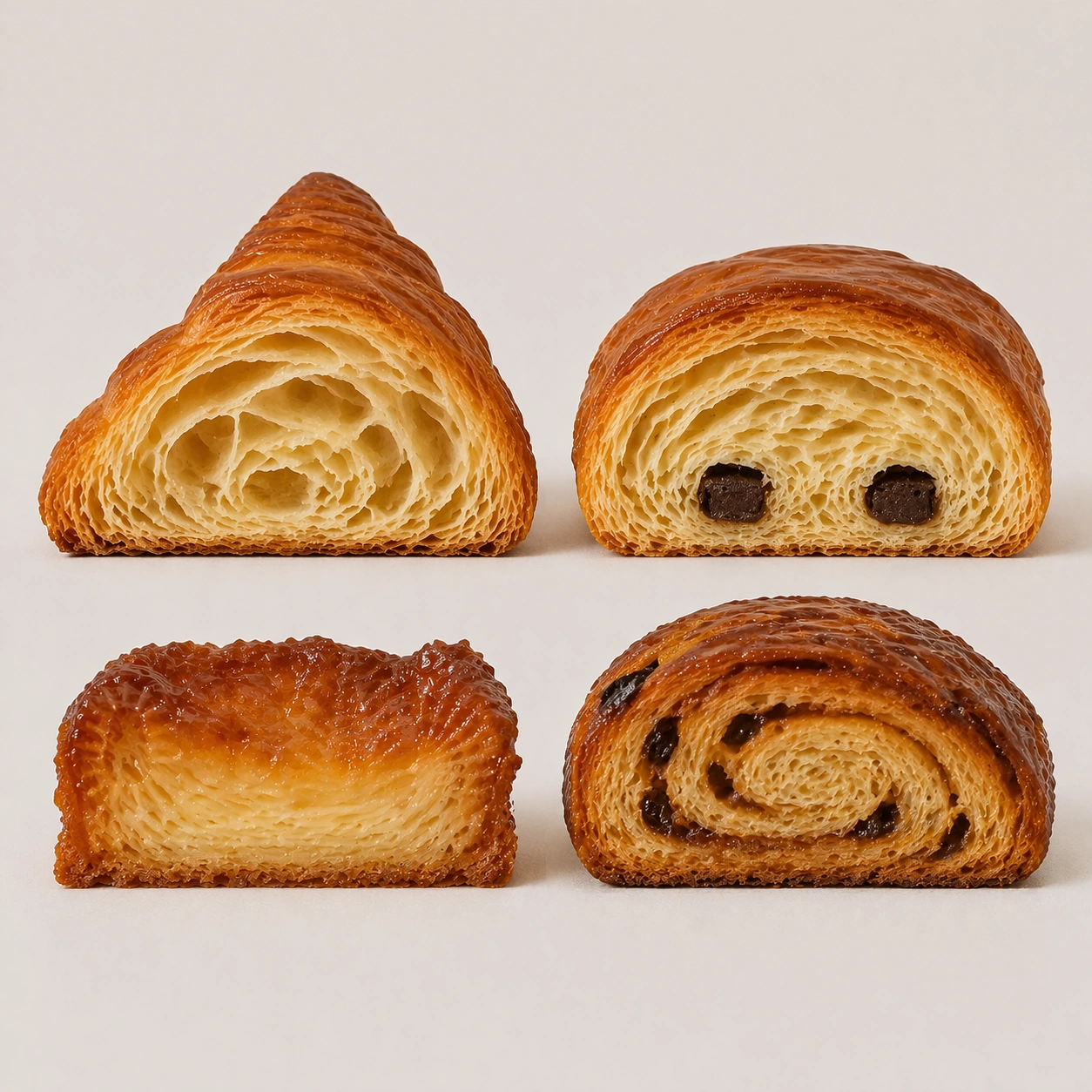
Create a square pastry documentation image on a seamless pale gray or warm ivory studio background with soft catalog lighting and almost no cast-shadow drama. The camera should feel orthographic or gently frontal so cross-sections remain easy to compare. Everything must read like a pastry atlas: clean, measured, and highly legible, with crumbs controlled and edges crisp. Preserve the exact board spacing, background tone, camera angle, and soft catalog lighting established by the reference image so the grid feels like the same specimen sheet continued. The surface should remain neutral and almost invisible, keeping the eye on the internal structure.

Subject:
Replace the mixed board with four laminated pastries: croissant, pain au chocolat, kouign-amann wedge, and morning bun section. Each item should be sliced with the cut face presented directly forward, revealing different lamination patterns, sugar crust behavior, and internal air-pocket geometry. The collection should feel taxonomic rather than indulgent.

Important details:
Treat every cut face as the hero: laminated layers, cream density, air pockets, fruit cavities, glaze thickness, and crumb structure all need to be countable and believable. The studio language should stay consistent and understated so structural detail does the work. No element should feel collapsed, smeared, or over-stylized. Preserve exact specimen spacing, cut orientation, background tone, and shadow softness from the reference model while only changing the pastry family. Butter layers must remain countable, crisp, and dry-edged, with no gummy collapse or cartoon inflation.

Use case:
Pastry cross-section atlas series study 2/9, focusing the reference board on laminated pastry anatomy.

Constraints:
No readable text, no watermark, no logos, preserve exact 1:1 aspect ratio, no bakery counter background, no casual napkins, no readable labels, no powdered sugar mess, no rustic knife marks, no melted chocolate drips, no sticky bakery glaze mess, no decorative fruit.
使い方
- パラメータを含む元のプロンプト全体をコピーします。
- 被写体、文字、構図を自分の要件に置き換えます。
- 対応する外部ツールで使用し、利用条件と結果を確認します。
開始前の確認
- 参考画像の要否を確認してください。互換モデルの表示は、そのモデルでの生成実績を意味しません。
- 名前、数値、画像内の文字を確認します。モデルの版で結果は変わります。