原文
GPT Image 2 · en
{
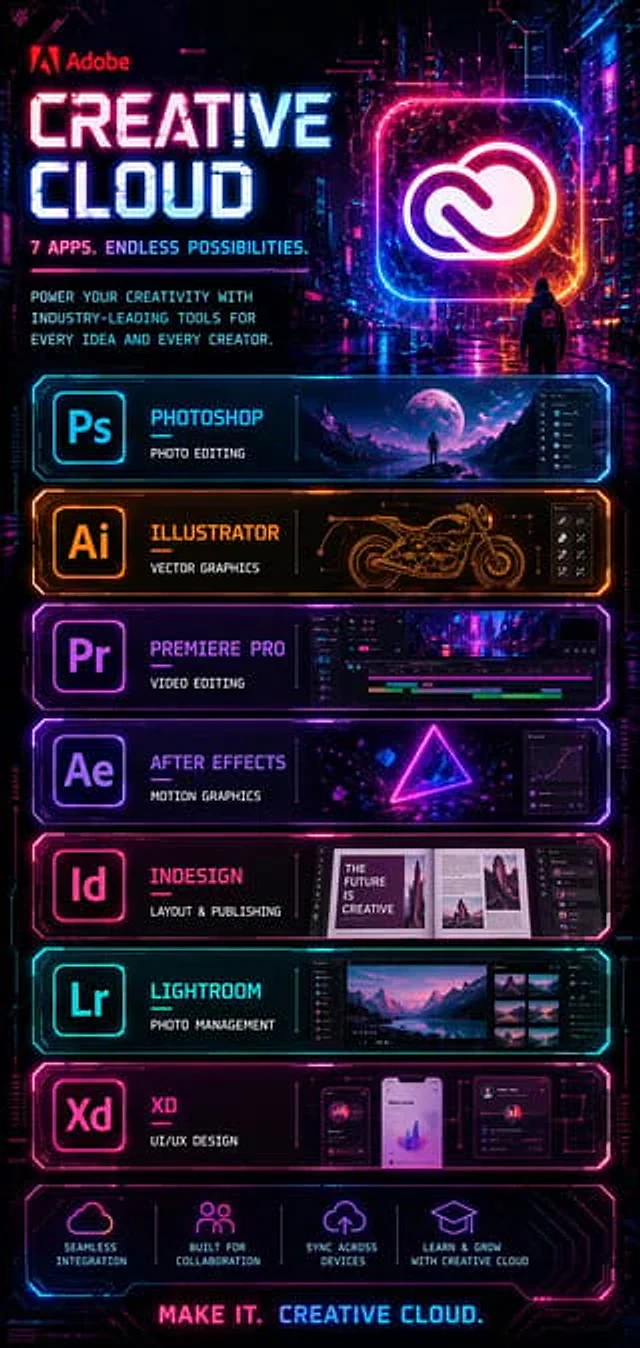
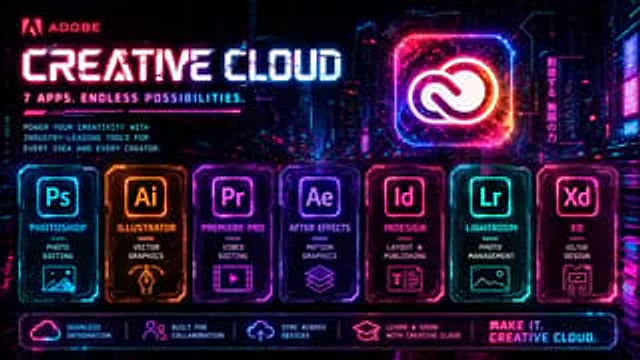
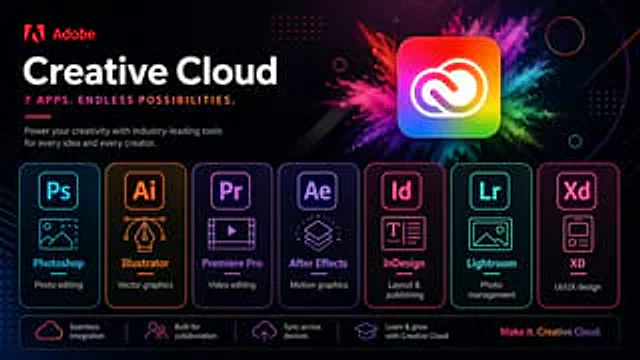
  "type": "Software promotion banner",
  "brand": {
    "name": "Adobe",
    "logoPosition": "Top left corner"
  },
  "scene": {
    "style": "Stylish, futuristic tech ads, dark mode, glossy neon UI, high contrast, premium marketing visuals.",
    "background": "A gradient from deep black to deep navy blue, featuring subtle diagonal lines, delicate halos, dotted grid decorations, fine rounded outlines, tiny sparkling particles, and abstract geometric overlays.",
    "accentEffect": "The main app icon features a large, multi-colored powder explosion effect, blending magenta, pink, purple, blue, cyan, green, and yellow."
  },
  "text": {
    "headline": "Creative Cloud",
    "subheadline": "7 apps. Endless possibilities.",
    "body": "Empower every creative idea and creator with industry-leading tools.",
    "footerTagline": "Create the infinite. Creative Cloud."
  },
  "layout": {
    "sections": [
      {
        "title": "Top Brand Area",
        "position": "Top left corner",
        "count": 3,
        "labels": [
          "Adobe logo",
          "Creative Cloud",
          "7 apps. Endless possibilities."
        ]
      },
      {
        "title": "Main application showcase",
        "position": "Center to top right corner",
        "count": 1,
        "labels": [
          "Creative Cloud icon"
        ]
      },
      {
        "title": "Application Cards",
        "position": "middle row",
        "count": 7,
        "labels": [
          "Photoshop",
          "Illustrator",
          "Premiere Pro",
          "After Effects",
          "InDesign",
          "Lightroom",
          "XD"
        ]
      },
      {
        "title": "Function bar",
        "position": "bottom",
        "count": 4,
        "labels": [
          "Seamless integration",
          "Built for collaboration",
          "Cross-device synchronization",
          "Learn and grow with Creative Cloud"
        ]
      }
    ],
    "appCardArrangement": "Seven evenly distributed rounded rectangular cards are arranged horizontally in the bottom center.",
    "footerTaglinePosition": "bottom right corner"
  },
  "objects": {
    "mainIcon": {
      "shape": "Rounded square app icon",
      "colors": "Rainbow gradient fill, paired with a white Creative Cloud logo.",
      "position": "Top right corner of the center",
      "glow": "Soft external glow"
    },
    "appCards": [
      {
        "code": "Ps",
        "name": "Photoshop",
        "borderColor": "Electric Blue",
        "icon": "Image frame with mountains and dashed cropped corners",
        "description": "Photo editing"
      },
      {
        "code": "Ai",
        "name": "Illustrator",
        "borderColor": "orange color",
        "icon": "Vector fountain pen nib with Bezier curve handle",
        "description": "Vector graphics"
      },
      {
        "code": "Pr",
        "name": "Premiere Pro",
        "borderColor": "violet",
        "icon": "Video frames with play button",
        "description": "Video editing"
      },
      {
        "code": "Ae",
        "name": "After Effects",
        "borderColor": "Purple",
        "icon": "Stacked dynamic graphics layers",
        "description": "Dynamic graphics"
      },
      {
        "code": "Id",
        "name": "InDesign",
        "borderColor": "Bright pink",
        "icon": "Text layout page",
        "description": "Typesetting and Publishing"
      },
      {
        "code": "Lr",
        "name": "Lightroom",
        "borderColor": "blue",
        "icon": "Photo Landscape Frame",
        "description": "Photo Management"
      },
      {
        "code": "Xd",
        "name": "XD",
        "borderColor": "pink",
        "icon": "Mobile application wireframe cards",
        "description": "UI/UX Design"
      }
    ],
    "featureBar": [
      {
        "icon": "cloud outline",
        "text": "Seamless integration"
      },
      {
        "icon": "Crowd icon",
        "text": "Built for collaboration"
      },
      {
        "icon": "Upload to the cloud",
        "text": "Cross-device synchronization"
      },
      {
        "icon": "Graduation cap",
        "text": "Learn and grow with Creative Cloud"
      }
    ]
  },
  "rendering": {
    "camera": "Facing the perspective of a flat poster",
    "composition": "Simple and centrally located business layout",
    "lighting": "Neon edge light and soft halo",
    "finish": "Clear vector text blending effects, exquisite advertising aesthetics, and ultra-sharp typography."
  }
}
使い方
- パラメータを含む元のプロンプト全体をコピーします。
- 被写体、文字、構図を自分の要件に置き換えます。
- 対応する外部ツールで使用し、利用条件と結果を確認します。
開始前の確認
- 参考画像の要否を確認してください。互換モデルの表示は、そのモデルでの生成実績を意味しません。
- 名前、数値、画像内の文字を確認します。モデルの版で結果は変わります。