원본 문서
GPT Image 2 · en
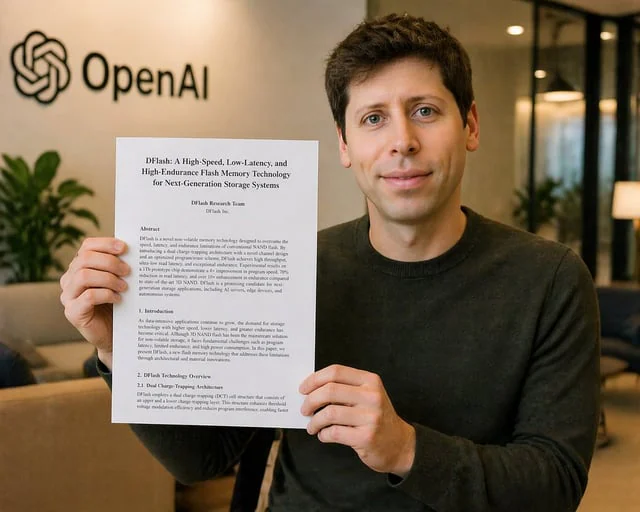
A realistic corporate office photo of a young man seated indoors, holding up a printed research paper toward the camera with both hands. His face is fully obscured by a solid rectangular censor block in a medium tan color. He has short dark brown hair and wears a plain dark charcoal crewneck sweater. The paper is a white letter-size document in portrait orientation, clearly visible and centered in front of his torso. The document title reads “DFlash: A High-Speed, Low-Latency, and High-Endurance Flash Memory Technology for Next-Generation Storage Systems”. Below it are the author lines “DFlash Research Team” and “DFlash Inc.” The page shows 4 visible text sections: “Abstract”, “1. Introduction”, “2. DFlash Technology Overview”, and “2.1 Dual Charge-Trapping Architecture”, set in a formal academic paper layout with dense black serif text. In the background, place a softly blurred modern office lobby with warm ambient lighting, beige walls, glass partitions, a sofa, indoor plants, and the black OpenAI logo and wordmark mounted on the wall at upper left. The composition is a medium shot, straight-on, with the subject slightly right of center so the OpenAI logo remains visible. Shallow depth of field, soft natural office lighting, polished photorealistic style, subtle warm color grading, high detail in the hands, paper, sweater texture, and interior environment. Keep the overall image clean, believable, and like a candid press or announcement photo. Use {argument name="document title" default="DFlash: A High-Speed, Low-Latency, and High-Endurance Flash Memory Technology for Next-Generation Storage Systems"} for the paper title, {argument name="company logo text" default="OpenAI"} for the wall branding, {argument name="sweater color" default="dark charcoal"} for the subject’s clothing, and {argument name="censor block color" default="medium tan"} for the face covering.사용 방법
- 매개변수를 포함한 전체 원본 프롬프트를 복사하세요.
- 주제, 문구, 구도를 자신의 요구에 맞게 바꾸세요.
- 호환되는 외부 도구에서 사용하고 이용 조건과 결과를 확인하세요.
시작 전 확인
- 참조 이미지가 필요한지 확인하세요. 호환 표시는 해당 모델로 이 예시를 생성했다는 뜻이 아닙니다.
- 이름, 수치, 이미지 속 문구를 확인하세요. 모델 버전에 따라 결과가 다를 수 있습니다.