원본 문서
GPT Image 2 · en
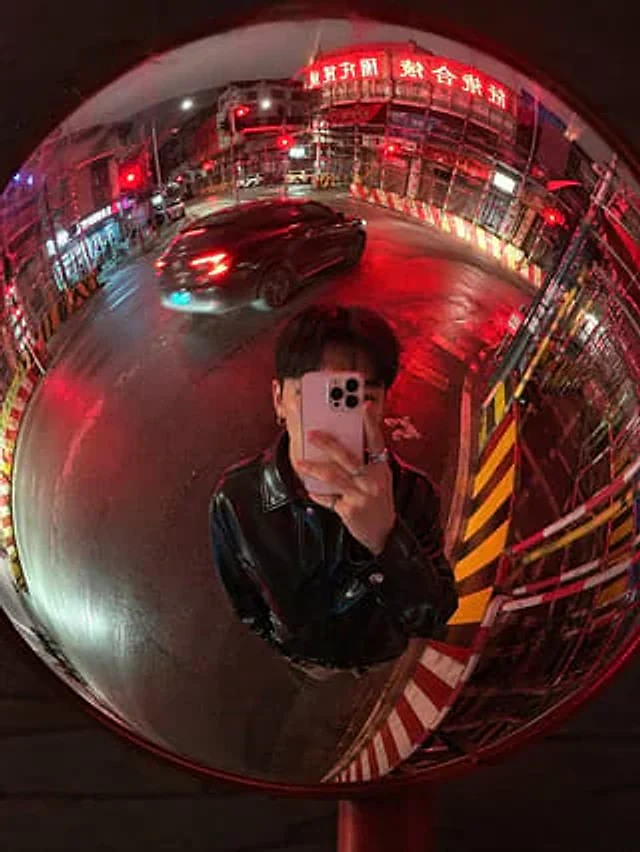
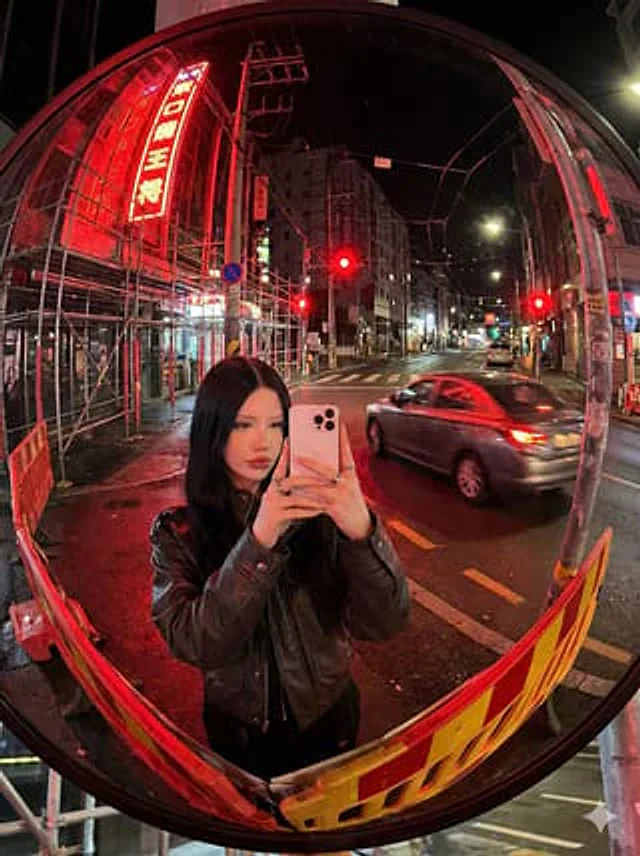
A hyper-realistic nighttime street photograph, entirely reflected in a large, circular convex traffic mirror. Using a 3:4 vertical composition, it possesses a strong fisheye lens effect and noticeable spherical distortion. The mirror's black border is clearly visible, and the entire circular reflection fills the surrounding city street, with roads, buildings, utility poles, power lines, scaffolding, and signs sharply curving towards the edges. At the bottom center of the reflection, a young woman is taking a selfie in the mirror, framed from waist-high. She stands directly in front of the mirror, holding {argument name="phone model" default="White iPhone 15 Pro Max"} It was held in front of her face, obscuring most of her facial features. She had shoulder-length straight hair and wore {argument name="jacket style" default="black leather jacket"} Wearing on the finger{argument name="accessory detail" default="silver ring"} The urban scene is a quiet nighttime intersection, the wet asphalt reflecting a vibrant red light. Three red lights are clearly visible in the reflection, along with a gray sedan traveling from right to left, its body slightly blurred and reflecting red neon lights. To the left of the mirror reflection, dense metal scaffolding drapes the building facades, illuminated by a tall, vertical red neon sign with white Japanese characters. At the bottom edge and lower left corner, two red and yellow guardrails curve due to the mirror distortion. Streetlights and shop lights extend into the background on the right, while overhead cables and utility poles form arcs in the upper half of the image. The light {argument name="lighting color" default="Bright red neon lights and traffic lights"} The main element is a cinematic red highlight on streets, cars, railings, and people's jackets. The realistic Tokyo-style nighttime atmosphere is casual yet stylish, with sharp details, slightly grime-covered mirrors, high contrast, and an immersive convex mirror perspective.사용 방법
- 매개변수를 포함한 전체 원본 프롬프트를 복사하세요.
- 주제, 문구, 구도를 자신의 요구에 맞게 바꾸세요.
- 호환되는 외부 도구에서 사용하고 이용 조건과 결과를 확인하세요.
시작 전 확인
- 참조 이미지가 필요한지 확인하세요. 호환 표시는 해당 모델로 이 예시를 생성했다는 뜻이 아닙니다.
- 이름, 수치, 이미지 속 문구를 확인하세요. 모델 버전에 따라 결과가 다를 수 있습니다.