원본 문서
Nano Banana Pro · zh
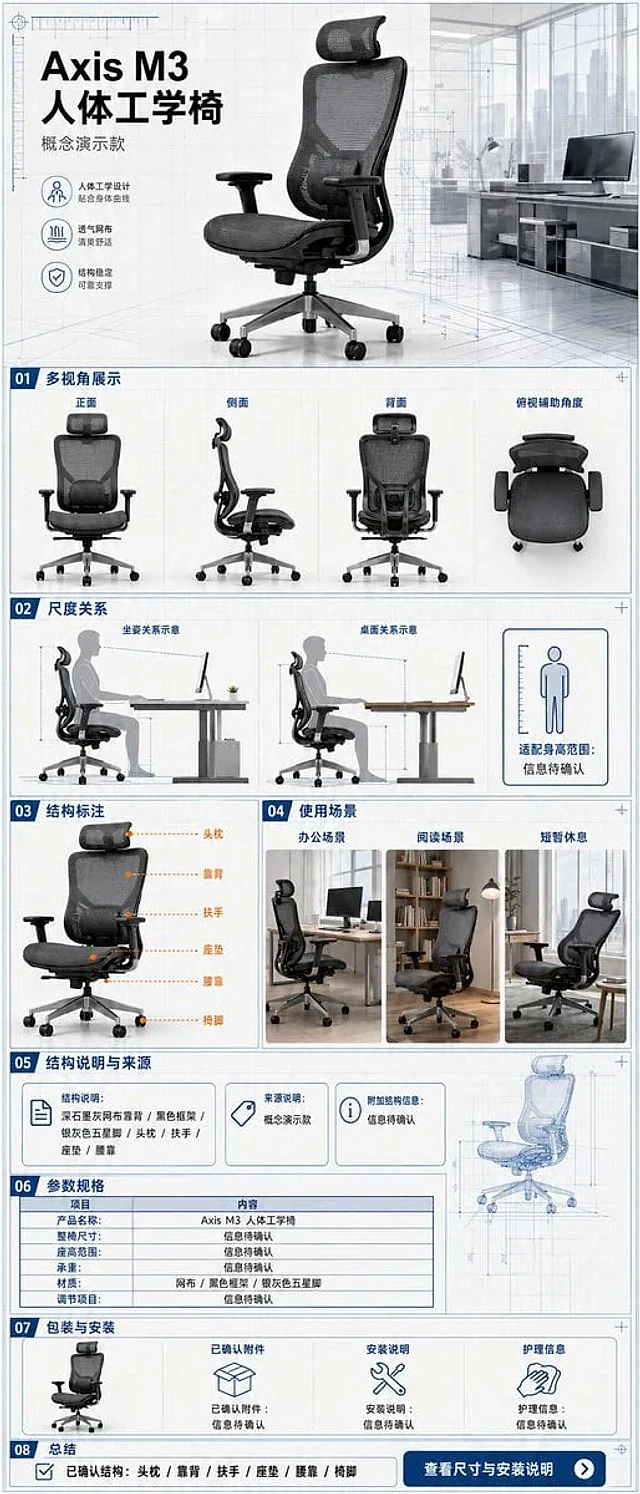
A single, continuous, and complete mobile e-commerce detail page for an ergonomic office chair, with an aspect ratio of {argument name="aspect ratio" default="3:7"}. The product is the "{argument name="product name" default="Axis M3 Ergonomic Chair"}" concept model, featuring a dark graphite grey mesh back, black frame, silver-grey five-star base, visible headrest, armrests, seat cushion, and lumbar support, maintaining structural consistency across all perspectives. The overall design uses a vertical grid system combining architectural blueprints with modern office spaces, featuring {argument name="color scheme" default="paper white, graphite grey, steel blue, and subtle orange"} annotations, clear narrow sans-serif, and monospace parameter fonts. The first screen shows the identity of the product with a 3/4 angle view; followed by front, side, back, and top-down auxiliary angles; using human sitting postures and desk relationships to show scale without inferring specific height suitability ranges; labeling headrest, backrest, armrests, seat cushion, lumbar support, and chair feet by outline without providing internal exploded structures; showcasing office, reading, and brief rest scenarios; the evidence section only shows structural descriptions and sources provided by the user, with missing items marked "information to be confirmed"; the parameter section includes full chair dimensions, seat height range, load capacity, materials, and adjustment items, with unknown values not guessed; the packaging section shows the chair body, confirmed accessories, installation instructions, and care information, with missing accessories marked "information to be confirmed"; and ends with a summary of confirmed structures and a "view dimensions and installation instructions" note. Every parameter unit, dimension line, and information card must be fully filled out. Fictional ergonomic certifications, load-bearing values, adjustment levels, health improvements, patents, or test results are prohibited.사용 방법
- 매개변수를 포함한 전체 원본 프롬프트를 복사하세요.
- 주제, 문구, 구도를 자신의 요구에 맞게 바꾸세요.
- 호환되는 외부 도구에서 사용하고 이용 조건과 결과를 확인하세요.
시작 전 확인
- 참조 이미지가 필요한지 확인하세요. 호환 표시는 해당 모델로 이 예시를 생성했다는 뜻이 아닙니다.
- 이름, 수치, 이미지 속 문구를 확인하세요. 모델 버전에 따라 결과가 다를 수 있습니다.