원본 문서
GPT Image 2 · en
{
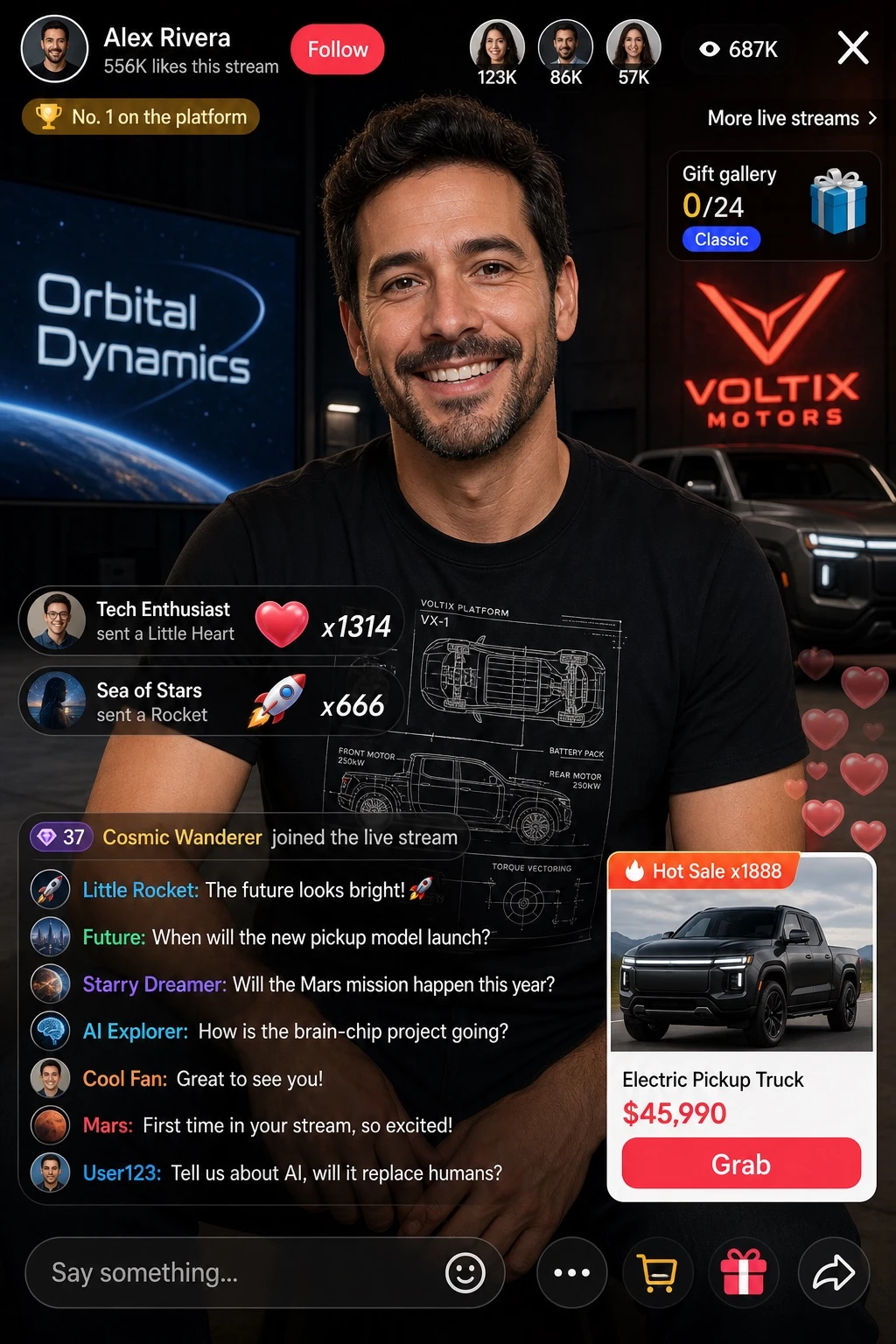
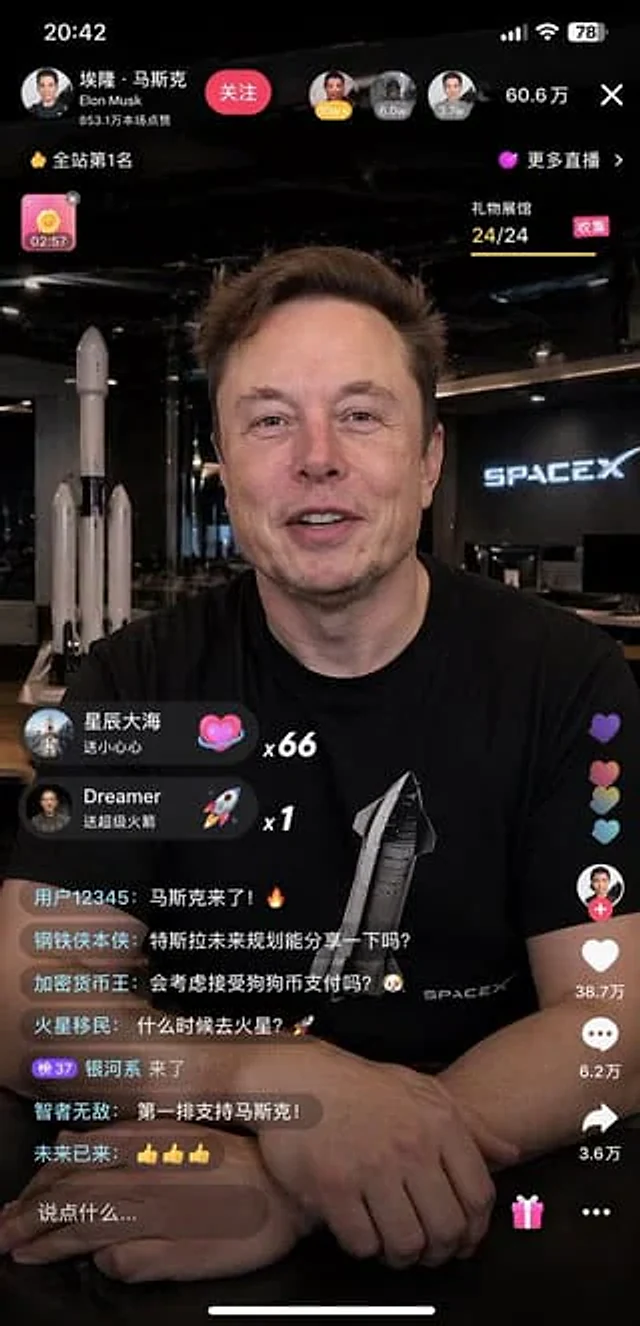
  "type": "Mobile live streaming interface model",
  "subject": {
    "identity": "{argument name=\"subject name\" default=\"Elon Musk\"}",
    "appearance": "Wearing a black T-shirt with a print{argument name=\"t-shirt graphic\" default=\"Starship rockets and SPACEX text\"}",
    "pose": "{argument name=\"expression\" default=\"A warm smile, looking directly at the camera.\"} Hands clasped together on the dark table"
  },
  "environment": "{argument name=\"background\" default=\"The SpaceX office, with rocket models and neon signs in the background.\"}",
  "layout": {
    "sections": [
      {
        "title": "Top bar UI",
        "position": "top",
        "count": 4,
        "labels": [
          "Profile information, including \"Elon Musk\" and a \"Follow\" button.",
          "The audience's profile picture and number of attendees were listed as \"606,000\".",
          "Ranking badge: \"Number 1 in the entire site\"",
          "Close button \"X\""
        ]
      },
      {
        "title": "Gift pop-up",
        "position": "center left",
        "count": 2,
        "labels": [
          "Sending you 66 little hearts from the stars and the sea (heart icon)",
          "Dreamer will send you a Super Rocket x1 (rocket icon)."
        ]
      },
      {
        "title": "Chat stream",
        "position": "Bottom left",
        "count": 7,
        "labels": [
          "User 12345: Musk is here! 🔥",
          "Iron Man himself: Could you share Tesla's future plans?",
          "Crypto King: Would you consider accepting Dogecoin payments? 🐶",
          "Mars colonization: When will we go to Mars? 🚀",
          "The Milky Way is here",
          "The wise are invincible: First row, supporting Musk!",
          "The future is here: 👍👍👍"
        ]
      },
      {
        "title": "Side operation buttons",
        "position": "Bottom right",
        "count": 4,
        "labels": [
          "Anchor avatar and \"+\" sign",
          "The post received 387,000 likes and comments.",
          "The comment bubble shows \"62,000\".",
          "The share arrow reads \"36,000\"."
        ]
      },
      {
        "title": "Bottom input bar",
        "position": "bottom",
        "count": 3,
        "labels": [
          "The text input box says \"Say something...\"",
          "Gift box icon",
          "More options \"...\""
        ]
      }
    ]
  }
}
사용 방법
- 매개변수를 포함한 전체 원본 프롬프트를 복사하세요.
- 주제, 문구, 구도를 자신의 요구에 맞게 바꾸세요.
- 호환되는 외부 도구에서 사용하고 이용 조건과 결과를 확인하세요.
시작 전 확인
- 참조 이미지가 필요한지 확인하세요. 호환 표시는 해당 모델로 이 예시를 생성했다는 뜻이 아닙니다.
- 이름, 수치, 이미지 속 문구를 확인하세요. 모델 버전에 따라 결과가 다를 수 있습니다.