원본 문서
GPT Image 2 · en
{
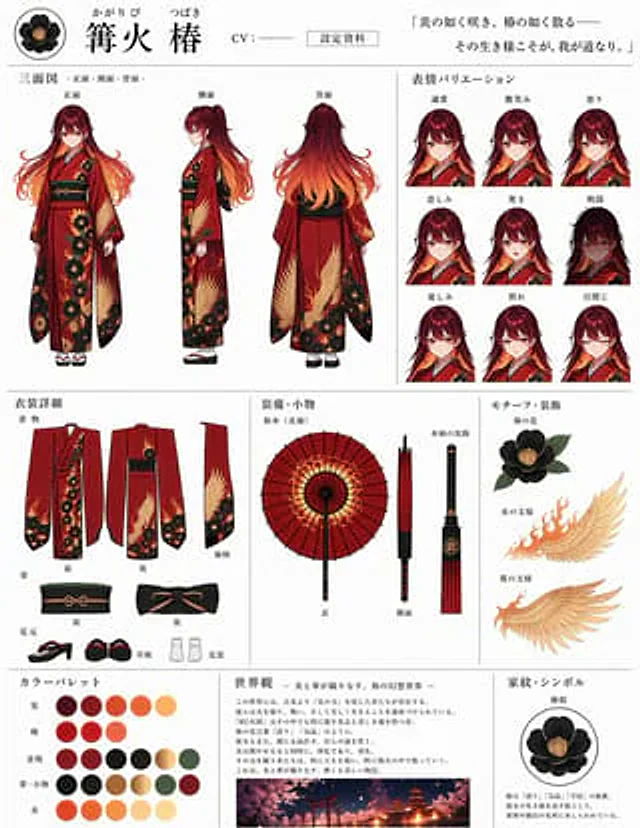
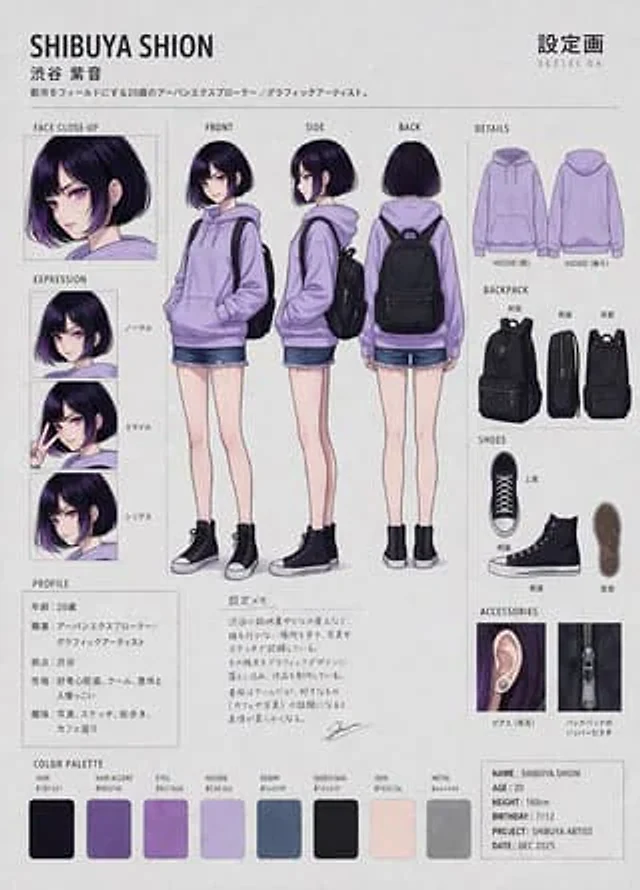
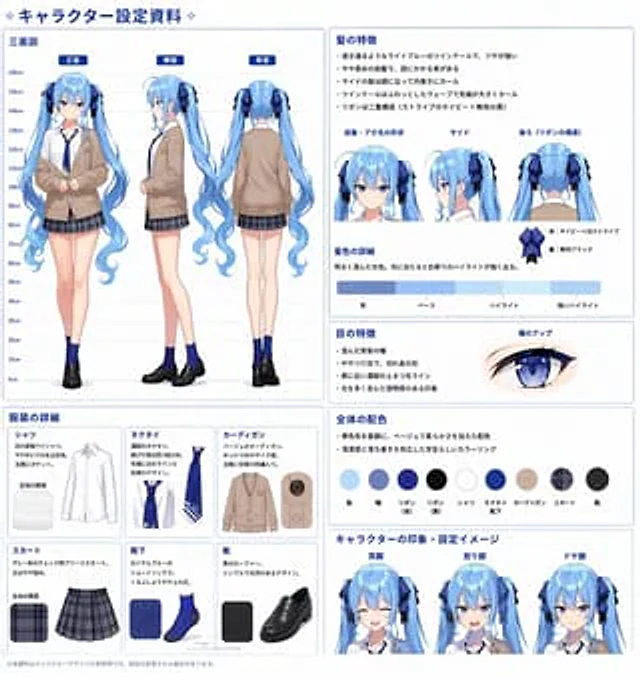
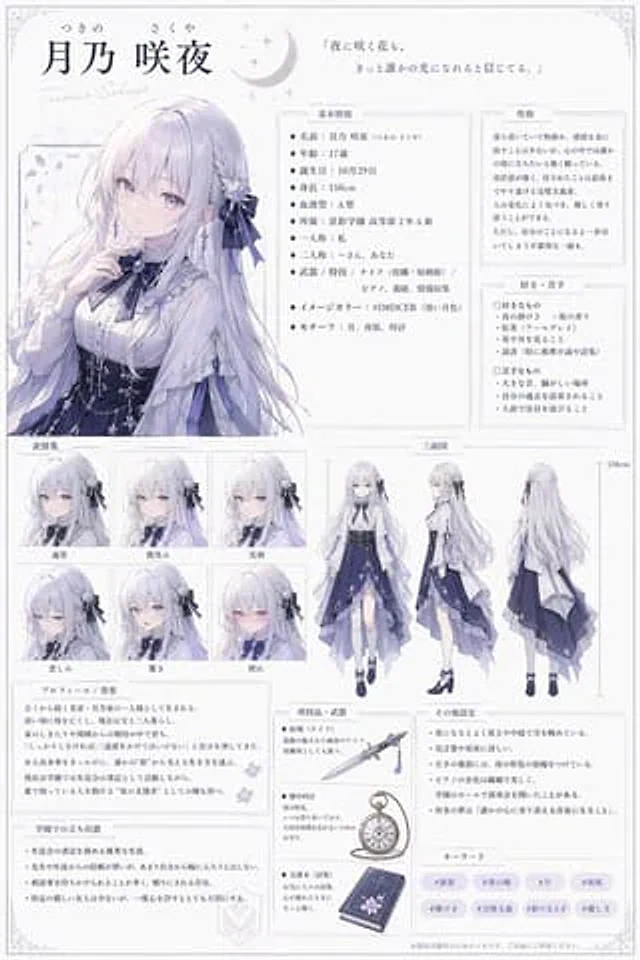
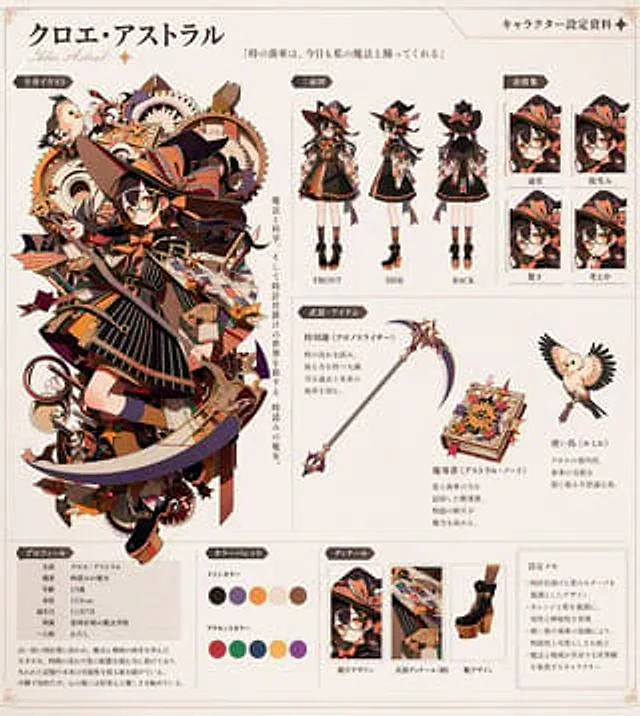
  "instruction": "Based on REFERENCE_0, a comprehensive anime character design set (settei) was generated on a clean off-white background. The core character designs were kept unchanged, extracted, and presented in various standard reference formats.",
  "header": {
    "character_name": "{argument name=\"character name\" default=\"クロエ・アストラル\"}",
    "subtitle": "Chloe Astral",
    "document_title": "Character design information",
    "quote": "{argument name=\"character quote\" default=\""The gears of time dance with my magic today as well."\"}"
  },
  "layout": {
    "left_column": {
      "section_title": "Full-body illustration",
      "description": "Original, complex character art from REFERENCE_0, with vertical descriptive text."
    },
    "top_right": {
      "section_title": "Three-view diagram",
      "count": 3,
      "description": "Full-body standing three-view image of the character (front, side, and back), with the original gear background removed."
    },
    "far_right": {
      "section_title": "Emoji Collection",
      "count": 4,
      "labels": [
        "generally",
        "Smile",
        "surprise",
        "think"
      ],
      "description": "A square avatar panel displaying different facial expressions."
    },
    "middle_right": {
      "section_title": "Weapons and props",
      "count": 3,
      "items": [
        "Refer to the sickle in the picture",
        "New Starry Sky Magic Book",
        "Refer to the image of a bird with its wings spread."
      ],
      "description": "Individual props with accompanying text descriptions."
    },
    "bottom_row": [
      {
        "section_title": "Personal information",
        "description": "It contains 7 rows of attribute data and a short biography of the person."
      },
      {
        "section_title": "Color scheme",
        "count": 10,
        "description": "A circular color chart consisting of 5 primary colors and 5 accent colors."
      },
      {
        "section_title": "Detailed display",
        "count": 3,
        "labels": [
          "Hat Design",
          "Clothing details (patterns)",
          "Shoe design"
        ],
        "description": "Close-up of rectangular details on hats, clothing patterns, and shoes."
      },
      {
        "section_title": "Set notes",
        "count": 4,
        "description": "A text box containing 4 design points."
      }
    ]
  }
}
사용 방법
- 매개변수를 포함한 전체 원본 프롬프트를 복사하세요.
- 주제, 문구, 구도를 자신의 요구에 맞게 바꾸세요.
- 호환되는 외부 도구에서 사용하고 이용 조건과 결과를 확인하세요.
시작 전 확인
- 참조 이미지가 필요한지 확인하세요. 호환 표시는 해당 모델로 이 예시를 생성했다는 뜻이 아닙니다.
- 이름, 수치, 이미지 속 문구를 확인하세요. 모델 버전에 따라 결과가 다를 수 있습니다.