원본 문서
GPT Image 2 · en
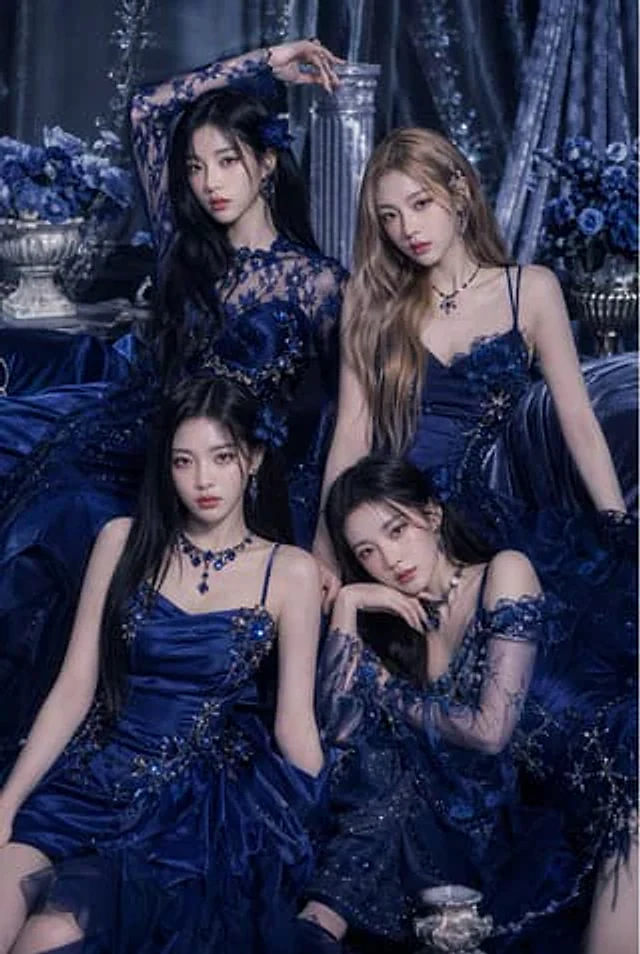
A luxurious, fashion editorial-style portrait showcases four elegant young women posing together in a deep sapphire blue Baroque-style interior, exuding the quality of a haute couture group photograph. The scene employs a monochromatic palette of deep sapphire blue, midnight blue, and silver, with a backdrop adorned with heavy velvet curtains, floral arrangements, classical columns, and ornate metalware. All four women wear distinctive deep blue and cobalt blue evening gowns, exquisitely detailed: embellished with crystal beads, sequins, embroidered floral appliqués, multiple layers of tulle, satin, and sheer lace. The woman in the upper left has extremely long black hair and wears a dramatic long-sleeved sheer lace gown with floral embroidery and a corset-style bodice, her arm raised high above her head in a regal pose. The woman in the upper right has long, wavy light brown or blonde hair and wears a sleeveless, spaghetti-strap satin gown adorned with blue floral appliqués at the chest and waist, sitting upright with a composed expression. The woman in the lower left has long, straight black hair and wears a structured satin dress with thin straps. The bodice and skirt are adorned with jeweled floral embellishments, and the skirt is voluminous and pleated. The woman in the lower right has long, dark hair and wears an off-the-shoulder, sheer, shimmering gown with semi-transparent embroidery on the sleeves. She leans slightly forward, one hand gently touching her chin, her posture soft and contemplative. All four wear coordinated sapphire jewelry, including earrings, necklaces, and decorative hair accessories. The composition is a compact, vertical portrait with layered seated poses. Rich fabrics fill the foreground, and soft, diffused studio lighting, rich in detail, creating a captivating, luxurious advertising campaign style with deep shadows, delicate skin, and an atmosphere of elegant opulence.사용 방법
- 매개변수를 포함한 전체 원본 프롬프트를 복사하세요.
- 주제, 문구, 구도를 자신의 요구에 맞게 바꾸세요.
- 호환되는 외부 도구에서 사용하고 이용 조건과 결과를 확인하세요.
시작 전 확인
- 참조 이미지가 필요한지 확인하세요. 호환 표시는 해당 모델로 이 예시를 생성했다는 뜻이 아닙니다.
- 이름, 수치, 이미지 속 문구를 확인하세요. 모델 버전에 따라 결과가 다를 수 있습니다.